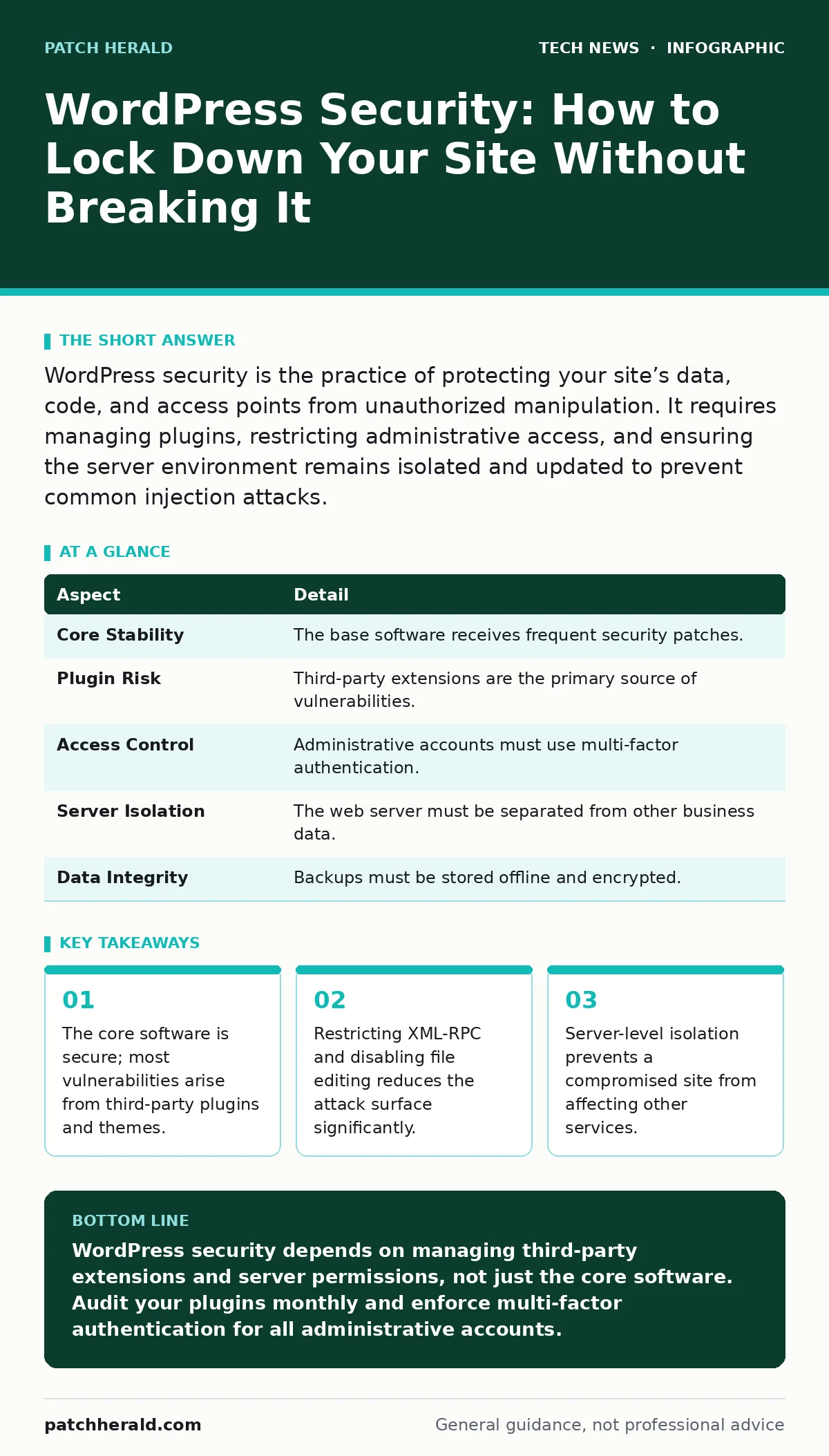
WordPress security is the practice of protecting your site’s data, code, and access points from unauthorized manipulation. It requires managing plugins, restricting administrative access, and ensuring the server environment remains isolated and updated to prevent common injection attacks.
The House and The Garden Gate
Imagine you own a house with an impenetrable steel frame. The walls are thick, and the foundation is solid. However, you have installed dozens of decorative gates, windows, and doors from different vendors. Each vendor sold you their product with a promise of beauty, but not all of them locked their hinges properly. WordPress security is not about reinforcing the steel frame. It is about auditing every gate, window, and door to ensure none of them allow an intruder to walk in.
The core WordPress software is maintained by a large team of developers who respond quickly to discovered flaws. The vulnerability usually lies in the ecosystem surrounding that core. You must treat every added component as a potential entry point for an attacker.
| Aspect | Detail |
|---|---|
| Core Stability | The base software receives frequent security patches. |
| Plugin Risk | Third-party extensions are the primary source of vulnerabilities. |
| Access Control | Administrative accounts must use multi-factor authentication. |
| Server Isolation | The web server must be separated from other business data. |
| Data Integrity | Backups must be stored offline and encrypted. |
Defining the Scope of Protection
WordPress security refers to the measures taken to protect a website built on the WordPress platform from unauthorized access, data theft, and defacement. It is not a single product you install. It is a layered approach that combines software configuration, server hardening, and user behavior.
The purpose is to maintain integrity. Integrity means that the content you publish is exactly what your visitors see, and that your database has not been altered by malicious actors. Without security, your site can be used to host malware, send spam, or steal visitor credentials.
You must distinguish between application security and infrastructure security. Application security deals with the code running inside WordPress. Infrastructure security deals with the server that hosts that code. Both must be addressed. If you secure the application but neglect the server, an attacker can still compromise your data. Conversely, a hardened server cannot save you if you grant administrative access to a weak password.
The Hidden Cost of Convenience
Most users assume that installing a security plugin solves the problem. This assumption creates a false sense of safety. Security plugins often monitor for known bad patterns, but they cannot predict new attack vectors. They also add overhead to your site’s performance. This overhead can slow down page loads, which affects user experience and search rankings.
There is a trade-off between ease of use and security. Features that make your site easier to manage, such as allowing users to upload files or edit code directly, also make it easier for an attacker to inject malicious scripts. You must decide which conveniences are worth the risk.
Consider the XML-RPC interface. This feature allows remote applications to interact with your site. It was designed for mobile apps and pingbacks. However, it is frequently used by attackers to brute-force passwords. Disabling it removes a convenient feature for some users but eliminates a common attack path. You must evaluate each feature against its risk.
Where It Fits in Your Defense Strategy
WordPress security does not exist in a vacuum. It is one layer of your broader digital defense. You must understand how it interacts with other security measures. For instance, Domain Name System security ensures that visitors reach your actual site and not a fake copy. If your DNS is compromised, no amount of WordPress hardening will stop users from entering credentials on a phishing site.
Similarly, remote work security practices apply to your website management. If you manage your site from various locations, you must use secure connections and multi-factor authentication. This prevents attackers from stealing your session cookies or credentials when you are on public networks.
Your web server also requires operating system hardening. This involves removing unnecessary services, updating the operating system, and restricting user permissions. A compromised WordPress site can sometimes be used as a stepping stone to attack the underlying server. If the server is hardened, the damage is contained.
Common Misconceptions About Safety
Many site owners believe that obscurity is security. They change the default login URL from "/wp-admin" to something custom. This stops casual scanners but does not stop determined attackers. Attackers can still discover the new URL by analyzing site traffic or using advanced scanning tools. This practice gives you a false sense of safety while adding complexity to your management routine.
Another misconception is that free themes and plugins are inherently unsafe. While many are, the real issue is abandonment. A plugin that has not been updated in two years is risky, regardless of whether it is free or paid. It may contain known vulnerabilities that have been fixed in newer versions but are not present in your installation.
You may also think that disabling comments improves security. While it removes one vector for spam and injection, it is not a primary security measure. Attackers do not need comments to compromise a site. They can target the login page, the API, or vulnerable plugins. Focus on patching and access control instead.
See also: SSH Key Management: Secure Remote Access Without Passwords · Difference Between Public Key and Private Key Encryption Explained
The Role of Open Source Transparency
WordPress is open-source software security in practice. The code is visible to anyone. This transparency allows security researchers to find and report flaws before attackers exploit them. However, it also means attackers can study the code to find weaknesses.
This dual nature requires vigilance. You must keep your installation updated. When a new version is released, it often includes security fixes. Delaying updates leaves you exposed. The risk of updating is usually lower than the risk of not updating. Most updates are backward compatible. Test updates on a staging site if you are concerned about breaking your layout.
The community also contributes to virtualization security best practices. Many hosts use virtual machines to isolate websites. This ensures that if one site is compromised, the others remain safe. You should verify that your hosting provider uses isolated environments. Shared hosting without isolation is a significant risk.
Integrating Encryption and Access Control
Data in transit must be encrypted. This is achieved through HTTPS, which relies on AES encryption standards. Without encryption, attackers on the same network can intercept your login credentials and session data. Ensure that your site forces HTTPS for all connections.
Access control is equally important. Use strong, unique passwords for all administrative accounts. Enable multi-factor authentication. This adds a second step to the login process, such as a code from a mobile app. Even if an attacker steals your password, they cannot access your site without the second factor.
You should also review user roles. Do not give everyone administrative access. Use the principle of least privilege. Editors should only have editing rights. Contributors should only be able to submit posts. Limiting permissions reduces the impact of a compromised account.
Beyond the Application Layer
Your defense must extend to the network. Network access control ensures that only authorized devices and users can connect to your server. This is particularly relevant if you manage your site from multiple locations.
Additionally, consider Certificate Transparency. This log of issued certificates helps detect rogue certificates that might be used to impersonate your site. While not a direct WordPress feature, it is part of the broader security ecosystem that protects your brand and visitors.
Remember that security is a process, not a destination. Threats evolve, and new vulnerabilities are discovered regularly. Regular audits, updates, and monitoring are necessary to maintain a secure posture.
Key takeaways
- The core software is secure; most vulnerabilities arise from third-party plugins and themes.
- Restricting XML-RPC and disabling file editing reduces the attack surface significantly.
- Server-level isolation prevents a compromised site from affecting other services.
WordPress security depends on managing third-party extensions and server permissions, not just the core software. Audit your plugins monthly and enforce multi-factor authentication for all administrative accounts.
Frequently asked questions
Do I need a firewall for my WordPress site?
Yes, a web application firewall filters malicious traffic before it reaches your site. It blocks common attack patterns like SQL injection and cross-site scripting.
How often should I update WordPress?
Update immediately when security releases are issued. For minor updates, schedule them during low-traffic periods to avoid disruptions.
Are child themes necessary for security?
Child themes help preserve your customizations during updates. While not a direct security feature, they ensure you can update safely without losing functionality.
Can a security plugin replace good practices?
No, plugins are tools that assist in monitoring and blocking threats. They cannot replace strong passwords, regular updates, and proper server configuration.
How this guide was produced: written by the Patch Herald editorial team with AI assistance, checked against the public references listed below, and reviewed when the facts change. See our editorial policy or report an error.