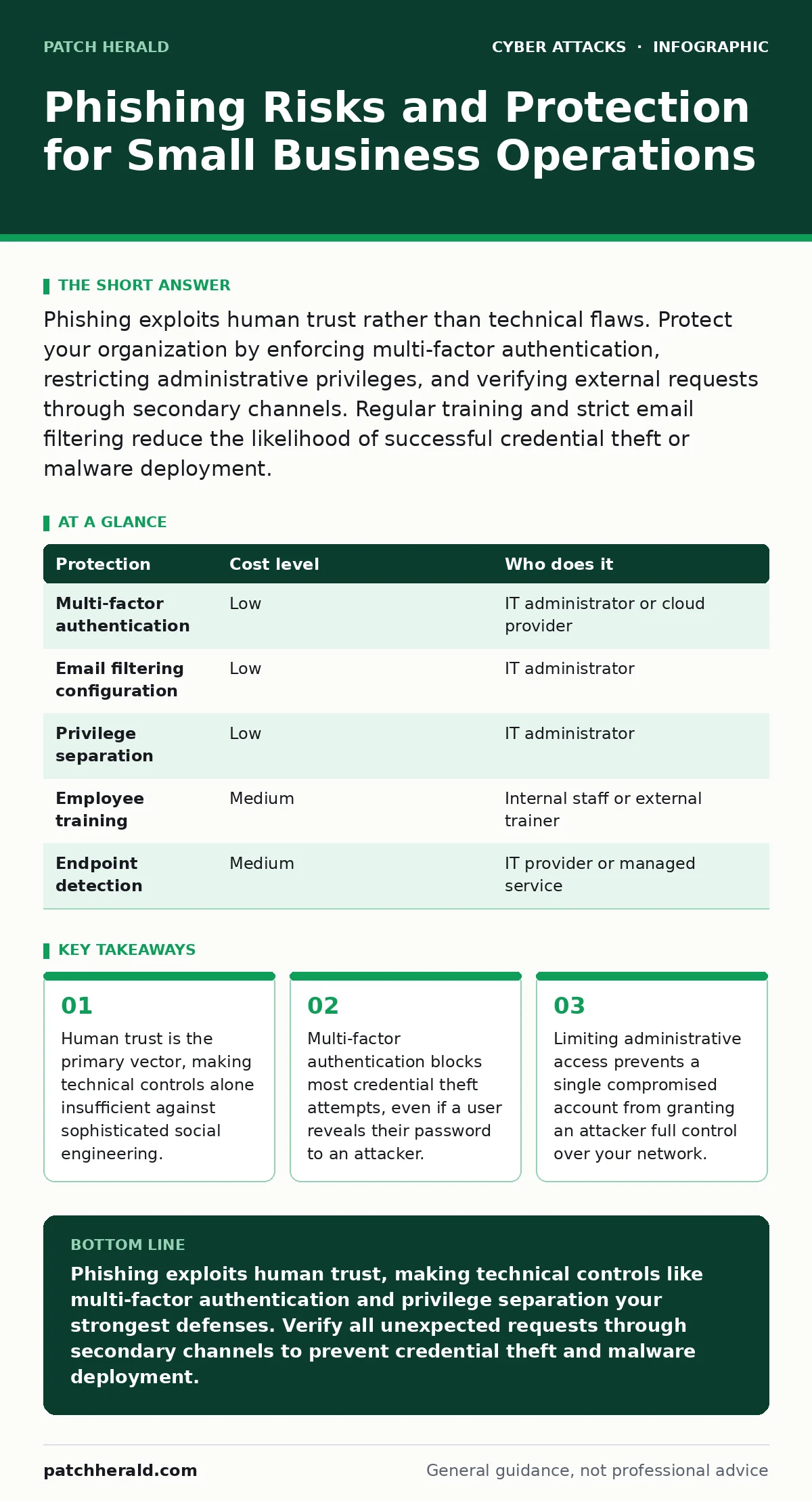
Phishing exploits human trust rather than technical flaws. Protect your organization by enforcing multi-factor authentication, restricting administrative privileges, and verifying external requests through secondary channels. Regular training and strict email filtering reduce the likelihood of successful credential theft or malware deployment.
The Trust Exploit Mechanism
Phishing relies on the psychological principle that people generally trust incoming communication. Attackers do not need to hack your firewall; they only need you to click a link or open an attachment. This approach bypasses technical defenses by using you as the entry point. The attack succeeds when you validate the attacker's presence in your system.
Small organizations are exposed because they often lack dedicated security staff. You handle multiple roles, from IT to finance, which increases the surface area for error. Attackers target this efficiency. They know that a busy employee is less likely to scrutinize an email header or verify a sender's identity. This human element remains the most consistent vulnerability in any network.
Why Small Organizations Face Disproportionate Risk
You may believe that small targets are ignored by sophisticated attackers. This is a dangerous misconception. Attackers use automated tools to scan for credentials across thousands of organizations simultaneously. Your company is not targeted for its size, but for its accessibility. The return on investment for an attacker is high when the barrier to entry is low.
Furthermore, small businesses often share infrastructure with larger partners. If you connect to a large client's network, you become a bridge into their systems. This supply chain risk makes you a valuable target. An attacker may compromise your simpler defenses to reach a more protected organization. Your security posture affects your partners, not just your own data.
The Hidden Cost of Administrative Access
One of the most overlooked risks is the widespread use of administrative privileges. When every employee has admin rights, a single phishing success grants an attacker full control over the device. This allows them to disable security software, create new user accounts, and move laterally across the network. The damage spreads before you even notice the initial breach.
Limiting administrative access is a low-cost, high-impact control. Standard users should only have the permissions necessary to perform their daily tasks. If an application requires admin rights, use a separate account for that specific task. This segmentation contains the blast radius of a compromised credential. It forces an attacker to find additional vulnerabilities to escalate their privileges.
Low-Cost Protections That Actually Work
You do not need expensive security suites to mitigate most phishing risks. Multi-factor authentication is the single most effective control. It requires a second form of verification, such as a code from a mobile app or a hardware key, in addition to your password. This ensures that stolen credentials alone are useless to an attacker.
Email filtering is another critical layer. Configure your email provider to block messages from suspicious domains or those containing malicious links. While no filter is perfect, it reduces the volume of threats that reach your inbox. Combine this with regular software updates to patch known vulnerabilities that attackers might exploit through attachments.
| Protection | Cost level | Who does it |
|---|---|---|
| Multi-factor authentication | Low | IT administrator or cloud provider |
| Email filtering configuration | Low | IT administrator |
| Privilege separation | Low | IT administrator |
| Employee training | Medium | Internal staff or external trainer |
| Endpoint detection | Medium | IT provider or managed service |
What to Ask an IT Provider
If you outsource your IT support, you must verify their security practices. A provider who only fixes broken computers is not protecting your data. You need a partner who understands threat modeling and incident response. Ask specific questions to gauge their depth of knowledge.
- How do you monitor for unusual login activity or credential abuse?
- What is your process for isolating a compromised device from the network?
- Do you provide regular, scenario-based training for our employees?
- How do you manage and audit administrative privileges across our systems?
- What is your incident response plan if a phishing attack succeeds?
These questions reveal whether they are proactive or reactive. A good provider will offer clear, concise answers without jargon. They should explain how they protect you from human error, not just technical failures.
See also: Malicious Bot Traffic: What It Is and How to Stop It
Beyond Email: Other Attack Vectors
Phishing is not limited to email. Be aware of vishing, which uses phone calls to extract information. Attackers may pose as IT support or bank representatives. They rely on urgency and authority to bypass your skepticism. Always verify the caller's identity by hanging up and calling the official number listed on the organization's website.
Shoulder surfing is another risk in shared spaces. Attackers may observe you typing passwords or viewing sensitive data on your screen. Position your monitor away from public view and use privacy filters if necessary. This simple physical control prevents visual theft of credentials.
OAuth consent phishing is a newer technique where attackers create fake login pages for popular services. You are tricked into granting access to a malicious application. This gives the attacker direct access to your data without stealing your password. Review the permissions you grant to third-party apps regularly.
Building a Culture of Verification
Technical controls are necessary but insufficient. You must cultivate a culture where questioning unexpected requests is normal. Encourage employees to report suspicious emails without fear of reprimand. This feedback loop helps you identify new attack patterns and adjust your defenses.
Regularly simulate phishing attempts to test your defenses. These exercises should be educational, not punitive. Use them to highlight common mistakes and reinforce best practices. Over time, this builds muscle memory for verifying sources and checking for red flags.
The Role of Zero Trust Security
Zero trust security operates on the principle that no user or device should be trusted by default, even if they are inside your network. This approach requires continuous verification of identity and device health. It limits the damage of a compromised account by restricting access to only what is necessary.
Implementing zero trust can be complex, but the core principles are accessible. Start by enforcing strict access controls and monitoring user behavior. Segment your network so that a breach in one area does not spread to others. This layered defense reduces the likelihood of a total system compromise.
Key takeaways
- Human trust is the primary vector, making technical controls alone insufficient against sophisticated social engineering.
- Multi-factor authentication blocks most credential theft attempts, even if a user reveals their password to an attacker.
- Limiting administrative access prevents a single compromised account from granting an attacker full control over your network.
Phishing exploits human trust, making technical controls like multi-factor authentication and privilege separation your strongest defenses. Verify all unexpected requests through secondary channels to prevent credential theft and malware deployment.
Frequently asked questions
Is multi-factor authentication enough to stop phishing?
Multi-factor authentication blocks most credential theft, but it does not protect against attacks that trick you into revealing the second factor or grant direct access via OAuth. Combine it with email filtering and training for better protection.
How often should we train employees on phishing?
Training should be continuous, not annual. Regular, short simulations and updates on new tactics keep awareness high. Human memory fades, so frequent reinforcement is necessary to maintain vigilance.
What is the difference between phishing and typosquatting?
Phishing is the act of sending deceptive messages to steal information. Typosquatting is a technique where attackers register domain names that look similar to legitimate ones. Phishers often use typosquatted domains to host their fake login pages.
Can endpoint protection detect phishing emails?
Endpoint protection primarily detects malware on devices, not phishing emails in the inbox. Email filtering is the correct control for blocking phishing messages. Endpoint protection helps if a user clicks a malicious link and downloads malware.
How this guide was produced: written by the Patch Herald editorial team with AI assistance, checked against the public references listed below, and reviewed when the facts change. See our editorial policy or report an error.