
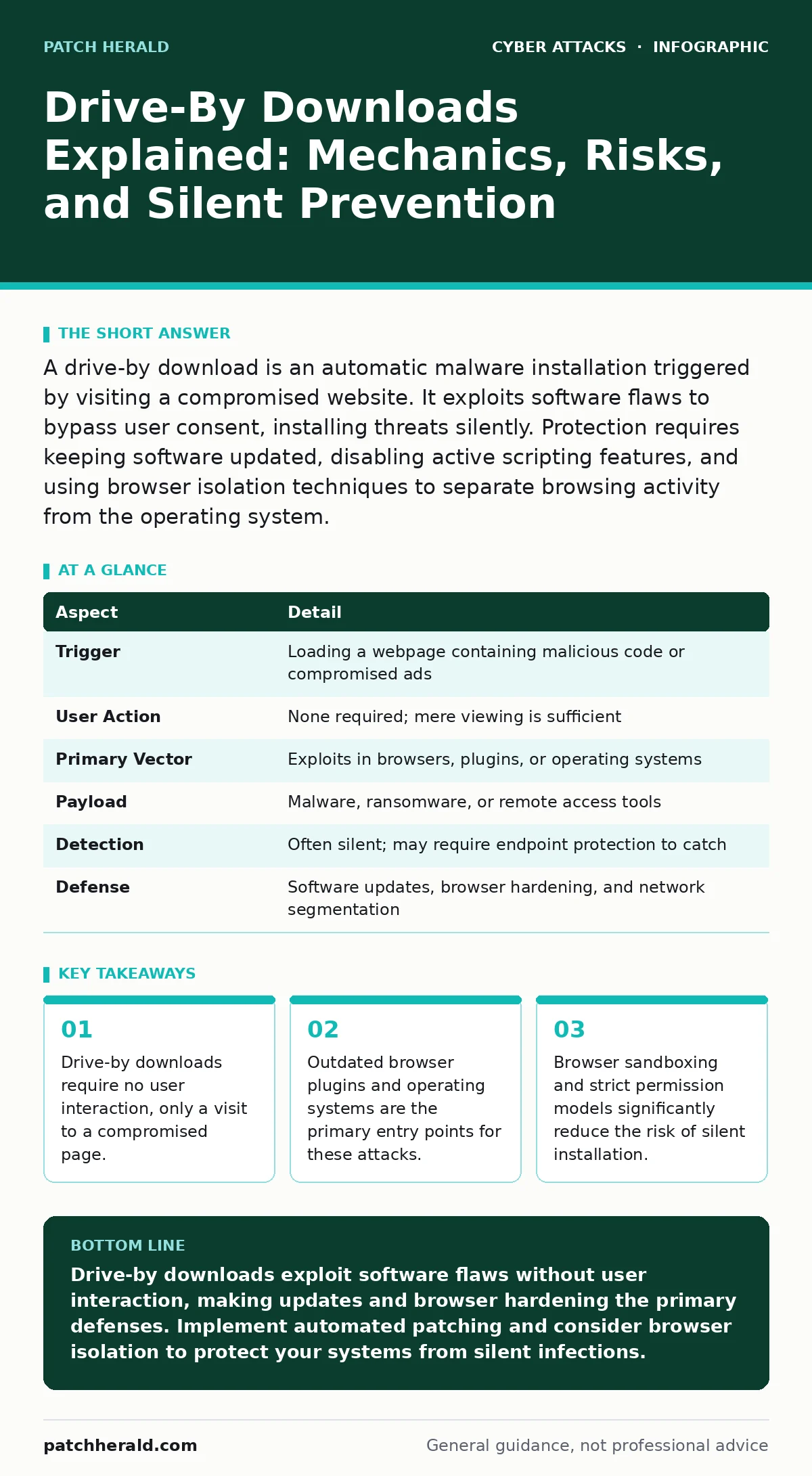
A drive-by download is an automatic malware installation triggered by visiting a compromised website. It exploits software flaws to bypass user consent, installing threats silently. Protection requires keeping software updated, disabling active scripting features, and using browser isolation techniques to separate browsing activity from the operating system.
The Silent Intrusion Analogy
Imagine walking past a house with an unlocked door. You do not pick the lock, you do not knock, and you do not intend to enter. Yet, a gust of wind blows your coat inside, and a thief waiting in the hallway grabs it. You are not responsible for the theft, but the consequence is yours. Drive-by downloads operate on this same principle of passive exposure. The malicious code waits for traffic, not for a specific user action. Your presence on the page is the trigger.
At a Glance: Drive-By Download Mechanics
| Aspect | Detail |
|---|---|
| Trigger | Loading a webpage containing malicious code or compromised ads |
| User Action | None required; mere viewing is sufficient |
| Primary Vector | Exploits in browsers, plugins, or operating systems |
| Payload | Malware, ransomware, or remote access tools |
| Detection | Often silent; may require endpoint protection to catch |
| Defense | Software updates, browser hardening, and network segmentation |
How the Exploitation Chain Works
The process begins with a compromised website. This site may be legitimate but hacked, or it may be a malicious page designed solely for infection. The attacker injects code into the site’s HTML or JavaScript. When you load the page, your browser renders this code. If your browser or a plugin has a known vulnerability, the malicious code exploits that flaw. It executes arbitrary commands on your machine. The exploit kit, a collection of exploit code, checks your system for weaknesses. If it finds one, it downloads and installs the payload. This happens in milliseconds, often before the page fully loads.
Who Bears the Risk
Drive-by downloads affect anyone using a connected device with a web browser. The risk is not limited to tech-savvy individuals who visit suspicious sites. High-traffic, legitimate websites are prime targets because they offer volume. A single compromised page on a major site can infect thousands of visitors. Small businesses are particularly vulnerable because they often lack dedicated security teams to monitor for these subtle infections. If an employee’s machine is compromised, the threat can spread laterally through the internal network. This can lead to data exfiltration or ransomware deployment. The attack does not care about your role or intent; it cares about your software state.
Common Forms and Delivery Methods
Attackers use several methods to deliver drive-by downloads. The most common is the exploit kit. These are hosted on compromised servers and serve tailored exploits based on the visitor’s browser fingerprint. Another method is malicious advertising, or malvertising. Attackers buy ad space on legitimate networks, then replace the creative with malicious code. When the ad loads, the exploit executes. Compromed software updates are another vector. If a developer’s build server is hacked, the malicious code can be distributed as a legitimate update. Each method relies on the same core principle: exploiting a software flaw without user consent.
See also: Out-of-Band Patches: Meaning, Risks, and Deployment Reality · Dumpster Diving Mistakes That Expose Your Business Data
What People Usually Get Wrong
Many users believe that drive-by downloads require a click. This is incorrect. The "drive-by" nature means the attack happens as you drive by the page, not as you interact with it. Another misconception is that antivirus software alone provides protection. Traditional signature-based antivirus may miss zero-day exploits or obfuscated code. Users also overestimate the security of their browser. Browsers have sandboxing, but plugins often run with higher privileges. A vulnerability in a plugin can escape the sandbox and infect the host system. This hidden cost of using plugins is often overlooked.
Reducing Risk Through Technical Controls
To reduce risk, you must minimize the attack surface. Keep your browser, operating system, and plugins updated. Updates patch the vulnerabilities that exploit kits target. Disable or remove unused plugins. Each plugin is a potential entry point. Use a modern browser with strong sandboxing. Sandboxing restricts what the browser can do, limiting the damage if an exploit succeeds. Enable automatic updates for all software. Consider using browser isolation technology. This runs the browser in a separate environment, preventing any downloaded code from touching your local machine. This is a form of zero trust security, where no traffic is trusted by default.
Integrating Defense into Your Strategy
Defense against drive-by downloads is not a single product but a layered approach. Endpoint protection can detect malicious behavior, even if the initial exploit succeeds. However, prevention is better than detection. Implement strict software update policies. Monitor for malicious bot traffic, which often precedes or accompanies these attacks by scanning for vulnerable systems. If an infection occurs, your incident response plans should include steps for isolating the affected machine and assessing the scope. Do not rely on user vigilance alone. The mechanism is automated and silent. Your defenses must be equally automated and robust.
The Role of Network Segmentation
Even if a drive-by download succeeds on a single machine, network segmentation can limit the damage. By dividing your network into smaller segments, you prevent lateral movement. If a workstation is infected, it cannot easily communicate with critical servers or other workstations. This reduces the blast radius of the attack. Combine this with least privilege access. Users should only have the permissions they need. This makes it harder for malware to elevate privileges and move deeper into the network. Segmentation is a passive defense that works while you sleep.
Key takeaways
- Drive-by downloads require no user interaction, only a visit to a compromised page.
- Outdated browser plugins and operating systems are the primary entry points for these attacks.
- Browser sandboxing and strict permission models significantly reduce the risk of silent installation.
Drive-by downloads exploit software flaws without user interaction, making updates and browser hardening the primary defenses. Implement automated patching and consider browser isolation to protect your systems from silent infections.
Frequently asked questions
Can a drive-by download happen on a mobile device?
Yes, mobile browsers are also vulnerable to drive-by downloads if the operating system or browser is outdated. However, mobile operating systems have stricter sandboxing, which limits the damage.
Does using a private browser mode prevent drive-by downloads?
No, private mode only prevents local data storage like cookies and history. It does not protect against software vulnerabilities or malicious code execution.
How do I know if I have been affected by a drive-by download?
Signs include unusual system behavior, unexpected pop-ups, or high CPU usage. Endpoint protection tools may also alert you to suspicious processes or network connections.
Are ad blockers effective against drive-by downloads?
Ad blockers can reduce risk by blocking malicious ads, but they are not foolproof. Some exploits do not come from ads. Ad blockers should be used as one layer of defense, not the only one.
How this guide was produced: written by the Patch Herald editorial team with AI assistance, checked against the public references listed below, and reviewed when the facts change. See our editorial policy or report an error.