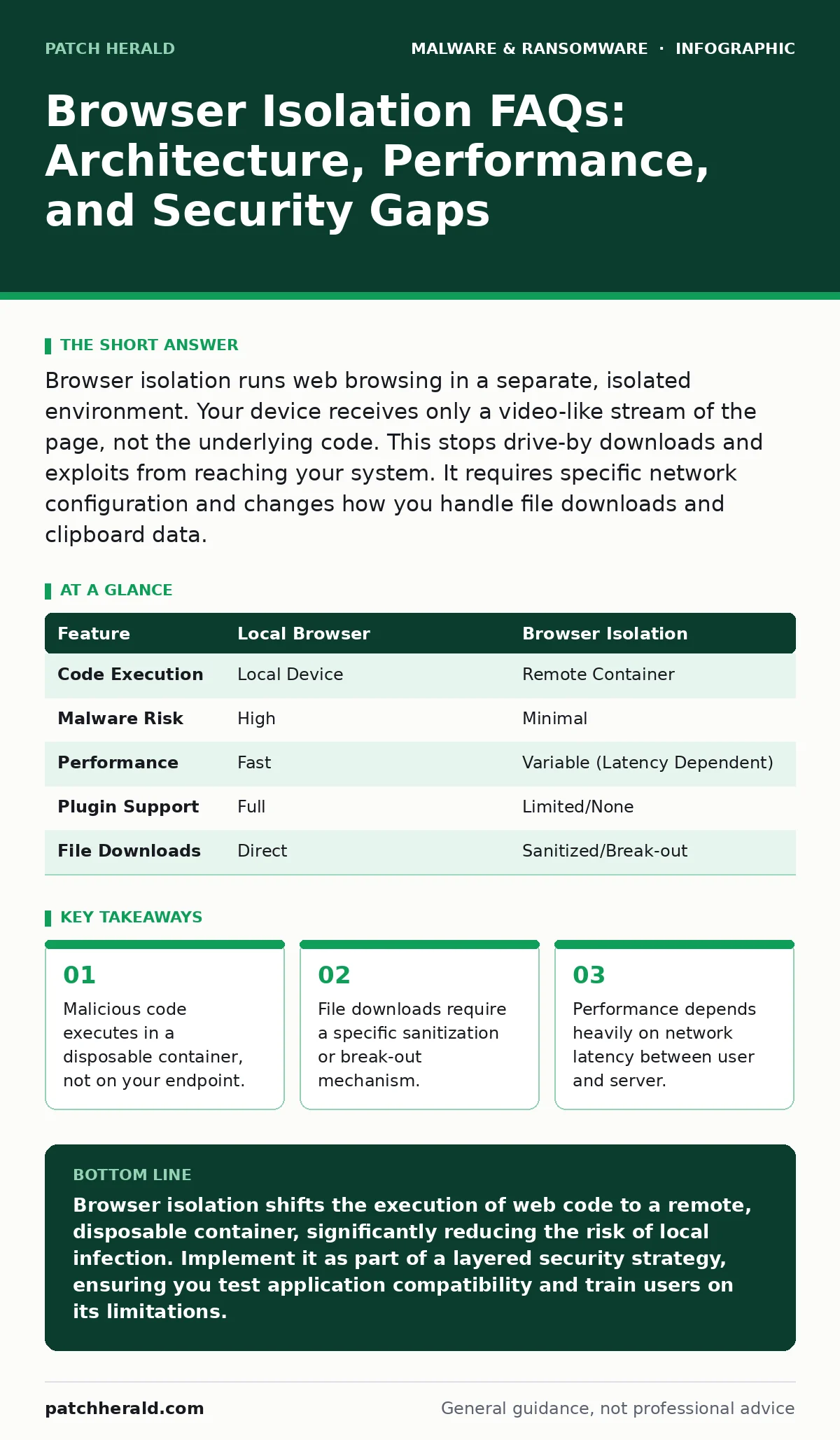
Browser isolation runs web browsing in a separate, isolated environment. Your device receives only a video-like stream of the page, not the underlying code. This stops drive-by downloads and exploits from reaching your system. It requires specific network configuration and changes how you handle file downloads and clipboard data.
What is browser isolation and how does it work?
Browser isolation is a security architecture that executes web sessions in a remote, isolated environment rather than on your local device. The remote server renders the webpage and streams the visual output back to your browser as a safe, interactive stream. Your local machine never processes the raw HTML, JavaScript, or other executable code from the site. This separation ensures that if a website contains malicious scripts, they run in the empty container and die with it. You interact with the visual representation, not the actual code.
Does browser isolation stop all types of web-based attacks?
It effectively neutralizes drive-by downloads, cross-site scripting, and exploit kits that target browser vulnerabilities. Because the malicious code never reaches your local operating system, it cannot install trojans or execute payloads locally. However, it does not protect against social engineering attacks where you willingly provide credentials to a fake login page. You must still verify the legitimacy of the site you are visiting. The technology prevents code execution, not human error.
How does browser isolation handle file downloads?
Downloading files requires a specific mechanism because the file originates in the isolated container. Most solutions use a "break-out" process where the file is sent to a sanitization engine before reaching your device. This engine scans the document for macros, scripts, and embedded threats. If the file passes, it is delivered to your local machine in a safe format. This process adds latency but prevents malicious documents from executing on your system. You cannot simply save a file directly from the isolated session without this intermediate step.
Will browser isolation slow down my internet browsing?
Yes, there is a measurable performance impact due to the rendering and streaming process. The remote server must process the page and transmit the visual stream over the network. High-resolution graphics, video content, and complex animations require more bandwidth and processing power. Users in locations with high network latency may experience input lag or slower page loads. The trade-off is security for speed. Optimizing the rendering settings can mitigate some of this delay, but it will never be as fast as local browsing.
How does browser isolation integrate with existing security tools?
It works best when connected to your existing identity and access management systems. You typically integrate it with single sign-on providers so users do not need separate credentials. It can also feed telemetry data to your security information and event management system. This allows you to correlate browsing activity with other security alerts. Without integration, you create a security silo that is difficult to monitor. Ensure your solution supports standard protocols like SAML or OAuth for seamless deployment.
See also: Website Defacement Monitoring: Detect Visual Changes Before Damage Spreads
Can users still use web applications that require plugins or extensions?
Most modern browser isolation solutions do not support legacy plugins like Flash or Java. This is a security feature, as these plugins are common vectors for attacks. However, many solutions support HTML5-based applications and modern JavaScript frameworks. Some platforms allow specific approved extensions to run in the isolated environment. You must test critical business applications before deployment to ensure compatibility. If an application relies on local system access, it will not function within the isolated stream.
What happens to clipboard data and copy-paste functionality?
Standard copy-paste between the isolated browser and your local machine is often disabled by default. This prevents malicious scripts from exfiltrating data from your clipboard or injecting malicious code into your local applications. Some solutions allow read-only copy from the isolated environment to the local machine. Others require an explicit user action to approve the transfer. This friction reduces the risk of data leakage but can hinder productivity for tasks requiring frequent data entry. You must configure these settings based on your security risk tolerance.
How does browser isolation compare to traditional antivirus?
Traditional antivirus scans files and processes on your local device after they have executed. Browser isolation prevents the execution of untrusted code in the first place. It is a preventive control, whereas antivirus is often a detective or reactive control. Using both provides layered defense, as isolation may not cover all web interactions. For instance, if you download a file through a non-isolated browser, antivirus remains your primary defense. Do not rely on isolation alone for comprehensive endpoint protection.
| Feature | Local Browser | Browser Isolation |
|---|---|---|
| Code Execution | Local Device | Remote Container |
| Malware Risk | High | Minimal |
| Performance | Fast | Variable (Latency Dependent) |
| Plugin Support | Full | Limited/None |
| File Downloads | Direct | Sanitized/Break-out |
Does browser isolation replace the need for other security measures?
No, it is one layer of a broader security strategy. It does not protect against phishing emails that lead to non-web attacks or local malware introduced via USB drives. You still need software restriction policies to control executable files on your endpoints. Regular updates to your operating system and applications remain necessary. Additionally, a robust disaster recovery plans framework is vital if an attack bypasses these controls. Browser isolation reduces the attack surface but does not eliminate it.
How do you manage user experience and productivity concerns?
Clear communication about the security benefits helps users accept the slight performance changes. Provide easy access to support for compatibility issues. Allow users to report sites that do not render correctly so you can adjust settings. Monitor user feedback to identify friction points in the workflow. A smooth user experience increases adoption and reduces the likelihood of users seeking workarounds. Balance security controls with operational needs to maintain productivity.
Key takeaways
- Malicious code executes in a disposable container, not on your endpoint.
- File downloads require a specific sanitization or break-out mechanism.
- Performance depends heavily on network latency between user and server.
- Integration with existing identity providers is required for seamless access.
Browser isolation shifts the execution of web code to a remote, disposable container, significantly reducing the risk of local infection. Implement it as part of a layered security strategy, ensuring you test application compatibility and train users on its limitations.
Frequently asked questions
Does browser isolation work on mobile devices?
Yes, many solutions offer mobile apps that render the web content in the cloud and stream it to smartphones and tablets. This protects mobile devices from drive-by attacks without requiring local browser installation.
Can browser isolation be used with public Wi-Fi?
Yes, it is particularly effective on untrusted networks like public Wi-Fi. Since the actual browsing happens remotely, your local device is less exposed to network-level attacks or snooping.
Does it protect against screen locker ransomware?
It prevents the initial infection vector from web-based exploits. However, if a user manually executes a ransomware file or falls for a social engineering attack, isolation alone will not stop the encryption process.
How is browser isolation different from a sandbox?
A sandbox often runs locally on your device to contain suspicious files. Browser isolation runs the entire session remotely, ensuring that no code from the web ever reaches your local hardware or operating system.
How this guide was produced: written by the Patch Herald editorial team with AI assistance, checked against the public references listed below, and reviewed when the facts change. See our editorial policy or report an error.