OAuth consent phishing tricks users into granting legitimate apps excessive access. It bypasses traditional anti-phishing filters because the login page is real. You must verify the scope of permissions requested, not just the URL, to prevent unauthorized data exposure and account takeover.
Myth: The URL is Fake
Reality: The domain you see in the browser address bar is often the genuine identity provider. Attackers do not host counterfeit login pages in this scenario. Instead, they register legitimate applications with services like Google, Microsoft, or GitHub.
When you click the link, you are redirected to the official login portal of your email or cloud provider. The server responding to your request is authentic. This distinction breaks the primary defense mechanism for most organizations: URL filtering.
Security gateways scan for known malicious domains. They allow traffic to verified corporate identity providers. Because the traffic flows through the correct domain, the request appears benign to automated monitoring tools. The deception occurs in the application name and the permissions requested, not in the network address.
Myth: Multi-Factor Authentication Stops This
Reality: Multi-factor authentication (MFA) protects the login credential, not the application authorization. You successfully prove who you are using your password and your secondary factor. The system then asks what you want to do.
The attack succeeds because you willingly grant the malicious application access. The MFA challenge passes, and the subsequent consent screen is the actual point of failure. You are authorizing the breach.
This creates a false sense of security. Administrators often believe that MFA eliminates account takeover risks. In OAuth consent phishing, MFA is a requirement for the attacker to succeed, not a barrier. The user performs the required steps correctly, but the outcome is unauthorized access.
Myth: Limited Permissions Make It Safe
Reality: Attackers request broad scopes to maximize the value of the stolen access. A scope is a specific permission level, such as reading emails or modifying contacts. The consent screen lists these scopes clearly.
Many users skim this list. They focus on the application name or the button label. They assume that if the app looks legitimate, the permissions are standard. An attacker can request access to read, send, and delete emails alongside basic profile data.
Once granted, the application can act on your behalf without further interaction. It does not need your password again. It holds a token that allows it to perform actions within the defined scope. If the scope is wide, the damage is extensive.
Myth: Password Resets Kill the Access
Reality: Changing your password does not invalidate existing OAuth tokens. The token is a separate credential issued after the initial authentication. It remains valid until it expires or is explicitly revoked.
This is a critical misunderstanding in incident response. Users believe that resetting their password locks the attacker out. The attacker retains access via the previously granted token. They can continue to read emails or export data.
To stop the intrusion, you must find the third-party application in your security settings and remove it. This action revokes the token. Without this step, the breach persists despite the password change. This adds complexity to the remediation process and extends the window of exposure.
Myth: Only Targeted Executives Are at Risk
Reality: Attackers often target standard users to pivot into the organization. An executive’s account is high value, but a regular employee’s email account is a gateway. Attackers use lower-profile accounts to send internal phishing emails.
These emails appear to come from a trusted colleague. They bypass spam filters because the sender is internal. The goal is often to steal credentials or install malware on other devices.
This tactic lowers the cost of the attack. It does not require sophisticated social engineering against a guarded executive. It relies on the volume of standard accounts and the trust inherent in internal communications. Every account with email access is a potential entry point.
See also: Malicious Bot Traffic: What It Is and How to Stop It
Myth: Security Awareness Training Prevents It
Reality: Training often focuses on spotting fake URLs and bad grammar. OAuth consent phishing uses perfect grammar and real URLs. The deception is structural, not cosmetic.
Users are trained to look for red flags in the page design. They are not always trained to scrutinize the specific permissions requested by an application. The cognitive load of evaluating scopes is higher than checking a logo.
Imagine you receive a link to a new project management tool. The URL is correct. The branding is correct. The request asks for access to your calendar and emails. If you do not understand why a task tracker needs email access, you may grant it. Training must shift from URL inspection to scope evaluation.
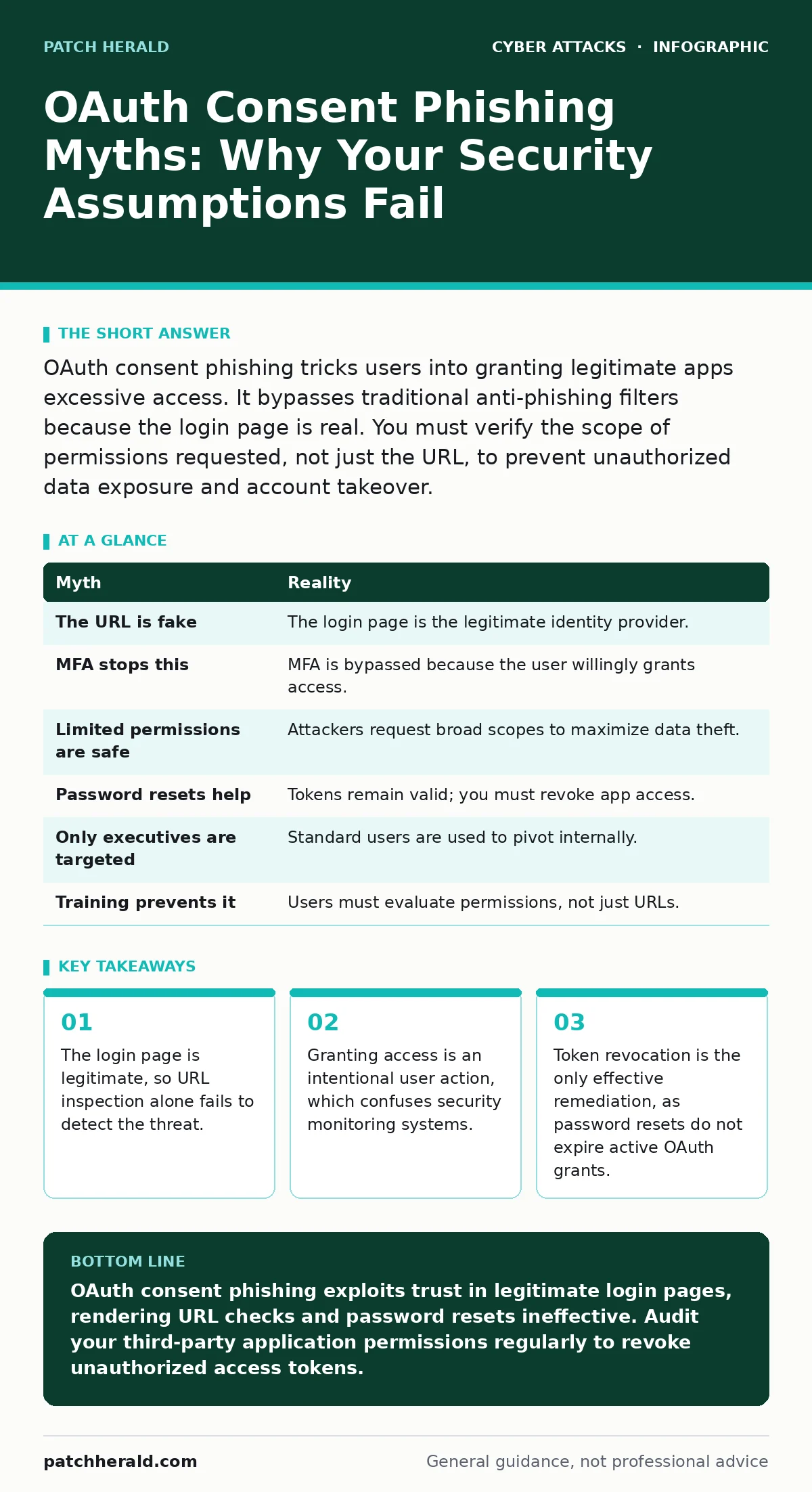
Summary of OAuth Consent Phishing Myths
| Myth | Reality |
|---|---|
| The URL is fake | The login page is the legitimate identity provider. |
| MFA stops this | MFA is bypassed because the user willingly grants access. |
| Limited permissions are safe | Attackers request broad scopes to maximize data theft. |
| Password resets help | Tokens remain valid; you must revoke app access. |
| Only executives are targeted | Standard users are used to pivot internally. |
| Training prevents it | Users must evaluate permissions, not just URLs. |
Key takeaways
- The login page is legitimate, so URL inspection alone fails to detect the threat.
- Granting access is an intentional user action, which confuses security monitoring systems.
- Token revocation is the only effective remediation, as password resets do not expire active OAuth grants.
OAuth consent phishing exploits trust in legitimate login pages, rendering URL checks and password resets ineffective. Audit your third-party application permissions regularly to revoke unauthorized access tokens.
Frequently asked questions
How do I know if an app has accessed my account?
Check the security settings of your email or cloud provider. Look for a section labeled "Connected apps" or "Third-party access" to see active grants.
Can I limit what apps can request?
Yes, administrators can configure policies to restrict which applications users can authorize. This prevents users from granting access to unverified or high-risk apps.
Is this the same as typosquatting?
No, typosquatting involves registering a domain that looks similar to a legitimate one. OAuth consent phishing uses the exact, correct domain name of the service provider.
Does endpoint protection detect this?
Traditional endpoint protection focuses on malware and known threats. It may not detect a user voluntarily granting permissions to a legitimate service, as no malicious file is downloaded.
How this guide was produced: written by the Patch Herald editorial team with AI assistance, checked against the public references listed below, and reviewed when the facts change. See our editorial policy or report an error.