
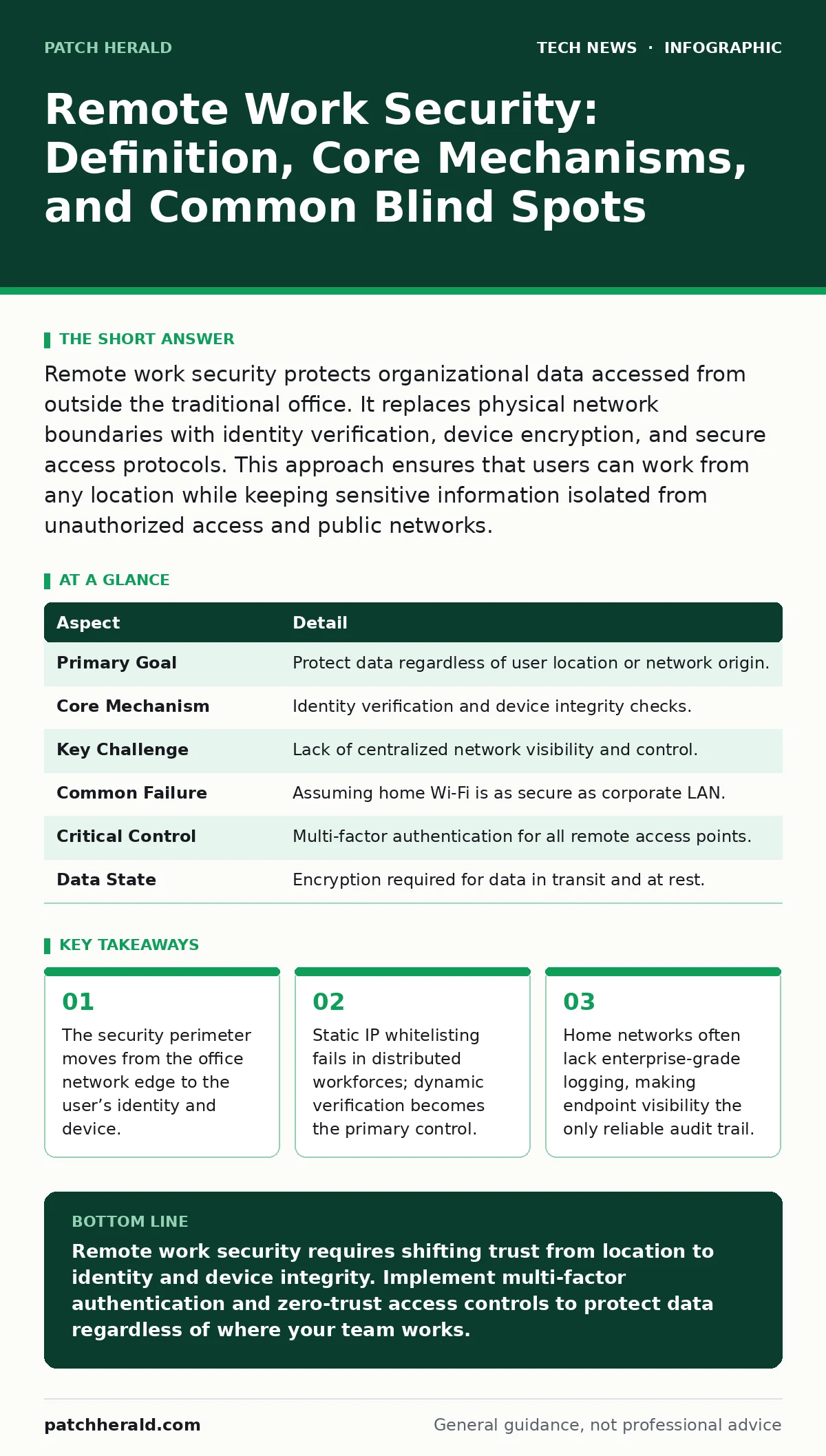
Remote work security protects organizational data accessed from outside the traditional office. It replaces physical network boundaries with identity verification, device encryption, and secure access protocols. This approach ensures that users can work from any location while keeping sensitive information isolated from unauthorized access and public networks.
The Shift from Castle Walls to Digital Keys
Imagine a bank that used to rely on thick stone walls and a single guarded door. Now, the bank allows customers to conduct transactions from their living rooms, offices, or cafes. The stone walls no longer protect the money. Instead, the bank must verify that every person holding a digital key is who they claim to be, and that the device they are using has not been compromised. This is the fundamental shift in remote work security. It moves the focus from protecting a fixed location to protecting the data in transit and at rest, regardless of where the user sits.
Remote work security is the set of policies, technologies, and practices that protect an organization’s information assets when employees access them from outside the corporate network. It solves the problem of expanded attack surfaces. When staff work from home, they connect through internet service providers that have no obligation to secure your data. They use personal devices that may lack security patches. They connect to public Wi-Fi that can intercept unencrypted traffic. The purpose of these controls is to ensure that distance does not equal vulnerability.
| Aspect | Detail |
|---|---|
| Primary Goal | Protect data regardless of user location or network origin. |
| Core Mechanism | Identity verification and device integrity checks. |
| Key Challenge | Lack of centralized network visibility and control. |
| Common Failure | Assuming home Wi-Fi is as secure as corporate LAN. |
| Critical Control | Multi-factor authentication for all remote access points. |
| Data State | Encryption required for data in transit and at rest. |
Identity as the New Firewall
In a traditional office, being inside the building granted you access to internal resources. The network assumed that if you were physically present, you were authorized. Remote work breaks this assumption. You can be anywhere, so the system must verify your identity for every session. This is where identity and access management (IAM) becomes the primary defense. IAM systems manage digital identities and control user access to resources.
Multi-factor authentication (MFA) is the baseline requirement. MFA requires two or more verification methods to confirm identity. A password is something you know. A hardware token or smartphone app is something you have. Biometrics are something you are. Using only a password is insufficient because passwords can be stolen, guessed, or phished. MFA adds a layer that an attacker cannot easily replicate. Even if a thief steals your password, they cannot access your account without the second factor.
OAuth is a standard protocol that allows applications to access user data without sharing passwords. It is widely used for single sign-on (SSO) solutions. SSO lets users log in once to access multiple applications. This reduces password fatigue, which leads to weaker passwords or reuse. However, SSO creates a single point of failure. If the SSO provider is compromised, attackers can pivot to every connected application. Therefore, securing the identity provider is as critical as securing the applications themselves.
The Endpoint Is the Perimeter
Your laptop or smartphone is no longer just a tool; it is the gateway to the corporate network. Endpoint security refers to the protection of these individual devices. This includes antivirus software, firewalls, and disk encryption. Disk encryption scrambles data on the hard drive so it cannot be read without a key. If you lose your laptop, the thief cannot access the files.
Mobile device management (MDM) allows organizations to enforce security policies on remote devices. MDM can wipe data from a lost device, enforce password complexity, and ensure operating systems are updated. Without MDM, you have no way to know if a remote device is secure. You also have no way to remove corporate data if an employee leaves the company. This is a significant risk for small organizations that often rely on trust rather than technical controls.
Virtualization security is relevant here because many remote workers use virtual desktop infrastructure (VDI). VDI hosts the operating system and applications on a central server. The user’s device only displays the screen and sends keystrokes. This keeps data off the local device. If the laptop is stolen, no corporate data is lost. However, VDI requires robust network security to prevent interception of the display stream. It also adds latency, which can impact user experience.
Network Security in Distributed Environments
Home router security is often overlooked. Most consumer routers have default passwords, outdated firmware, and weak encryption standards. If your home router is compromised, an attacker can monitor all traffic from your devices. This includes traffic to corporate cloud services. You should change default passwords, update firmware regularly, and disable remote management features.
WPA3 is the latest Wi-Fi security standard. It provides stronger encryption and protection against brute-force attacks. If your home router supports WPA3, you should use it. If not, WPA2 is acceptable, but you must use a strong pre-shared key. Public Wi-Fi networks should never be used for sensitive work without a virtual private network (VPN). A VPN creates an encrypted tunnel between your device and the corporate network. It hides your traffic from local network observers.
However, traditional VPNs are not enough. They only protect traffic in transit. They do not verify the identity of the user or the health of the device. Zero Trust Network Access (ZTNA) is a more modern approach. ZTNA assumes no user or device is trusted by default. It verifies identity and context for every request. This is more secure than a VPN, which creates a broad tunnel into the network. ZTNA grants access to specific applications only.
Cloud Security and Data Protection
Most remote work relies on cloud services. Cloud security involves protecting data stored in third-party data centers. This includes configuration management, access controls, and encryption. Misconfigurations are a leading cause of data breaches. For example, leaving a storage bucket public allows anyone to view the data. You must regularly audit cloud permissions and storage settings.
AES encryption is the standard for data at rest. It ensures that data stored in the cloud is unreadable without the decryption key. Key management is critical. If the key is lost, the data is lost. If the key is stolen, the data is compromised. Organizations must use secure key management systems. They should not store keys in plain text or share them via email.
WordPress security is relevant if your organization uses a public-facing website for remote work portals or customer interaction. WordPress is a common target for attackers due to its popularity. Plugins and themes can introduce vulnerabilities. Keeping the core software and plugins updated is vital. Using strong passwords and limiting login attempts reduces the risk of compromise.
See also: Zero Trust Mistakes That Break Security and How to Fix Them · Shadow IT Myths: 6 Misconceptions Blocking Cloud Security
What People Usually Get Wrong
Many organizations believe that providing a VPN is sufficient. This is a mistake. A VPN protects the connection but not the device or the user. If an employee’s laptop is infected with malware, the VPN will transmit that malware to the corporate network. You need layered security. This includes endpoint protection, identity verification, and application-level controls.
Another common error is ignoring personal devices. Many employees use their personal phones or laptops for work. These devices often lack security controls. Organizations should implement bring your own device (BYOD) policies. These policies should require device encryption and remote wipe capabilities. If you cannot enforce security on a device, you should not allow it to access sensitive data.
Finally, many organizations neglect user training. Technology alone cannot prevent social engineering. Phishing attacks target users, not systems. If an employee clicks a malicious link, they can bypass technical controls. Regular training on phishing recognition and security best practices is necessary. Users must understand the risks of remote work and how to mitigate them.
Integrating Remote Security with Broader Defenses
Remote work security does not exist in isolation. It must integrate with other security domains. For example, incident response plans must account for remote users. If a breach occurs, how do you isolate a remote device? How do you communicate with remote staff? These procedures must be tested and documented.
Audit trails are critical. You need to know who accessed what and when. Centralized logging aggregates logs from endpoints, cloud services, and identity providers. This allows for correlation and detection of anomalies. Without centralized logging, you cannot detect a breach until it is too late.
Compliance requirements also drive remote work security. Regulations may require specific controls for data protection. You must ensure that your remote work policies meet these requirements. This may include data residency rules, encryption standards, and access logging. Failure to comply can result in fines and reputational damage.
Key takeaways
- The security perimeter moves from the office network edge to the user’s identity and device.
- Static IP whitelisting fails in distributed workforces; dynamic verification becomes the primary control.
- Home networks often lack enterprise-grade logging, making endpoint visibility the only reliable audit trail.
- Misconfigured cloud services create shadow IT risks that bypass traditional firewall rules entirely.
Remote work security requires shifting trust from location to identity and device integrity. Implement multi-factor authentication and zero-trust access controls to protect data regardless of where your team works.
Frequently asked questions
Is a VPN enough for remote work security?
No, a VPN only encrypts traffic in transit. It does not verify user identity, check device health, or protect data on the endpoint. You need additional controls like MFA and endpoint detection.
How do I secure home Wi-Fi for work?
Change default router passwords, update firmware, use WPA3 encryption, and disable remote management. Consider a separate SSID for work devices to isolate traffic.
What is Zero Trust in remote work?
Zero Trust assumes no user or device is trusted by default. It verifies identity and context for every access request, granting least-privilege access to specific applications.
Do I need MDM for personal devices?
If personal devices access corporate data, MDM is recommended. It allows you to enforce security policies, encrypt data, and remotely wipe corporate information if the device is lost.
How this guide was produced: written by the Patch Herald editorial team with AI assistance, checked against the public references listed below, and reviewed when the facts change. See our editorial policy or report an error.