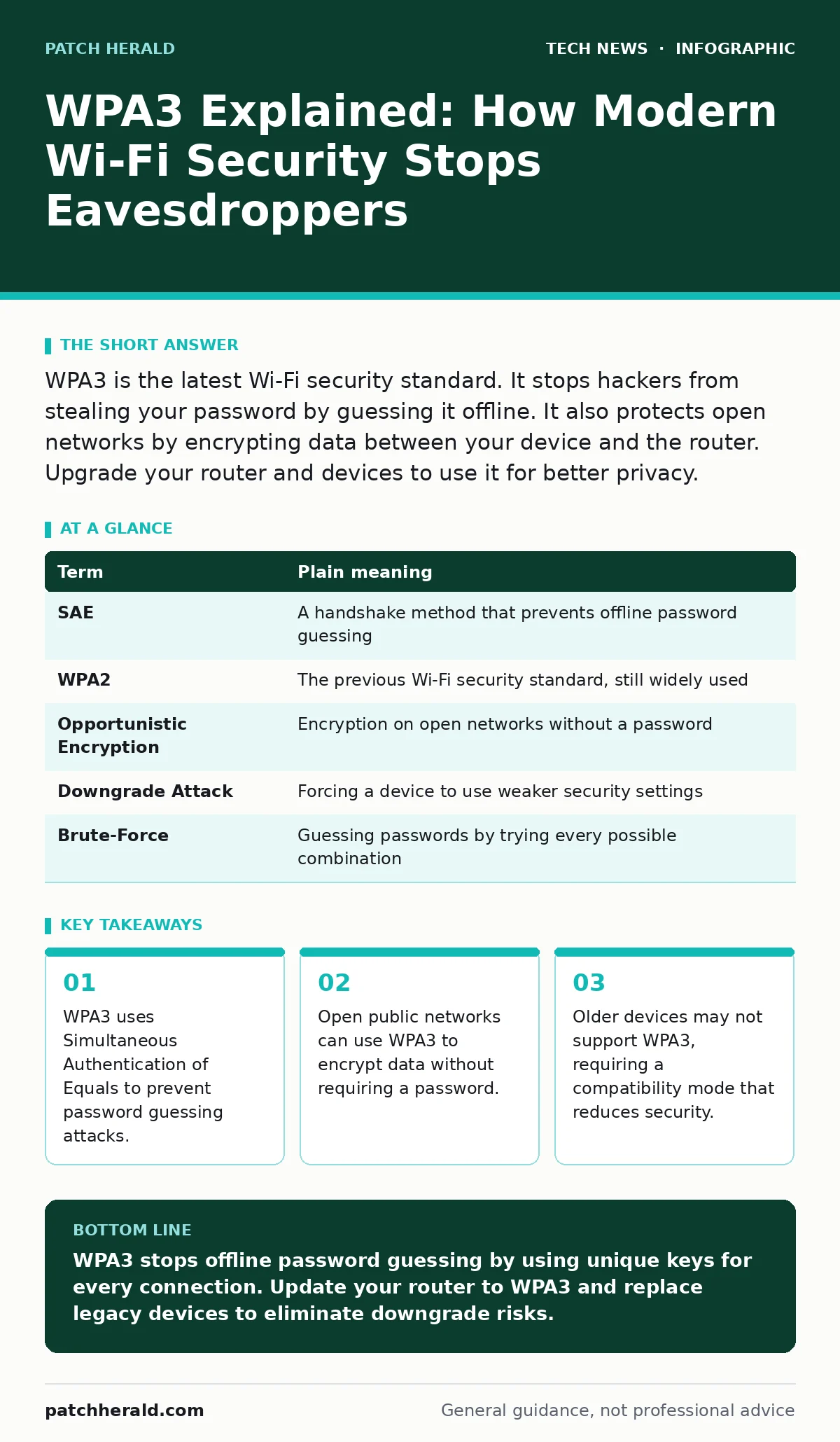
WPA3 is the latest Wi-Fi security standard. It stops hackers from stealing your password by guessing it offline. It also protects open networks by encrypting data between your device and the router. Upgrade your router and devices to use it for better privacy.
The Lockbox Analogy
Imagine you send a locked box to a friend. In older Wi-Fi systems, the lock uses a single key that everyone in the building shares. If a thief watches people using the lock, they can record the clicks and try to pick it later, away from the lockbox. They do not need to break in; they just need time to guess the combination. WPA3 changes this by ensuring that every single box gets a unique, one-time lock. Even if the thief records the interaction, they cannot replay it or guess the key later because the lock mechanism changes every time.
How Authentication Works
The core improvement in WPA3 is a protocol called Simultaneous Authentication of Equals, or SAE. This protocol ensures that both your device and the router agree on a secret key without ever sending the password itself over the air. In the old system, an attacker could intercept the handshake and run a computer program to guess the password billions of times per second. SAE makes each guess require a direct interaction with the router. This slows down attacks to a crawl, making brute-force attempts impractical for most attackers.
Protecting Open Networks
Most people assume open Wi-Fi networks are inherently unsafe because they have no password. WPA3 introduces a feature called Opportunistic Wireless Encryption. This encrypts the data between your device and the access point, even when no password is required. It does not verify the identity of the network, so you must still be careful about which network you join. However, it does prevent someone sitting next to you from reading your unencrypted traffic. This adds a layer of privacy to cafes and airports without adding login friction.
The Compatibility Trade-Off
Not all devices can speak WPA3. Many older laptops, smartphones, and smart home gadgets only understand WPA2. Routers often offer a mixed mode that supports both standards simultaneously. This allows old devices to connect but creates a security gap. An attacker can force your device to disconnect from the secure WPA3 channel and reconnect using the weaker WPA2 protocol. This is known as a downgrade attack. You gain connectivity for legacy devices but lose the protection against offline password guessing for those specific connections.
| Term | Plain meaning |
|---|---|
| SAE | A handshake method that prevents offline password guessing |
| WPA2 | The previous Wi-Fi security standard, still widely used |
| Opportunistic Encryption | Encryption on open networks without a password |
| Downgrade Attack | Forcing a device to use weaker security settings |
| Brute-Force | Guessing passwords by trying every possible combination |
Device and Network Hygiene
Upgrading to WPA3 is not enough if your devices are compromised. A secure Wi-Fi connection protects data in transit, but it does not stop malware on your laptop from stealing data before it is encrypted. You should pair your Wi-Fi upgrade with basic operating system hardening practices. Keep your software updated to patch known vulnerabilities. If your organization uses cloud services, ensure that OAuth is configured correctly so that compromised passwords do not grant broad access to your accounts. This layered approach ensures that Wi-Fi security is one part of a larger defense.
See also: Difference Between Operating System and Kernel: Core Functions Explained · Can IP Addresses Be Traced? How Visibility Works
Practical Steps for Upgrade
You can improve your network security immediately. First, log into your router’s administration page. Look for the wireless security settings and select WPA3-Personal. If that option is grayed out, your router firmware may need an update. Second, check your connected devices. Devices that cannot connect after enabling WPA3 strictly are likely using older hardware. Decide if you can replace them or if you must keep mixed mode enabled. Third, change your Wi-Fi password. Use a long, random phrase that is difficult to guess, as SAE protects weak passwords better than WPA2 did, but strong passwords are still preferable.
- Update router firmware to the latest version available.
- Enable WPA3-Personal in the wireless security settings.
- Test connectivity with all critical devices and remove old hardware if possible.
Beyond the Airwaves
Wi-Fi security is only one layer. Once data enters your network, it travels through wires and servers. Ensure that your endpoint security is strong. Consider how certificate authorities validate the identity of websites you visit, preventing man-in-the-middle attacks. For businesses that rely on external developers, API key security is just as critical as Wi-Fi encryption. If an attacker gains access to your network, they may look for exposed keys to access cloud resources. Securing the perimeter with WPA3 is valuable, but you must also secure the doors inside the building.
Key takeaways
- WPA3 uses Simultaneous Authentication of Equals to prevent password guessing attacks.
- Open public networks can use WPA3 to encrypt data without requiring a password.
- Older devices may not support WPA3, requiring a compatibility mode that reduces security.
WPA3 stops offline password guessing by using unique keys for every connection. Update your router to WPA3 and replace legacy devices to eliminate downgrade risks.
Frequently asked questions
Can I use WPA3 on my old laptop?
If your laptop supports WPA2, it might not support WPA3. Check the manufacturer’s specifications. You may need to use mixed mode, which reduces security.
Does WPA3 make open Wi-Fi safe?
It encrypts your data, preventing eavesdropping. It does not verify the network’s identity, so you can still connect to a fake access point.
Is WPA3 faster than WPA2?
Speed is similar, but the handshake may take slightly longer. The security benefits outweigh any negligible performance difference.
Do I need to change my password?
You can keep your current password, but a longer, more complex phrase is recommended to maximize the protection offered by SAE.
How this guide was produced: written by the Patch Herald editorial team with AI assistance, checked against the public references listed below, and reviewed when the facts change. See our editorial policy or report an error.