
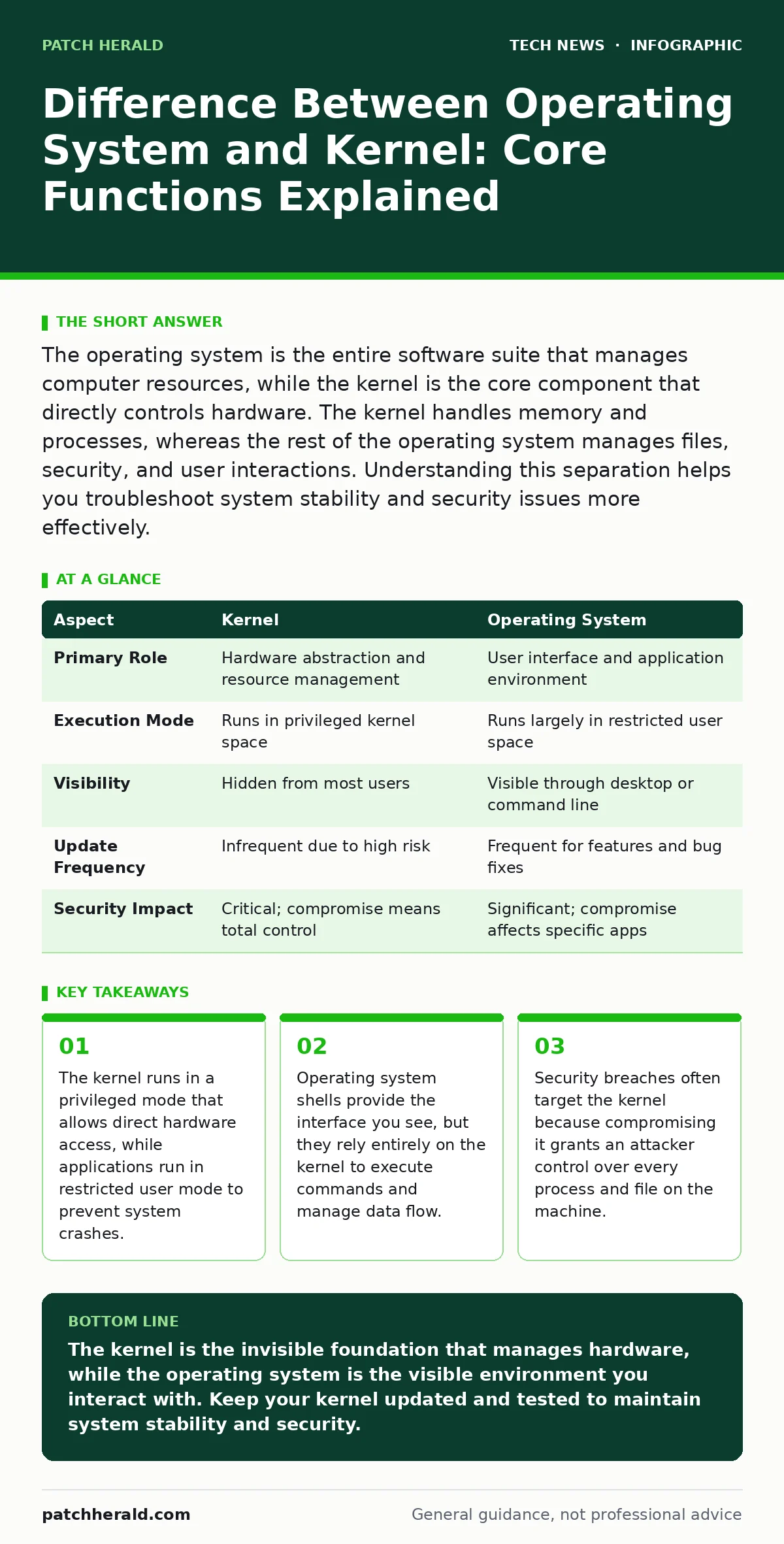
The operating system is the entire software suite that manages computer resources, while the kernel is the core component that directly controls hardware. The kernel handles memory and processes, whereas the rest of the operating system manages files, security, and user interactions. Understanding this separation helps you troubleshoot system stability and security issues more effectively.
Difference Between Operating System and Kernel
The operating system is the complete software environment that manages computer hardware and software resources. The kernel is the central program within that environment that directly communicates with the hardware components. When you ask for the difference between operating system and kernel, you are asking about the distinction between the entire house and its foundation.
The foundation supports the structure, but it is not the living space. The living space includes walls, rooms, and furniture. You interact with the living space daily, but the foundation remains hidden beneath your feet. This separation allows developers to update user interfaces without rewriting low-level hardware drivers. It also creates a security boundary that protects critical system functions from accidental or malicious damage.
How the Architecture Works
The kernel operates in a protected state called kernel space. This state has unrestricted access to all hardware and memory. Applications run in user space, which is a restricted environment. User space programs cannot directly touch the hardware. They must request services from the kernel through specific interfaces. These interfaces are called system calls.
When you save a file, your application sends a system call to the kernel. The kernel then instructs the storage controller to write the data. This mediation ensures that one crashing application does not bring down the entire computer. The kernel acts as a traffic cop for hardware resources. It decides which application gets CPU time and how much memory each one receives.
| Aspect | Kernel | Operating System |
|---|---|---|
| Primary Role | Hardware abstraction and resource management | User interface and application environment |
| Execution Mode | Runs in privileged kernel space | Runs largely in restricted user space |
| Visibility | Hidden from most users | Visible through desktop or command line |
| Update Frequency | Infrequent due to high risk | Frequent for features and bug fixes |
| Security Impact | Critical; compromise means total control | Significant; compromise affects specific apps |
Who This Distinction Affects
You feel the impact of this architecture every time your computer slows down or freezes. The kernel determines how efficiently your hardware is used. If the kernel is poorly optimized, your applications will lag even on powerful machines. System administrators care deeply about the kernel because it dictates system stability. A bug in the kernel can cause a kernel panic, which is a fatal error that stops the system entirely.
Security professionals focus on the kernel because it is the most trusted part of the system. If an attacker gains kernel-level access, they can bypass all other security measures. They can read any file, monitor any network connection, and hide their presence from detection tools. This is why kernel exploits are considered high-severity vulnerabilities.
What People Usually Get Wrong
Many users believe that updating the operating system is the same as updating the kernel. This is often true for desktop systems, but it is misleading for servers. Server administrators frequently update application software without touching the kernel. This creates a false sense of security. The kernel may contain unpatched vulnerabilities while the user interface is fully updated.
Another common mistake is assuming that the shell is the operating system. The shell is just a program that runs on top of the kernel. You can replace the shell without changing the kernel. This modularity is a strength, but it confuses beginners who think they are changing the core system when they are only changing the interface. Understanding this difference helps you diagnose why a system behaves strangely after a software update.
Security Implications for Your Business
The separation of kernel and user space is a primary defense mechanism. It limits the damage a compromised application can cause. If a web browser has a vulnerability, the attacker is stuck in user space. They cannot directly access the hard drive or network cards. They must find a way to escape to the kernel space. This is difficult and requires sophisticated exploits.
However, this defense is not perfect. Kernel vulnerabilities exist and are actively hunted. You must keep your kernel updated to patch these holes. This is particularly important if you run services that accept external connections. A compromised kernel can defeat disk encryption. It can intercept data before it is encrypted or after it is decrypted. This renders other security controls useless.
See also: Can IP Addresses Be Traced? How Visibility Works · What Is Website Security: Cyber Security Fundamentals for Web Protection
Practical Steps for Maintenance
You should monitor kernel updates closely. Do not ignore security patches for the kernel. Test updates in a non-production environment before applying them to critical servers. Kernel updates can sometimes break hardware compatibility. Drivers may stop working after a kernel change. This is a known trade-off of the architecture. You must verify that your hardware continues to function correctly after an update.
For desktop users, automatic updates are usually sufficient. For servers, manual testing is required. You should also review which kernel modules are loaded. Unnecessary modules increase the attack surface. Disabling unused modules reduces the number of potential entry points for attackers. This practice is part of a broader strategy of minimizing system complexity.
Related Security Considerations
The kernel interacts with many other security components. Understanding these interactions helps you build a stronger defense. For instance, the kernel enforces file permissions that protect your data. It also manages network interfaces that handle IP addresses. If you are running virtual machines, the kernel must support virtualization security features to isolate guests. You should also consider how the kernel handles remote access. Secure connections often rely on SSH key management to authenticate users. The kernel validates these keys before allowing a session to start.
Furthermore, the kernel plays a role in certificate authorities validation for secure web traffic. It checks the digital signatures that verify website identities. Finally, the kernel works with network access control systems to ensure only authorized devices can connect. It also interacts with load balancers to distribute traffic efficiently across multiple servers. For businesses using content management systems, WordPress security relies on the underlying kernel to protect against database attacks. Understanding these connections helps you see the kernel as the central hub of your security architecture.
Troubleshooting Common Issues
When your system becomes unresponsive, the kernel is often the culprit. Check system logs for kernel errors. These logs record hardware failures and driver issues. Look for messages that indicate out-of-memory conditions. The kernel may kill processes to free up memory. This is a normal behavior, but it can disrupt your work. If you see frequent kernel panics, update your drivers.
Outdated drivers are a common cause of instability. You can also try booting into a safe mode. This loads only essential kernel modules. If the system stabilizes in safe mode, a third-party module is likely causing the problem. Removing or updating that module should resolve the issue. Regular monitoring of system performance helps you catch these problems early.
Key takeaways
- The kernel runs in a privileged mode that allows direct hardware access, while applications run in restricted user mode to prevent system crashes.
- Operating system shells provide the interface you see, but they rely entirely on the kernel to execute commands and manage data flow.
- Security breaches often target the kernel because compromising it grants an attacker control over every process and file on the machine.
The kernel is the invisible foundation that manages hardware, while the operating system is the visible environment you interact with. Keep your kernel updated and tested to maintain system stability and security.
Frequently asked questions
Can I replace the kernel without reinstalling the operating system?
Yes, most modern operating systems allow kernel updates without a full reinstall. The new kernel replaces the old one during the boot process.
Why does my computer restart after a kernel update?
The kernel is loaded into memory at startup. A new kernel requires a reboot to replace the running version in memory.
Is the kernel the same as the BIOS?
No, the BIOS is firmware that initializes hardware before the kernel loads. The kernel is software that runs after the hardware is ready.
How do I know if my kernel is vulnerable?
Check the security advisories for your operating system. These documents list known vulnerabilities and provide patch information.
How this guide was produced: written by the Patch Herald editorial team with AI assistance, checked against the public references listed below, and reviewed when the facts change. See our editorial policy or report an error.