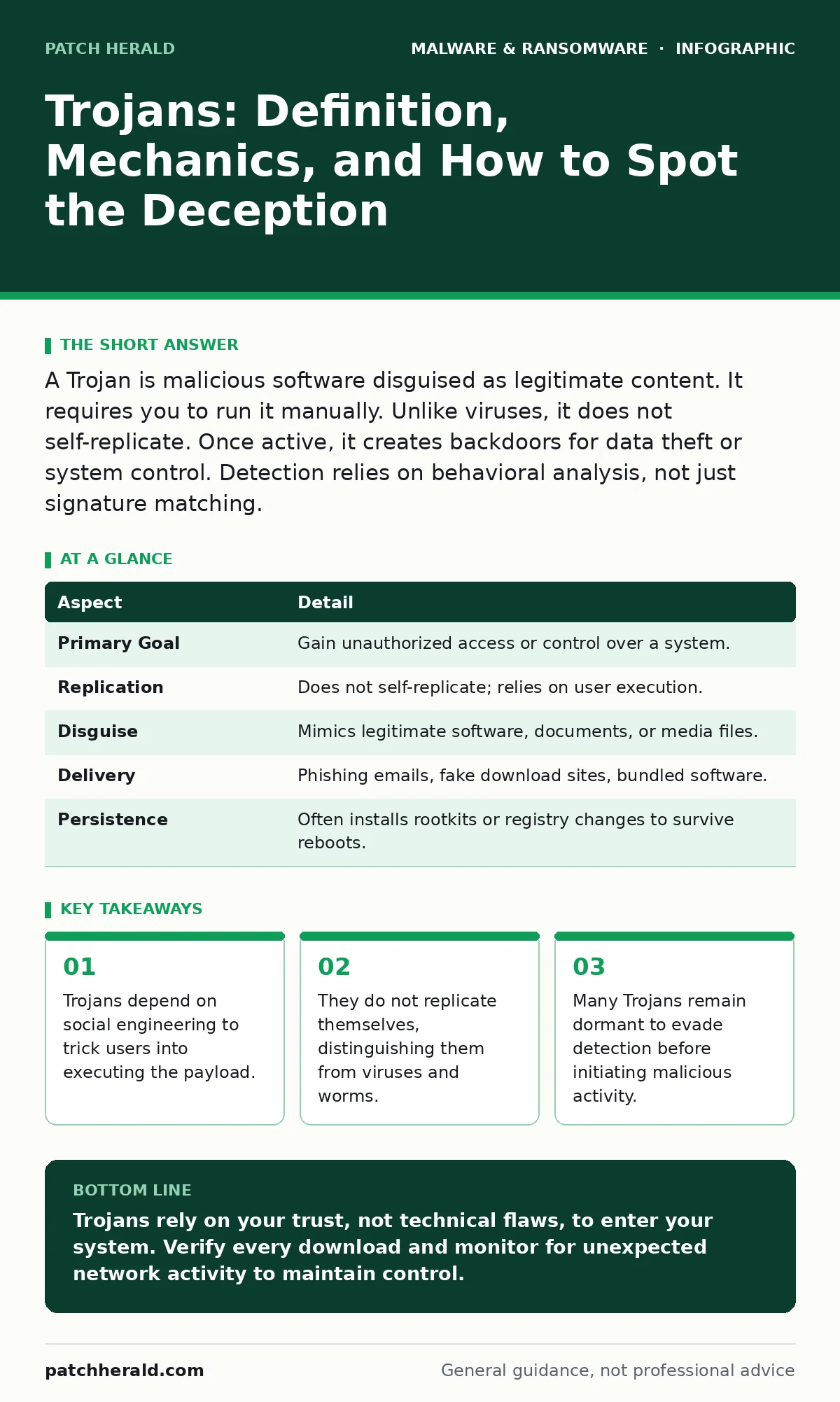
A Trojan is malicious software disguised as legitimate content. It requires you to run it manually. Unlike viruses, it does not self-replicate. Once active, it creates backdoors for data theft or system control. Detection relies on behavioral analysis, not just signature matching.
The Trojan Horse Analogy Revisited
Imagine receiving a large, beautifully wrapped gift at your office. It sits on your desk, inviting and harmless. You open it, expecting a present. Inside, however, are not gifts, but hidden tools designed to pick the locks of your filing cabinets. This is the core mechanic of a Trojan. The malware does not force its way in. It waits for you to invite it in.
The name comes from the Greek myth of the wooden horse. The Greeks left a large wooden statue outside the walls of Troy. The Trojans, believing it to be a gift, rolled it inside their city. At night, Greek soldiers emerged from the horse and opened the gates for their army. In cybersecurity, the "horse" is the legitimate-looking file. The "soldiers" are the malicious commands hidden within.
This deception works because security software often trusts files that appear to come from known sources. If you download a file from a website you recognize, your defenses lower. The Trojan exploits this trust. It does not need to break through a firewall. It only needs you to click "Run."
At a Glance: Trojan Characteristics
| Aspect | Detail |
|---|---|
| Primary Goal | Gain unauthorized access or control over a system. |
| Replication | Does not self-replicate; relies on user execution. |
| Disguise | Mimics legitimate software, documents, or media files. |
| Delivery | Phishing emails, fake download sites, bundled software. |
| Persistence | Often installs rootkits or registry changes to survive reboots. |
How Trojans Enter Your System
Trojans rarely arrive through technical exploits alone. They arrive through human error. The attacker knows that a locked door is hard to break, but an open door is easy to walk through. You are the one who opens the door.
The most common entry point is a malicious document. You receive an email that looks like an invoice or a shipping notice. The attachment is a PDF or a Word file. When you open it, the file asks you to enable macros or activate content. This is the trigger. The macro code executes the Trojan payload in the background. You see a blank page or a simple document. You do not see the malware installing itself.
Another common vector is fake software updates. You visit a website that looks like a legitimate player or codec provider. A banner claims your version is outdated. You click "Update." The file downloads and installs. It looks like a standard installer. In reality, it is a Trojan that installs a remote access tool. You now have an intruder in your system, and you handed them the keys.
Common Forms of Trojan Malware
Trojans are not a single type of virus. They are a category of behavior. Different Trojans serve different purposes. Understanding the form helps you recognize the threat.
Remote Access Trojans (RATs) are among the most dangerous. They give an attacker full control of your computer. They can view your screen, activate your webcam, and move files. The attacker operates your computer as if they were sitting in front of it. This form is often used for espionage or further lateral movement within a network.
Banking Trojans are specialized. They look for banking software on your system. When you open your bank's app or website, the Trojan overlays a fake window. You type your credentials into the fake window. The Trojan sends them to the attacker and then forwards your real login to the actual bank. You see no error. You think you are logged in. The attacker has your data.
Trojan-Droppers are delivery mechanisms. They do not have a payload themselves. Instead, they download other malware from the internet. They act as a gateway. This makes them hard to detect because the initial file is small and benign. The danger comes later, when it fetches the real malware.
Who Trojans Affect and Why
Trojans do not discriminate. They target anyone who uses a computer. However, certain groups are favored because of the value of their data or their access.
Small businesses are frequent targets. You may not have the same security budget as a corporation, but you often have direct access to financial systems. Attackers know that if they compromise one employee's computer, they can move to the server. The Trojan gives them a foothold. From there, they can search for sensitive data or install ransomware.
Individuals are targeted for identity theft. Your social security number, credit card details, and personal photos are valuable on the dark web. Trojans that steal credentials or monitor activity provide this data. You may not notice the theft immediately. You see the consequences months later, when strange charges appear on your card.
See also: Removing Malware From a Mac: Benefits, Limits, and Recovery Realities · Software Restriction Policies: 8 Practices to Stop Execution
What People Usually Get Wrong
Many users believe that antivirus software provides complete protection. This is incorrect. Traditional antivirus relies on signatures. It looks for known patterns of malware. If a Trojan is new, it has no signature. The antivirus may not see it.
Behavioral analysis is more effective. It looks for suspicious actions, such as a file trying to modify system settings or connect to unknown servers. However, even this is not perfect. A well-crafted Trojan can mimic normal behavior. It may stay quiet for days.
Another misconception is that Trojans are only on Windows. Mac and Linux systems can also be infected. While less common, Trojans for these platforms exist. The process for removing malware from a Mac involves similar steps: checking for unauthorized applications and reviewing login items. Do not assume your operating system is immune.
Also, people often confuse Trojans with viruses. A virus replicates. It attaches itself to other files and spreads. A Trojan does not. It sits there, waiting. If you delete a virus, you may still have copies in other files. If you delete a Trojan, the threat is gone, unless it installed a second component.
How to Reduce the Risk
You cannot stop every attempt. You can make it harder. Defense in depth is the key. Use multiple layers of protection.
Verify the source of every download. Do not click links in emails unless you expect them. Go to the website directly. Type the URL yourself. This bypasses phishing attempts that use fake links.
Keep your software updated. Patches fix vulnerabilities that Trojans might use. Enable automatic updates where possible. This ensures you are not running on outdated code.
Use strong, unique passwords. If a Trojan steals your password, it should not work on other accounts. A password manager helps you generate and store complex passwords. This limits the damage of a single breach.
Monitor your network activity. Use tools that show which programs are connecting to the internet. If you see a program you do not recognize, investigate it. This is how you catch Trojans that evade signature detection.
Consider using Microsoft Defender Antivirus or a reputable third-party solution. Ensure it is updated and running in real-time. It provides a baseline of protection against known threats.
For higher security, look into browser isolation. This technology runs your browser in a separate, secure environment. If you visit a malicious site, the malware cannot reach your actual computer. This is effective against drive-by downloads and malicious web content.
Also, implement software restriction policies. These policies limit which programs can run on your system. Only approved applications are allowed. This prevents unknown Trojans from executing, even if they are downloaded.
If you are a developer or use third-party libraries, be aware of malicious npm packages. Attackers can insert Trojans into popular code libraries. Verify the integrity of your dependencies before installing them.
Finally, have a plan for when things go wrong. Disaster recovery plans are not just for natural disasters. They are for cyber attacks. If a Trojan compromises your system, you need a way to restore your data and operations. Regular backups are the foundation of this plan.
Identifying a Compromise
Signs of a Trojan are often subtle. Your computer may run slower. Programs may crash unexpectedly. You may see new icons on your desktop or in your start menu.
Network traffic is a key indicator. If your computer is sending data when you are not using it, something is wrong. Use a network monitor to check for unusual outbound connections.
Security alerts may also be a sign. If your antivirus blocks a file, do not ignore it. Investigate the file. Delete it if it is suspicious.
If you suspect a Trojan, disconnect from the internet immediately. This prevents the attacker from controlling your system or stealing more data. Then, run a full system scan. If the malware persists, you may need to reinstall your operating system.
Key takeaways
- Trojans depend on social engineering to trick users into executing the payload.
- They do not replicate themselves, distinguishing them from viruses and worms.
- Many Trojans remain dormant to evade detection before initiating malicious activity.
- Defense requires verifying file sources and monitoring for unexpected network connections.
Trojans rely on your trust, not technical flaws, to enter your system. Verify every download and monitor for unexpected network activity to maintain control.
Frequently asked questions
Can a Trojan delete my files?
Yes. While many Trojans focus on theft, some can delete, encrypt, or corrupt your files. They have full access to your system once installed.
Do I need an antivirus to protect against Trojans?
An antivirus helps, but it is not enough. You must also use caution with downloads and verify the source of every file. Behavioral monitoring is also critical.
Can a Trojan steal my passwords?
Yes. Keylogging Trojans record every keystroke you type. This includes passwords, credit card numbers, and other sensitive information.
How do I know if my computer has a Trojan?
Look for slow performance, unexpected pop-ups, or new programs. Check your network activity for unknown connections. Run a scan with updated security software.
How this guide was produced: written by the Patch Herald editorial team with AI assistance, checked against the public references listed below, and reviewed when the facts change. See our editorial policy or report an error.