
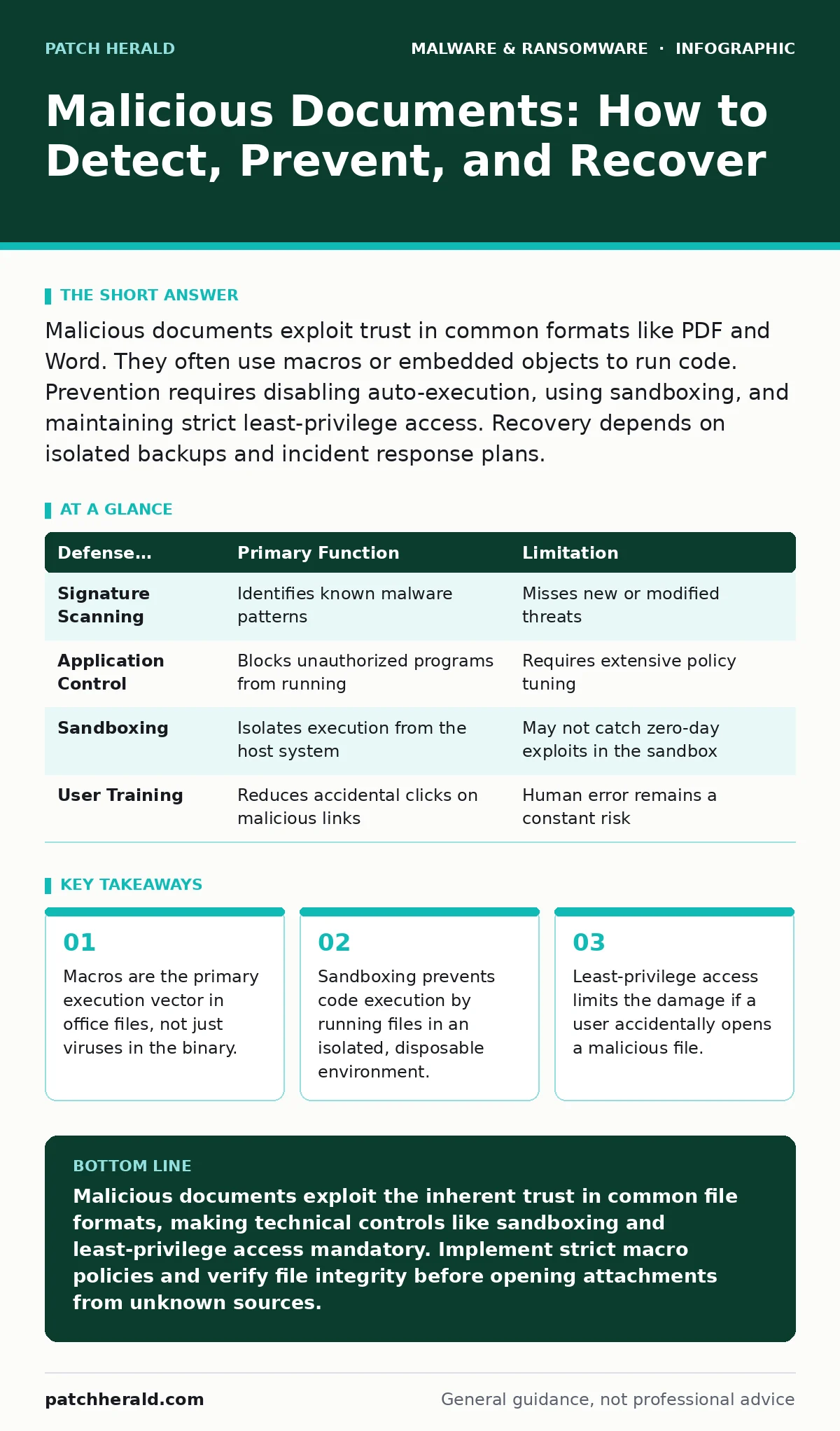
Malicious documents exploit trust in common formats like PDF and Word. They often use macros or embedded objects to run code. Prevention requires disabling auto-execution, using sandboxing, and maintaining strict least-privilege access. Recovery depends on isolated backups and incident response plans.
How do attackers hide code inside a document?
Attackers embed malicious scripts within the metadata, comments, or macro sections of standard file formats. These files look identical to legitimate documents but contain instructions that execute when the file is opened. The code often resides in areas that standard antivirus scanners ignore because they are not part of the visible content. This technique relies on the fact that users expect these files to be passive data containers.
Why do macros pose such a significant risk?
Macros are small programs written in Visual Basic for Applications that automate tasks within office software. Attackers use them to perform initial actions, such as downloading additional payloads from the internet. When a user enables macros, the script runs with the same permissions as the user’s account. This grants the attacker immediate access to the file system and network resources.
Can a PDF file contain malware?
Yes, PDF files can contain JavaScript, embedded executables, or links to malicious websites. A well-crafted PDF can exploit vulnerabilities in the reader application to execute code without any user interaction. These exploits target bugs in how the software parses the file structure. Even if you do not click anything, the act of rendering the page can trigger the attack.
What is the role of sandboxing in document security?
Sandboxing runs potentially dangerous files in an isolated environment separate from your main operating system. If the document contains malware, the code executes within this confined space and cannot affect your actual system. This method prevents infection by ensuring that no persistent changes are made to the host machine. It is a critical layer of defense for handling untrusted files.
How does least-privilege access limit damage?
Least-privilege access ensures that users have only the permissions necessary to perform their specific job functions. If a user opens a malicious document, the malware inherits those limited permissions. It cannot install system-wide software or access files outside the user’s designated folders. This containment strategy reduces the blast radius of a successful compromise.
See also: Removing Malware From a Mac: Benefits, Limits, and Recovery Realities
Why do traditional antivirus solutions fail here?
Traditional antivirus relies on signature matching, comparing files against a database of known threats. Many malicious documents are newly created or slightly modified, meaning they lack a known signature. The code inside the document may also be obfuscated to look like random data. Without behavioral analysis, these tools often miss the threat entirely.
What happens if I accidentally enable macros?
Enabling macros allows the embedded script to run immediately, often connecting to a command-and-control server. The malware may then download a second-stage payload, such as a trojan or ransomware. It can also begin encrypting files or stealing credentials from the current session. The speed of execution means that manual intervention is rarely possible once the process starts.
| Defense Mechanism | Primary Function | Limitation |
|---|---|---|
| Signature Scanning | Identifies known malware patterns | Misses new or modified threats |
| Application Control | Blocks unauthorized programs from running | Requires extensive policy tuning |
| Sandboxing | Isolates execution from the host system | May not catch zero-day exploits in the sandbox |
| User Training | Reduces accidental clicks on malicious links | Human error remains a constant risk |
How can I verify a document is safe?
You cannot visually inspect a file for hidden code. Instead, use a dedicated document analysis tool that strips metadata and scans for embedded objects. Check the file’s digital signature to ensure it has not been tampered with since creation. Verify the sender’s identity through a secondary channel, such as a phone call, if the document arrives unexpectedly.
What is the connection to supply chain attacks?
Attackers often compromise legitimate software updates or third-party libraries to distribute malicious documents. These files appear to come from trusted vendors, bypassing user skepticism. This approach mirrors the risk found in malicious npm packages, where code injection happens before it reaches your system. The trust in the source makes detection significantly harder.
How do I recover from a document-based infection?
Isolate the infected machine from the network immediately to prevent lateral movement. Use clean, offline backups to restore affected files and systems. Review logs to identify the scope of the compromise and any data that may have been exfiltrated. Refer to your disaster recovery plans to ensure a structured and timely restoration process.
Why is user awareness not enough?
Human error is inevitable, and sophisticated attacks often bypass cognitive defenses. Social engineering techniques mimic legitimate colleagues or urgent business requests. Even trained users can be tricked by contextually relevant content. Technical controls must enforce security regardless of user intent or attention.
How do these attacks evolve over time?
Attackers continuously adapt to evade detection by changing obfuscation techniques and targeting new vulnerabilities. They shift from mass-distributed spam to targeted spear-phishing campaigns. The file formats themselves may be updated, forcing defenders to adjust their parsing rules. Staying ahead requires continuous monitoring and updating of security policies.
What is the long-term strategy for mitigation?
Implement a defense-in-depth approach that combines technical controls with rigorous policy enforcement. Use software restriction policies to limit which applications can execute code. Regularly update all software to patch known vulnerabilities in document readers. Conduct periodic audits to ensure that security settings remain effective against emerging threats.
Key takeaways
- Macros are the primary execution vector in office files, not just viruses in the binary.
- Sandboxing prevents code execution by running files in an isolated, disposable environment.
- Least-privilege access limits the damage if a user accidentally opens a malicious file.
Malicious documents exploit the inherent trust in common file formats, making technical controls like sandboxing and least-privilege access mandatory. Implement strict macro policies and verify file integrity before opening attachments from unknown sources.
Frequently asked questions
Can I safely open a document from a known colleague?
Even trusted contacts can have compromised accounts, so always verify unexpected files through a secondary communication channel.
Do cloud storage services scan for malicious documents?
Most cloud providers offer basic scanning, but it is not foolproof; you should still treat downloaded files as untrusted.
Is it safe to disable all macros?
Disabling macros is safe for most users, though it may break legacy workflows that rely on automation; assess your specific needs.
How do I report a suspected malicious document?
Forward the file to your IT security team without opening it, preserving the metadata for analysis.
How this guide was produced: written by the Patch Herald editorial team with AI assistance, checked against the public references listed below, and reviewed when the facts change. See our editorial policy or report an error.