
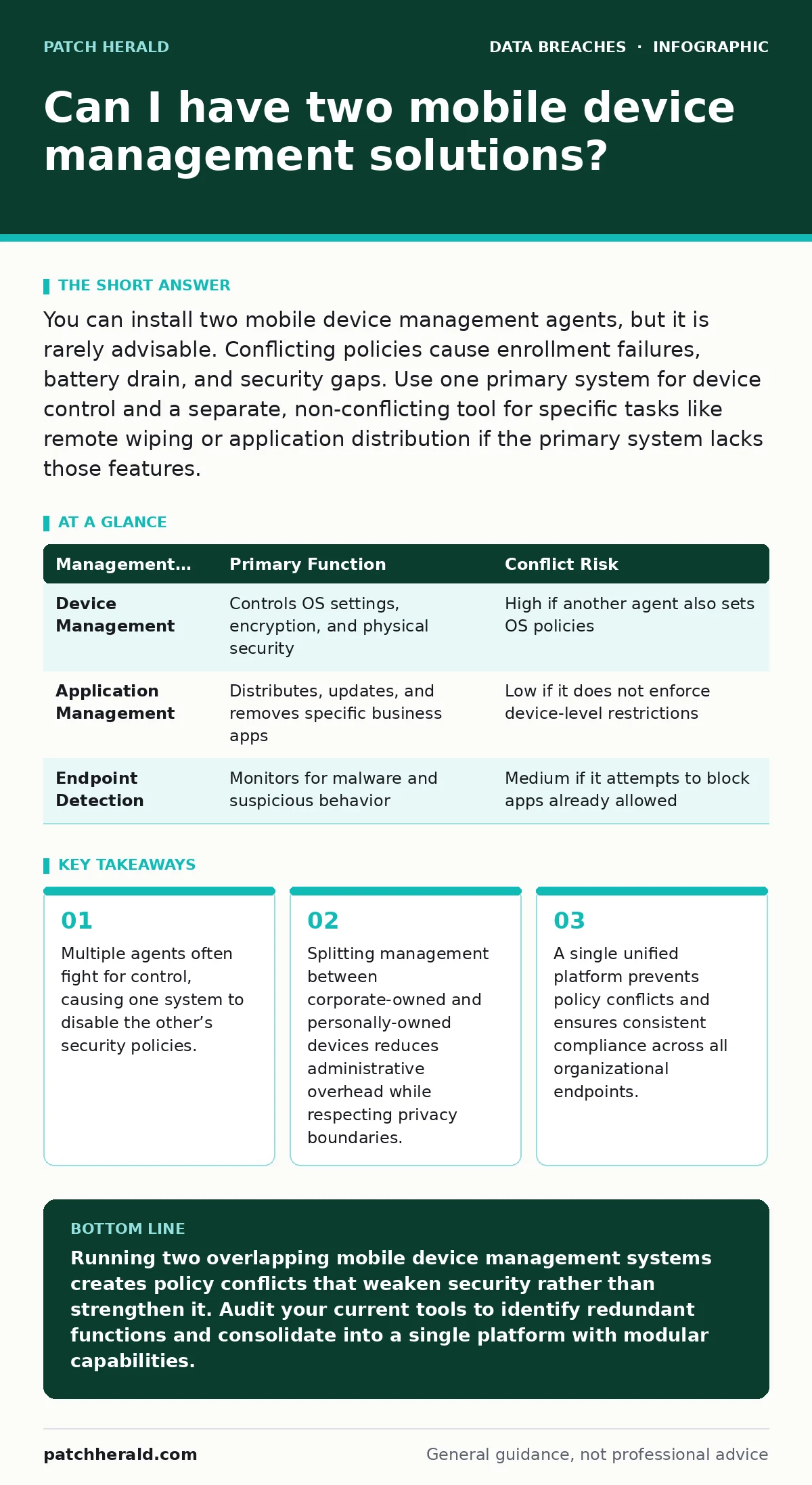
You can install two mobile device management agents, but it is rarely advisable. Conflicting policies cause enrollment failures, battery drain, and security gaps. Use one primary system for device control and a separate, non-conflicting tool for specific tasks like remote wiping or application distribution if the primary system lacks those features.
Can I have two mobile device management solutions simultaneously?
You can technically have two mobile device management solutions active on a single device, but operational stability usually suffers. Most operating systems allow only one primary management profile to enforce security constraints like screen locks or encryption. A second agent may install successfully, but it cannot override the primary policy. This creates a fragmented security posture where one system manages applications while another manages device settings. The result is often conflicting instructions that confuse the device and frustrate the user.
What happens when two agents conflict?
Policy conflicts occur when two management systems issue contradictory commands to the same device. Imagine one system requires a complex passcode while another allows a simple PIN. The operating system typically enforces the stricter rule, but the less secure system reports compliance anyway. This false sense of security is dangerous. Administrators see green checkmarks in both dashboards while the device remains vulnerable. The conflict also consumes system resources, leading to faster battery drain and slower performance. Users may disable one agent to restore speed, breaking security entirely.
How should you split management responsibilities?
Splitting responsibilities works best when the two systems manage different scopes rather than overlapping functions. Use one mobile device management solution for device-level controls like encryption, remote wipe, and jailbreak detection. Use a separate mobile application management system for distributing and updating business apps without touching device settings. This separation prevents policy fights because the two agents operate in different layers. The device manager controls the hardware environment, while the app manager controls software delivery. This approach is common in large organizations with distinct IT and security teams.
| Management Layer | Primary Function | Conflict Risk |
|---|---|---|
| Device Management | Controls OS settings, encryption, and physical security | High if another agent also sets OS policies |
| Application Management | Distributes, updates, and removes specific business apps | Low if it does not enforce device-level restrictions |
| Endpoint Detection | Monitors for malware and suspicious behavior | Medium if it attempts to block apps already allowed |
When is dual management necessary?
Dual management is necessary when legacy systems cannot be retired immediately. Suppose your organization uses an older mobile device management platform that lacks modern security features. You might deploy a newer endpoint detection and response tool alongside it to monitor threats. The old system handles basic enrollment and app distribution, while the new tool provides real-time threat intelligence. This bridge strategy allows for gradual migration. It ensures continuous protection while you move data and policies to the new platform. This transition period requires careful coordination to avoid gaps in coverage.
How does employee-owned device handling differ?
Handling employee-owned devices requires a different approach than corporate-owned hardware. You cannot enforce strict device-level policies on personal phones without violating privacy expectations. Instead, use a container-based strategy. One mobile device management solution enforces policies only within a secure work container on the device. This container holds business apps and data.
The rest of the phone remains under the user’s control. A second system might manage the corporate-owned laptops that access the same data. These two systems do not conflict because they manage separate environments. This separation protects protected health information and other sensitive data without invading personal privacy.
See also: Password Hygiene for Small Teams: Practical Controls That Actually Work · Implementing Data Breach Response Plans: A Step-by-Step Guide
What are the risks of fragmented visibility?
Fragmented visibility means your security team cannot see the full picture of your endpoint ecosystem. If one system manages mobile devices and another manages laptops, you lack a unified view of risk. An attacker who compromises a mobile device might move laterally to a laptop. Without correlated data, you miss this pattern. You must manually cross-reference logs from two different platforms. This manual process is slow and error-prone. It delays incident response. A unified platform correlates events across device types, allowing you to detect complex attacks that span multiple endpoints. Fragmentation hides these connections.
How do you consolidate without disrupting users?
Consolidation requires a phased approach to avoid disrupting daily operations. Start by identifying all policies enforced by the secondary system. Migrate these policies to the primary mobile device management platform one by one. Test each migration in a small pilot group before rolling it out broadly. Monitor the pilot group for errors or performance issues. Once stable, retire the secondary agent. This gradual process ensures that security controls remain active during the transition. It also allows you to train users on the new interface without overwhelming them. Rushing consolidation often leads to broken workflows and security gaps.
What about compliance and data sovereignty?
Compliance requirements often dictate how you manage data, not just devices. If you operate in multiple regions, data sovereignty laws may require you to store management data locally. A single global mobile device management solution might not meet these requirements. You might need separate instances for different regions.
These instances act as independent management systems. They do not conflict because they manage different geographical pools of devices. This setup ensures compliance with local laws while maintaining a consistent security standard. It is a structural split, not a functional one. Ensure your solution supports multi-tenant or regional deployments to handle this complexity.
Key takeaways
- Multiple agents often fight for control, causing one system to disable the other’s security policies.
- Splitting management between corporate-owned and personally-owned devices reduces administrative overhead while respecting privacy boundaries.
- A single unified platform prevents policy conflicts and ensures consistent compliance across all organizational endpoints.
Running two overlapping mobile device management systems creates policy conflicts that weaken security rather than strengthen it. Audit your current tools to identify redundant functions and consolidate into a single platform with modular capabilities.
Frequently asked questions
Can I use different MDMs for iOS and Android?
Yes, many organizations use separate platforms for iOS and Android due to technical differences. Ensure both platforms integrate with a central identity provider for unified user access and consistent policy enforcement across operating systems.
Does dual MDM protect against password hygiene failures?
No, mobile device management enforces device policies, not user behavior. Dual MDM does not stop users from reusing passwords. You must combine MDM with strong authentication and education on **password hygiene** to mitigate credential theft risks.
What if my MDM vendor goes out of business?
Have an exit strategy that includes exporting device enrollment tokens and policy configurations. Ensure your devices can be unenrolled cleanly. Test this process periodically to avoid being locked out of your own fleet.
How does this relate to tax identity theft prevention?
Mobile devices often access financial data. A single, well-managed MDM ensures that devices lost or stolen are wiped instantly. This prevents attackers from accessing financial accounts used in **tax identity theft** schemes.
How this guide was produced: written by the Patch Herald editorial team with AI assistance, checked against the public references listed below, and reviewed when the facts change. See our editorial policy or report an error.