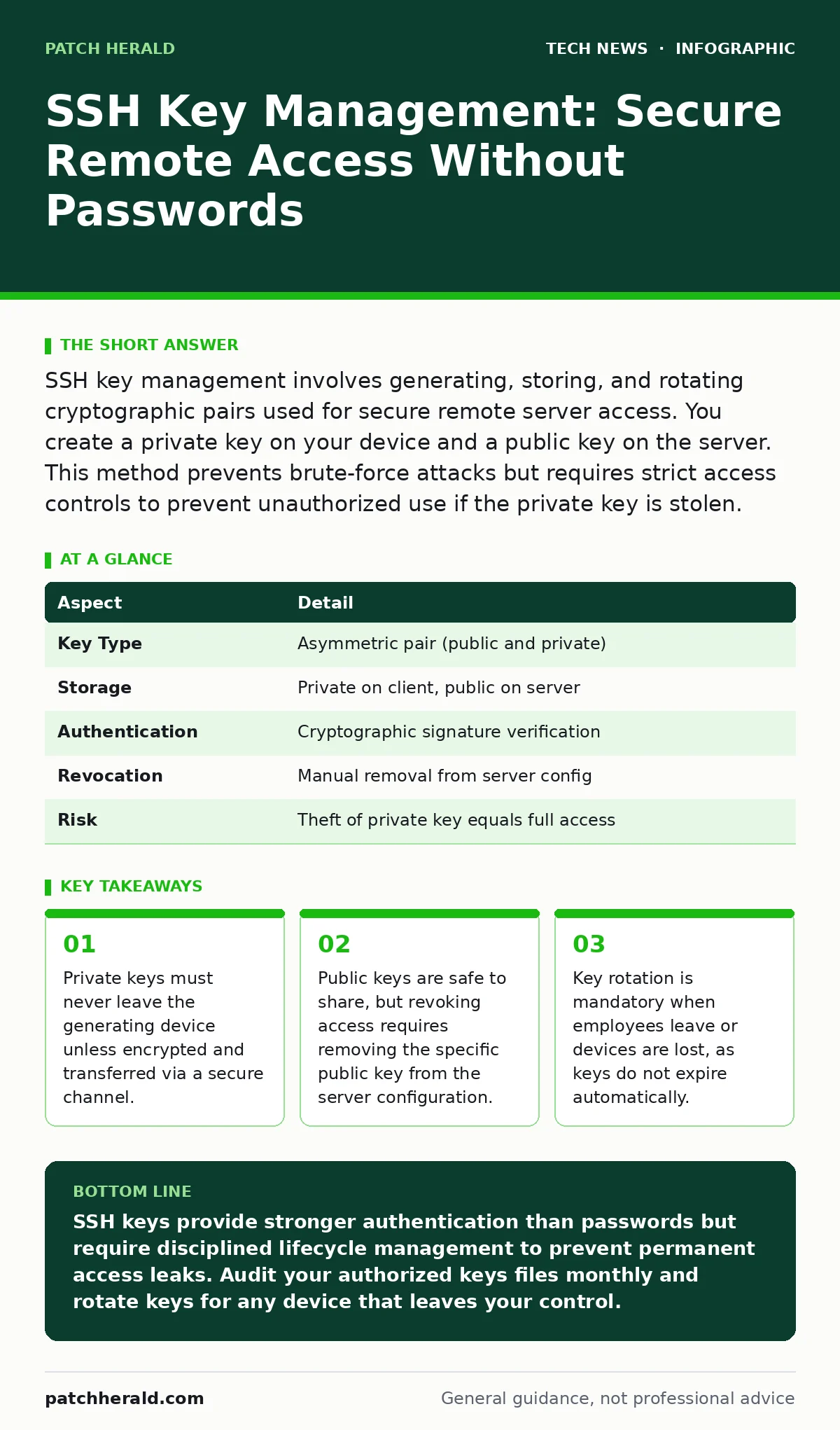
SSH key management involves generating, storing, and rotating cryptographic pairs used for secure remote server access. You create a private key on your device and a public key on the server. This method prevents brute-force attacks but requires strict access controls to prevent unauthorized use if the private key is stolen.
How SSH Key Management Works
SSH key management relies on asymmetric cryptography, a system using two mathematically linked keys. One key is public, meant for sharing, and the other is private, meant for strict secrecy. The private key stays on your local computer, while the public key resides on the remote server you wish to access. When you attempt to connect, the server sends a challenge encrypted with your public key.
Only your private key can decrypt this challenge and prove your identity. This process eliminates the need to transmit passwords over the network, removing the risk of interception during transit. The mechanism ensures that even if an attacker watches the connection, they cannot capture credentials to reuse later.
| Aspect | Detail |
|---|---|
| Key Type | Asymmetric pair (public and private) |
| Storage | Private on client, public on server |
| Authentication | Cryptographic signature verification |
| Revocation | Manual removal from server config |
| Risk | Theft of private key equals full access |
The Hidden Costs of Convenience
Many administrators view SSH keys as a permanent solution that replaces passwords once and for all. This mindset creates a hidden operational debt. Unlike passwords, which users change periodically or which systems can force to expire, SSH keys remain valid until manually removed. If an employee leaves the company and you fail to remove their public key from every server, they retain access indefinitely. This is a common oversight in small organizations where server inventory is incomplete. You must treat every key as a temporary credential with a defined lifespan. The convenience of "set and forget" directly contradicts the security principle of least privilege.
Imagine a developer who uses the same SSH key pair for their personal laptop and work servers. They lose their personal laptop. The thief now holds the private key that unlocks your production environment. Because the key was shared across contexts, a single physical loss compromises your entire remote infrastructure. This scenario highlights why context separation is non-negotiable.
What People Usually Get Wrong
A frequent error is storing private keys in plain text on cloud storage or email. Users treat the private key like a document to be backed up, ignoring that it is a credential equivalent to a master password. Another mistake is using weak key algorithms. Older algorithms like RSA with small key lengths are computationally easier to crack than modern alternatives like Ed25519.
You must verify that your server and client software support these stronger standards. Additionally, many users fail to protect the private key with a passphrase. A passphrase adds a second layer of encryption to the key file itself. Without it, anyone who copies the key file can use it immediately. With a passphrase, the thief must also guess or crack that password.
Managing Keys Across Multiple Devices
You likely use more than one computer to access your servers. Managing unique keys for each device creates administrative friction. A common approach is to use a single key pair across all devices, but this increases the blast radius if one device is compromised. A better strategy is to generate a unique key pair for each device. While this requires more initial setup, it allows you to revoke access for a specific laptop without locking out your desktop or phone. You must then ensure the public key for each device is added to the authorized keys file on the server. This file lists every public key allowed to connect. Keeping this list accurate is the core of effective key management.
Integrating With Broader Security Practices
SSH key management does not exist in isolation. It interacts with other security controls to form a defense-in-depth strategy. For example, network monitoring tools can detect unusual SSH connection patterns, such as logins from new geographic locations or at odd hours. If you see an alert, you can investigate whether the key was compromised.
Similarly, remote desktop security principles apply here: limit who can connect and from where. You should configure your firewall to allow SSH traffic only from trusted IP addresses. This reduces the attack surface significantly. Even with a stolen key, an attacker cannot connect if they are not on an approved network segment.
See also: AES Encryption Explained: How Symmetric Keys Protect Your Data
Rotation and Revocation Procedures
When a key is compromised or an employee departs, you must act quickly. Revocation is not automatic. You must log into each server and edit the authorized keys file to remove the offending public key. This manual process is error-prone and time-consuming. To streamline this, consider using configuration management tools that push key updates automatically. Rotation involves generating a new key pair and distributing the new public key before removing the old one. This ensures continuity of access. You should establish a schedule for routine rotation, such as every six months. This forces regular audits of who has access and why.
Best Practices for Daily Operations
Store private keys in a dedicated, restricted directory on your operating system. Most systems have standard locations that SSH clients look for by default. Do not modify permissions on these files. The operating system should only allow the owner to read the private key. If other users or processes can read it, the security model is broken.
Use a key manager or a hardware security module for high-value keys. These devices store the key in a tamper-resistant environment and perform the cryptographic operations internally. The private key never leaves the hardware. This is the gold standard for protecting critical infrastructure. For most small setups, a strong passphrase and strict file permissions are sufficient.
The Role of Open Standards
SSH relies on open standards, which allows for widespread adoption and independent security audits. This transparency is a strength. However, it also means that vulnerabilities are public knowledge once discovered. You must keep your SSH client and server software updated. Open-source software security depends on the community finding and fixing flaws quickly. If you run outdated versions, you may be vulnerable to known exploits that bypass key authentication entirely. Regular updates ensure you benefit from the latest cryptographic improvements and security patches. Do not assume that because SSH is standard, it is immune to implementation errors.
Key takeaways
- Private keys must never leave the generating device unless encrypted and transferred via a secure channel.
- Public keys are safe to share, but revoking access requires removing the specific public key from the server configuration.
- Key rotation is mandatory when employees leave or devices are lost, as keys do not expire automatically.
SSH keys provide stronger authentication than passwords but require disciplined lifecycle management to prevent permanent access leaks. Audit your authorized keys files monthly and rotate keys for any device that leaves your control.
Frequently asked questions
Can I use the same SSH key for GitHub and my servers?
You can, but it is not recommended. Separating keys by use case limits damage if one service is compromised or if you lose access to one account.
What happens if I lose my private key file?
You lose access to any server that only allows that key. You must generate a new key pair and add the new public key to the server to regain access.
Is SSH key management better than multi-factor authentication?
SSH keys are a form of authentication, not a replacement for MFA. Using both provides layered security, as MFA adds a second verification step even if the key is stolen.
How do I check which keys are on my server?
Look for the authorized_keys file in the user's home directory under the .ssh folder. Each line in this file represents a public key with access.
How this guide was produced: written by the Patch Herald editorial team with AI assistance, checked against the public references listed below, and reviewed when the facts change. See our editorial policy or report an error.