
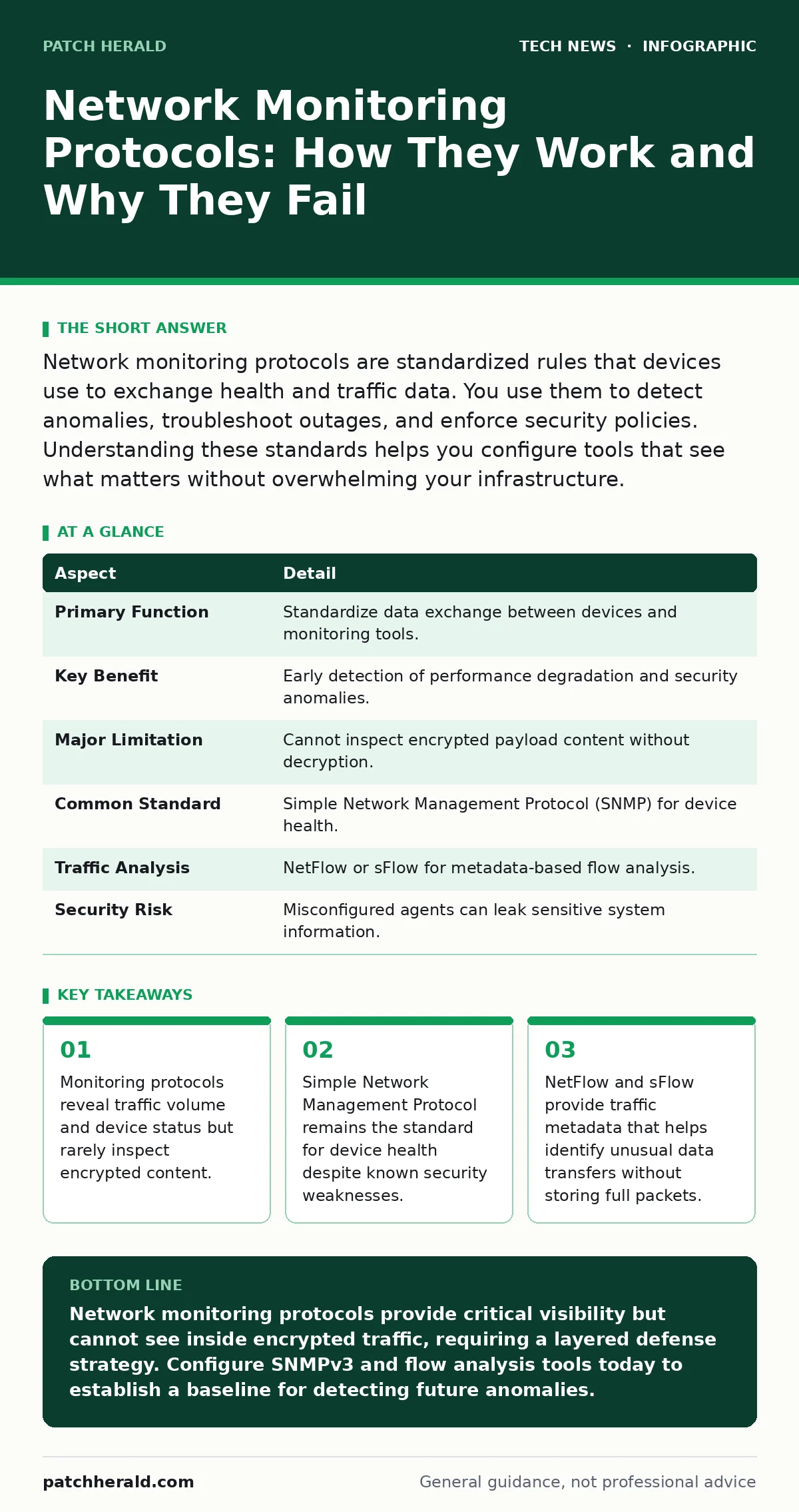
Network monitoring protocols are standardized rules that devices use to exchange health and traffic data. You use them to detect anomalies, troubleshoot outages, and enforce security policies. Understanding these standards helps you configure tools that see what matters without overwhelming your infrastructure.
Why You Need Network Monitoring Protocols
Imagine a city traffic control center. Cameras and sensors report vehicle counts, speed, and congestion levels. They do not record every license plate or listen to every conversation inside cars. Network monitoring protocols work similarly. They provide standardized ways for devices to report their status and traffic patterns.
These protocols allow your systems to communicate health data. Without them, you are blind to performance issues and security threats. You rely on these standards to aggregate data from routers, switches, and servers. This aggregation creates a single view of your infrastructure.
| Aspect | Detail |
|---|---|
| Primary Function | Standardize data exchange between devices and monitoring tools. |
| Key Benefit | Early detection of performance degradation and security anomalies. |
| Major Limitation | Cannot inspect encrypted payload content without decryption. |
| Common Standard | Simple Network Management Protocol (SNMP) for device health. |
| Traffic Analysis | NetFlow or sFlow for metadata-based flow analysis. |
| Security Risk | Misconfigured agents can leak sensitive system information. |
How Network Monitoring Protocols Work
Network monitoring relies on two main types of data: telemetry and flow records. Telemetry answers the question of whether a device is alive and healthy. Flow records answer the question of where data is going.
Simple Network Management Protocol (SNMP) is the most common telemetry standard. It uses a manager-agent model. The manager polls the agent on a device for specific data points. These points are organized in a Management Information Base (MIB). The agent returns values like CPU usage, memory load, or interface errors.
For traffic analysis, you use flow-based protocols. NetFlow, originally developed by Cisco, records summary information about IP flows. A flow is a sequence of packets with the same source IP, destination IP, source port, destination port, and protocol. The device exports these records to a collector. This approach saves bandwidth compared to capturing every packet.
The Hidden Costs of Visibility
Visibility comes with a price. Every monitoring protocol adds processing overhead to your devices. When a router generates flow records, it uses CPU cycles to track each connection. High-traffic networks can overwhelm poorly configured devices.
SNMP has a historical security flaw. Early versions used community strings that act like passwords. These strings travel in plain text. An attacker on the network can sniff them. Once captured, the attacker can query the device for detailed configuration data. This data helps attackers map your network topology.
You must weigh the benefit of detailed data against the risk of exposure. Sending too much data can also create storage bottlenecks. You need to filter what you collect. Focus on metrics that indicate actual problems or threats.
What People Usually Get Wrong
Many administrators assume that monitoring provides complete visibility. This assumption is dangerous. Most monitoring protocols only see the headers of packets. They do not see the payload.
If your traffic is encrypted using TLS or SSH, the monitoring tool sees only that data is moving. It cannot tell if that data is a legitimate file transfer or malware communication. This creates a significant blind spot. Attackers use encryption to hide their activities from standard network monitoring.
Another common error is relying solely on thresholds. You might set an alert for high bandwidth usage. An attacker can slowly exfiltrate data within normal bandwidth limits. Your threshold alerts will not trigger. You need behavioral analysis, not just static limits.
Related to this, many organizations neglect home router security. Compromised edge devices can bypass internal monitoring entirely. If an attacker controls the router, they can manipulate the data before it reaches your monitoring tools.
EXAMPLE: The Silent Data Exfiltration
Suppose an employee’s laptop is infected with malware. The malware connects to a command-and-control server. It uses standard HTTPS traffic to blend in with normal web browsing.
Your network monitoring protocols record the flow. They show a connection to a known IP address. The bandwidth usage is low, well below your alert thresholds. The SNMP agent reports the network interface is healthy.
Because the traffic is encrypted, the payload is invisible. The flow record shows only that data is leaving. Without additional context, such as DNS logging or endpoint detection, this activity looks normal. The attacker continues to steal data for weeks.
See also: Remote Desktop Security Mistakes: Fix These 7 Common Errors · Network Access Control: Real Benefits vs Hidden Limitations
Selecting the Right Protocol Stack
You should not rely on a single protocol. A layered approach provides better coverage. Combine SNMP for device health with flow analysis for traffic patterns.
NetFlow is widely supported and provides good granularity. It is ideal for identifying top talkers and unusual destinations. sFlow is another option. It samples packets rather than tracking every flow. This makes it lighter on device resources but less precise for small flows.
For deeper inspection, you might use packet capture protocols. These capture full packets for analysis. This is resource-intensive and often limited to specific segments. Use it for forensic analysis, not continuous monitoring.
Consider open-source software security when choosing your monitoring stack. Many popular tools are open source. They offer flexibility but require rigorous maintenance. You must patch them regularly to prevent vulnerabilities.
Configuration Best Practices
Start by defining what you need to monitor. Do not collect everything. Focus on metrics that help you detect failures or attacks.
Secure your SNMP configuration. Disable version 1 and 2c if possible. Use version 3 with strong authentication. Restrict access to specific management stations. Use access control lists to limit who can query your devices.
For flow analysis, ensure your devices export data to a secure collector. Encrypt the transport between the device and the collector. This prevents attackers from tampering with the monitoring data.
Regularly review your alerts. Tune thresholds to reduce noise. False alarms lead to alert fatigue. You will miss real threats if you ignore too many false positives.
Integrating with Security Frameworks
Monitoring data must feed into your security operations. Isolated data is useless. Integrate your monitoring tools with your incident response processes.
Use the data to validate other security controls. For example, if certificate authorities issue a new certificate, your monitoring should detect the new traffic patterns. If SSH key management fails, you might see unusual login attempts.
Consider the future impact of post-quantum cryptography. As encryption standards evolve, monitoring tools must adapt. Ensure your vendors support upcoming standards.
Also, review remote desktop security practices. Unmonitored remote access is a major risk. Ensure all remote sessions are logged and monitored for anomalies.
The Role of IP Addresses in Monitoring
IP addresses are the primary identifier in network monitoring. Every flow record contains source and destination IP addresses. You use these to track communication paths.
However, IP addresses are not always reliable. Network Address Translation (NAT) hides internal IPs. This makes it difficult to trace traffic to specific devices. You must account for NAT in your monitoring strategy.
Dynamic IP assignment also complicates tracking. Devices change IPs over time. Use hostnames or MAC addresses when possible to maintain consistent identification.
Summary of Actions
You now understand the basics of network monitoring protocols. You know that they provide health data and traffic metadata. You also know their limitations regarding encrypted traffic.
Implement a layered approach. Use SNMP for device health. Use NetFlow or sFlow for traffic analysis. Secure your configurations to prevent data leakage.
Review your current setup. Identify blind spots. Ensure you are monitoring the right metrics. Continuously tune your alerts to stay effective.
Key takeaways
- Monitoring protocols reveal traffic volume and device status but rarely inspect encrypted content.
- Simple Network Management Protocol remains the standard for device health despite known security weaknesses.
- NetFlow and sFlow provide traffic metadata that helps identify unusual data transfers without storing full packets.
- Proper configuration balances visibility with privacy and performance costs.
Network monitoring protocols provide critical visibility but cannot see inside encrypted traffic, requiring a layered defense strategy. Configure SNMPv3 and flow analysis tools today to establish a baseline for detecting future anomalies.
Frequently asked questions
Do network monitoring protocols slow down my network?
Yes, they add processing overhead. Flow generation consumes CPU cycles on routers and switches. Poorly configured monitoring can impact performance during peak traffic.
Can monitoring protocols see what users are browsing?
Only if the traffic is unencrypted. Modern web browsing uses HTTPS. Monitoring protocols see the destination IP and domain name, but not the specific pages or content viewed.
Is SNMP still safe to use?
SNMP version 1 and 2c are insecure. They transmit data in plain text. SNMP version 3 provides encryption and authentication, making it safe for most environments when configured correctly.
How do I handle encrypted traffic?
You cannot decrypt all traffic without significant legal and technical hurdles. Focus on metadata analysis. Look for unusual connection patterns, volumes, or destinations rather than content.
How this guide was produced: written by the Patch Herald editorial team with AI assistance, checked against the public references listed below, and reviewed when the facts change. See our editorial policy or report an error.