Isolate guest traffic using strict VLAN segmentation and disable device-to-device communication. Enforce captive portals for authentication, limit bandwidth to prevent congestion, and disable WPS. Regularly audit configurations to ensure the guest network remains a separate, contained environment that cannot access internal resources.
Mistake 1: Sharing the Same Subnet as Internal Devices
Many administrators configure the guest network to use the same IP address range as the primary business network. This creates a flat network architecture where all devices can see and communicate with one another. Without segmentation, a laptop on the guest Wi-Fi can scan for open ports on your file servers or point-of-sale systems.
Why it hurts:
This lack of isolation allows an attacker to move laterally. If a guest device is compromised, the malware can reach internal assets directly. The guest network becomes a backdoor rather than a controlled entry point. You lose the ability to monitor traffic patterns specific to visitors, making incident response difficult.
The fix:
Assign the guest network a distinct VLAN. A Virtual Local Area Network creates a logical separation that prevents direct communication between guest devices and internal servers. Configure your firewall to block all traffic from the guest VLAN to the corporate VLAN. This ensures that even if a guest device is infected, it cannot reach your critical infrastructure.
Mistake 2: Enabling Peer-to-Peer Traffic
Some configurations allow guest devices to discover and communicate with each other. This feature is often enabled by default to simplify file sharing or local printing. It assumes all guests are trustworthy and have no malicious intent toward one another.
Why it hurts:
This turns your guest network into a hunting ground. A malicious actor can use a compromised device to scan for vulnerabilities in other guests' phones or laptops. They can serve malicious payloads or attempt man-in-the-middle attacks against other users. Your network becomes a vector for spreading malware among visitors, damaging your reputation.
The fix:
Disable client isolation or AP isolation on your wireless access points. This setting forces all traffic from guest devices to pass through the central router or firewall. Devices on the guest network cannot see each other, only the internet gateway. This contains any potential threats to the individual device that brought them in.
Mistake 3: Using WPS for Connection
Wi-Fi Protected Setup simplifies connecting devices by using a push-button method or an eight-digit PIN. Many older routers have this feature enabled to improve user experience for non-technical visitors. It bypasses the need to type long passphrases.
Why it hurts:
The WPS PIN method is vulnerable to brute-force attacks. Attackers can guess the PIN in hours because the protocol only checks the first half of the PIN initially. Once the PIN is cracked, the attacker obtains the main Wi-Fi password. This defeats the purpose of having a strong network key and grants them full access.
The fix:
Disable WPS entirely on your access points. Rely on standard WPA2 or WPA3 authentication methods instead. These protocols require the full passphrase for connection and are resistant to brute-force attacks when complex passwords are used. For guest networks, a captive portal provides a better user experience without the security risks of WPS.
Mistake 4: Neglecting Bandwidth Throttling
Guests often use high-bandwidth applications like video streaming or large file downloads. Without limits, these activities consume available throughput. This can degrade performance for internal business operations that rely on consistent network speed.
Why it hurts:
Excessive guest traffic can saturate your internet connection. Employees may experience slow load times for cloud applications or dropped VoIP calls. This impacts productivity and customer service. In extreme cases, heavy usage can trigger data caps or incur overage fees from your internet service provider.
The fix:
Implement Quality of Service rules to prioritize internal traffic. This guarantees that business-critical applications remain responsive even when the guest network is heavily utilized.
Mistake 5: Skipping Captive Portal Authentication
Allowing immediate internet access without any interaction invites abuse. Guests may use the network for illegal activities or high-volume data transfers without any accountability. There is no record of who connected or when.
Why it hurts:
Without identification, you cannot enforce acceptable use policies. If illegal activity occurs on your network, law enforcement may trace it back to your business. You also lose the ability to track usage patterns or identify problematic devices. This lack of accountability increases legal and operational risk.
The fix:
Deploy a captive portal that requires users to accept terms of service before accessing the internet. This step creates a digital trail of acceptance and connection times. It also provides an opportunity to display legal disclaimers regarding network usage. While it does not verify identity, it establishes a baseline of consent and policy acknowledgment.
See also: Zero Trust Mistakes That Break Security and How to Fix Them · Remote Desktop Security Mistakes: Fix These 7 Common Errors
Mistake 6: Using Outdated Encryption Standards
Some networks still rely on WEP or TKIP for encryption. These protocols were designed for earlier Wi-Fi standards and are now considered broken. Modern tools can crack these keys in minutes.
Why it hurts:
Outdated encryption allows attackers to decrypt network traffic easily. They can read sensitive data transmitted by guests, such as login credentials or personal information. This exposes your business to liability and damages trust. Even if the guest network is isolated, weak encryption undermines the overall security posture.
The fix:
Ensure your access points support and enforce WPA2-Enterprise or WPA3-Personal. If WPA3 is not available, WPA2 with AES encryption is the minimum acceptable standard. Disable any legacy protocols that allow fallback to weaker encryption methods. Regularly update your firmware to patch known vulnerabilities in the wireless stack.
Mistake 7: Ignoring Network Access Control Policies
Failing to integrate the guest network with broader security policies leaves gaps in visibility. The guest network operates as a blind spot in your security architecture.
Why it hurts:
Without proper monitoring, compromised devices can remain on the network undetected. You miss opportunities to block known malicious IP addresses or domains. This lack of oversight contradicts best practices for network access control, where every device should be verified and monitored.
The fix:
Integrate your guest network with your central logging and monitoring systems. Ensure that traffic from the guest VLAN is inspected for known threats. Regularly review access logs to identify unusual patterns. This aligns with broader strategies for SSH key management and remote desktop security by maintaining strict control over all network entry points.
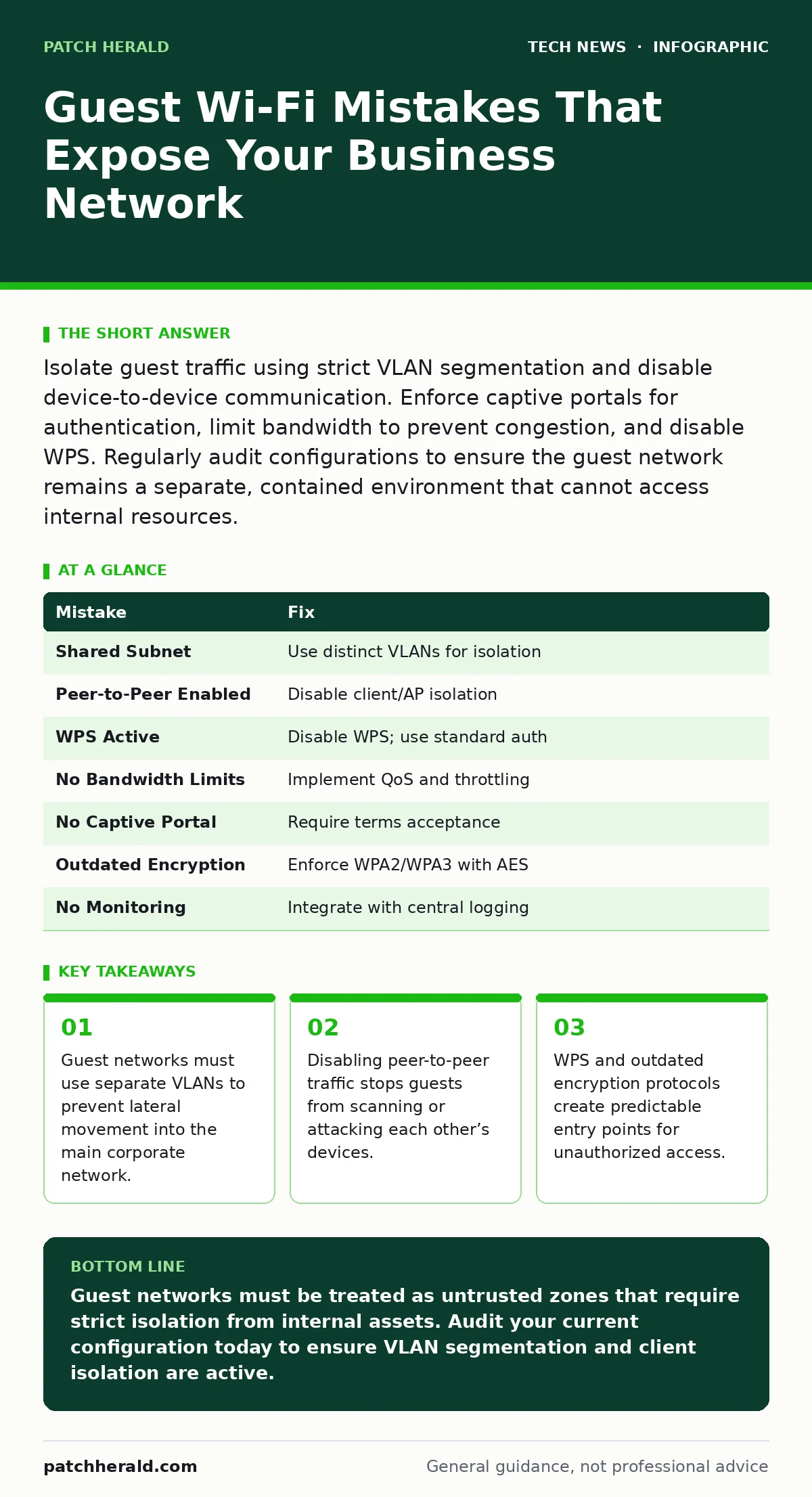
| Mistake | Fix |
|---|---|
| Shared Subnet | Use distinct VLANs for isolation |
| Peer-to-Peer Enabled | Disable client/AP isolation |
| WPS Active | Disable WPS; use standard auth |
| No Bandwidth Limits | Implement QoS and throttling |
| No Captive Portal | Require terms acceptance |
| Outdated Encryption | Enforce WPA2/WPA3 with AES |
| No Monitoring | Integrate with central logging |
Key takeaways
- Guest networks must use separate VLANs to prevent lateral movement into the main corporate network.
- Disabling peer-to-peer traffic stops guests from scanning or attacking each other’s devices.
- WPS and outdated encryption protocols create predictable entry points for unauthorized access.
Guest networks must be treated as untrusted zones that require strict isolation from internal assets. Audit your current configuration today to ensure VLAN segmentation and client isolation are active.
Frequently asked questions
Can I use the same password for guest and internal Wi-Fi?
No. Using the same password increases the risk of lateral movement if the guest network is compromised. Keep credentials distinct to maintain clear security boundaries.
Does a guest network protect against all malware?
No. Isolation prevents malware from spreading to internal servers, but it does not protect the guest device itself. Users remain responsible for their own endpoint security.
How often should I change the guest Wi-Fi password?
Regularly, but more importantly, ensure the password is complex and not shared publicly. If you suspect a breach, change it immediately and review access logs.
Is a captive portal required by law?
Requirements vary by jurisdiction. Many regions require businesses to display terms of service and privacy policies before granting internet access to visitors.
How this guide was produced: written by the Patch Herald editorial team with AI assistance, checked against the public references listed below, and reviewed when the facts change. See our editorial policy or report an error.