Yes, you need website security for any public-facing page because automated bots constantly scan the entire internet for vulnerabilities to exploit, steal data, or hijack server resources for malicious activities.
Do I need website security if my site only has static pages?
You definitely need baseline security even for static informational text because attackers frequently subvert simple html pages to host malicious redirects or phishing forms. Static content management engines still run underlying code that requires constant patching. Hidden vulnerabilities in file upload mechanisms allow intruders to deposit unauthorized scripts onto your hosting space.
Imagine a local bakery publishing a simple menu page using standard hypertext markup language. An automated scanner detects an outdated file transfer protocol configuration on the hosting account. Intruders bypass the authentication layer and inject fraudulent payment links directly into the dessert listings. Visitors clicking the links face immediate credential theft while your domain loses trust permanently.
What risks does an unencrypted connection create for visitors?
Unencrypted connections expose every byte of transmitted information to interception by anyone sharing the same local network path. Transport layer security establishes an encrypted tunnel between the browser and the host server. Without this cryptographic wrapper, third parties can read user inputs, modify page content in transit, or inject unwanted advertisements into your layout.
Public networks make data sniffing trivial for malicious actors sitting nearby. When visitors submit contact forms without encryption, their personal details travel in plain text across multiple routers. Browser warnings about insecure connections immediately drive potential customers away from your brand. Implementing proper certificate management prevents these passive eavesdropping attacks entirely.
How do automated bots find vulnerable web servers?
Automated bots discover targets by continuously probing random internet protocol addresses and testing standard service ports for known weaknesses. These scripts operate around the clock without human intervention, testing millions of domains every single hour. Once a vulnerable endpoint responds, the bot reports the exact software version and configuration flaws back to a centralized controller.
Mass scanning tools leave virtually no footprint in standard web logs until the actual exploit payload arrives. Your server might experience thousands of connection attempts daily from distributed botnets searching for default administrator credentials. Manual inspection cannot keep pace with these automated reconnaissance routines. Automated defense layers must filter incoming traffic patterns before they reach application logic.
Why do attackers target small-business websites?
Attackers target smaller web properties because they frequently lack dedicated administrative staff and maintain outdated software stacks. Compromised small business servers provide valuable infrastructure for sending spam emails, hosting illegal files, or launching attacks against larger targets. Botnet operators value these hijacked resources for their legitimate domain history and established search engine reputation.
Resource theft drains your hosting bandwidth allocations and can result in sudden financial penalties from your service provider. Search engines detect malicious code injections and immediately flag your domain with warning screens in search results. Rebuilding compromised infrastructure consumes significant time and diverts attention away from your actual business operations.
What role do regular software updates play in preventing breaches?
Software updates close known security gaps that developers discover and patch after initial public releases. Running unpatched components leaves your web application exposed to publicly documented exploit methods. Threat actors weaponize patch release notes within hours to target installations that have not yet applied the fix.
Applying software updates promptly forms the single most effective defense against automated exploitation attempts. Testing new versions in a staging environment prevents unexpected downtime before production deployment. Regular maintenance routines ensure that your underlying frameworks remain resilient against evolving attack techniques. Neglecting these updates guarantees that your server eventually falls victim to known exploits.
See also: Telegram Link and Domain Outages Explained Simply · Why Is Network Address Translation Important for Small Networks
Can remote desktop security weaknesses expose a web server?
Remote desktop security failures provide a direct entry point for attackers to compromise the underlying operating system hosting your web files. Administrative login portals left accessible to the public internet invite brute force password guessing attacks. Once intruders guess a valid administrative credential, they gain complete control over the entire server environment.
Weak authentication protocols allow malicious actors to bypass web application firewalls entirely from the inside. They can modify website source code, install keyloggers, or exfiltrate sensitive database contents directly through the management interface. Restricting administrative access to private virtual private networks prevents unauthorized remote login attempts.
How does operating system hardening stop lateral movement?
Operating system hardening limits the damage an attacker can cause after breaching a single web application component. This practice involves disabling unnecessary services, enforcing strict file permission boundaries, and removing default user accounts. When a web application vulnerability allows unauthorized file uploads, a hardened operating system prevents those files from executing as system commands.
Default configurations prioritize convenience over security by leaving numerous background services running continuously. Hardening removes these attack vectors by stripping the operating environment down to bare operational requirements. Intruders finding a way into your web application find themselves trapped within a restricted sandbox environment unable to access other system files.
What steps should I take to secure a public web presence?
Protecting your web presence requires a layered approach combining transport encryption, strict access controls, and continuous system monitoring. Begin by installing valid security certificates and redirecting all traffic through encrypted channels. Enforce multi-factor authentication for every administrative account associated with your hosting environment.
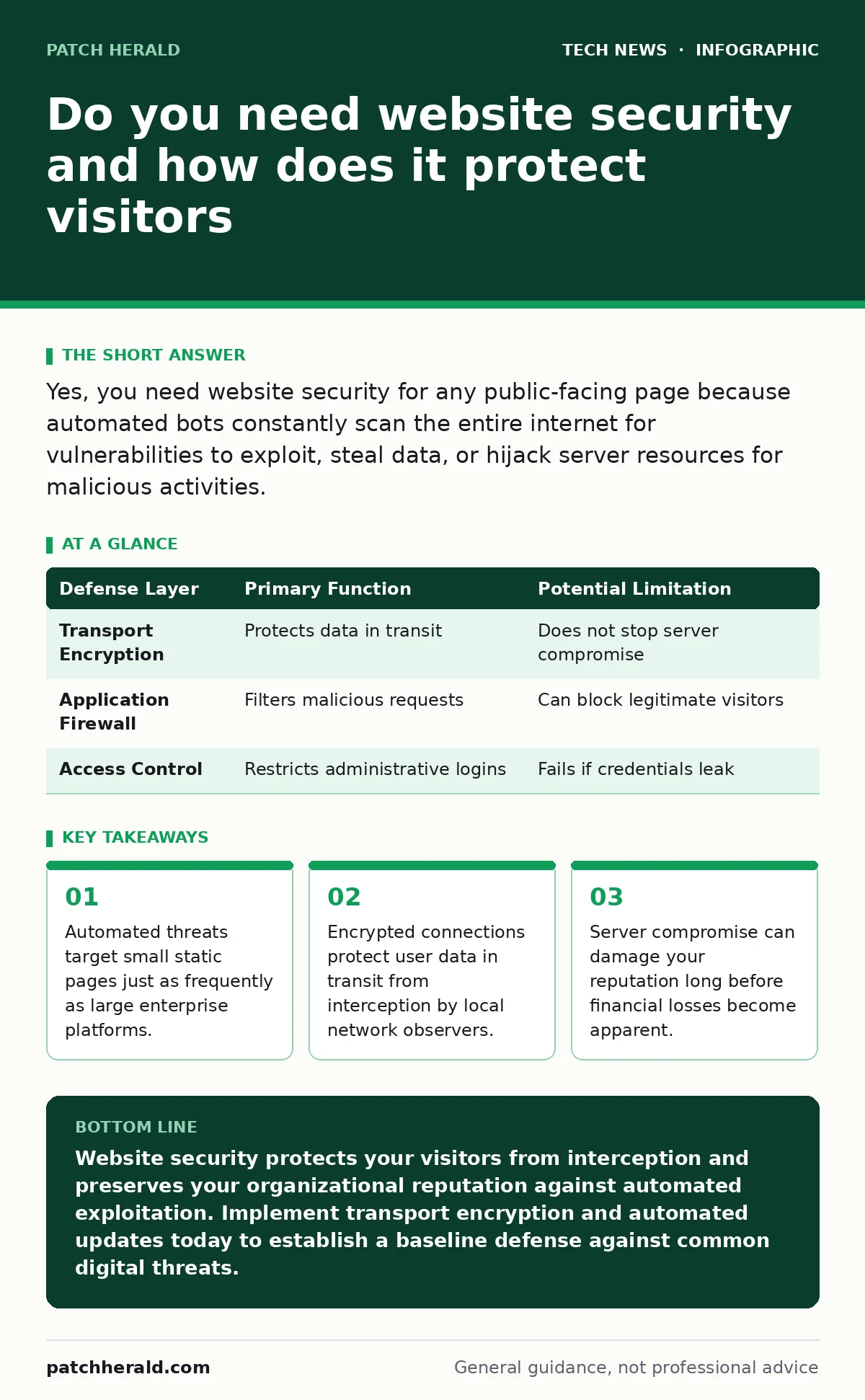
| Defense Layer | Primary Function | Potential Limitation |
|---|---|---|
| Transport Encryption | Protects data in transit | Does not stop server compromise |
| Application Firewall | Filters malicious requests | Can block legitimate visitors |
| Access Control | Restricts administrative logins | Fails if credentials leak |
Key takeaways
- Automated threats target small static pages just as frequently as large enterprise platforms.
- Encrypted connections protect user data in transit from interception by local network observers.
- Server compromise can damage your reputation long before financial losses become apparent.
Website security protects your visitors from interception and preserves your organizational reputation against automated exploitation. Implement transport encryption and automated updates today to establish a baseline defense against common digital threats.
Frequently asked questions
Do I need a paid security certificate for my website?
Free cryptographic certificates provide the exact same encryption strength as expensive commercial alternatives for standard web traffic.
How often should I check my website for unauthorized changes?
Automated integrity monitoring should run continuous checks on core system files to alert you immediately whenever unexpected modifications occur.
Can a web application firewall stop all malicious traffic?
Firewalls block known attack patterns and common exploit signatures, but they cannot protect against zero-day vulnerabilities or compromised administrator credentials.
What happens if my hosting provider suffers a security breach?
Your specific website files remain vulnerable if the underlying server infrastructure is compromised, making independent backups and access controls necessary.
How this guide was produced: written by the Patch Herald editorial team with AI assistance, checked against the public references listed below, and reviewed when the facts change. See our editorial policy or report an error.