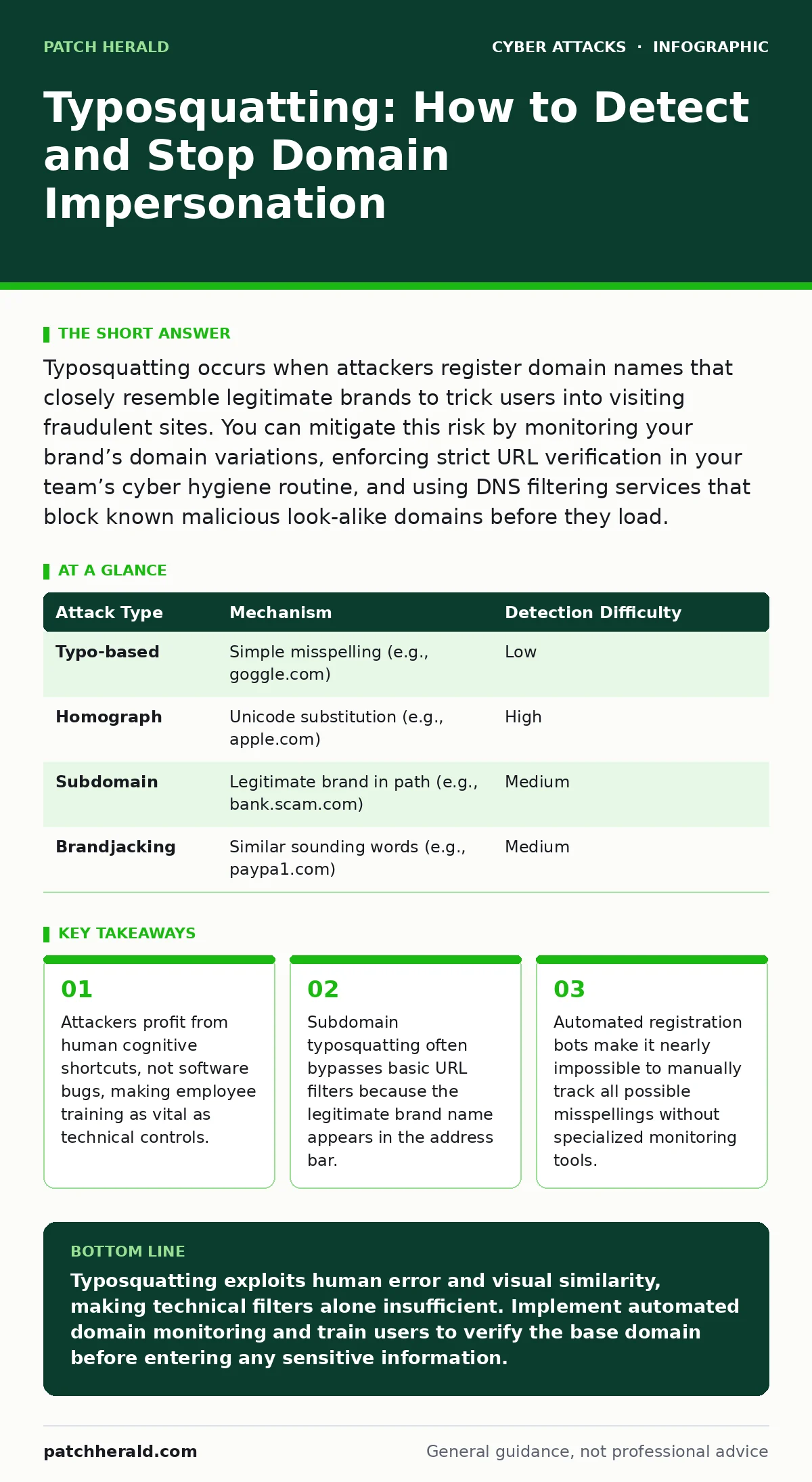
Typosquatting occurs when attackers register domain names that closely resemble legitimate brands to trick users into visiting fraudulent sites. You can mitigate this risk by monitoring your brand’s domain variations, enforcing strict URL verification in your team’s cyber hygiene routine, and using DNS filtering services that block known malicious look-alike domains before they load.
What exactly is typosquatting?
Typosquatting is a cyberattack where an adversary registers a domain name that is a slight misspelling of a popular or trusted website. The goal is to capture traffic from users who accidentally type the wrong address or click a disguised link. Unlike malware that requires execution, this method relies entirely on the user’s inability to distinguish the fake URL from the real one. It is a form of domain spoofing that exploits the natural speed at which humans read and process information.
How does typosquatting differ from standard phishing?
Standard phishing typically involves sending a deceptive email with a link to a malicious site, whereas typosquatting focuses on the domain name itself as the primary vector. In typosquatting, the attacker does not need to craft a convincing email narrative; they only need you to mistype a URL. This makes it a broader threat because it can intercept direct navigation attempts, bookmarks, and even voice-command inputs. While phishing relies on social engineering in content, typosquatting relies on the engineering of the address bar itself.
Can typosquatting happen on subdomains?
Yes, and this is often more dangerous because it can bypass simple visual checks. An attacker might register a domain that looks like login.securebank.com but is actually login.securebank.evil.com. The legitimate brand name appears in the path, creating a false sense of trust. This technique is closely related to OAuth consent phishing, where attackers use similar visual tricks to steal authorization tokens. You must check the base domain—the part immediately preceding the top-level domain—rather than just reading the URL from left to right.
Why do attackers use Unicode characters?
Attackers use visually similar characters from different scripts to create domains that look identical to the naked eye. This is known as homograph attacks, where a Cyrillic character might replace a Latin letter in the domain name. Modern browsers often display the Punycode representation of these domains, but older systems or mobile apps may not. This exploits the fact that human pattern recognition is poor at detecting subtle font differences across character sets. It turns the browser’s rendering engine into a tool for deception rather than clarity.
| Attack Type | Mechanism | Detection Difficulty |
|---|---|---|
| Typo-based | Simple misspelling (e.g., goggle.com) | Low |
| Homograph | Unicode substitution (e.g., аpple.com) | High |
| Subdomain | Legitimate brand in path (e.g., bank.scam.com) | Medium |
| Brandjacking | Similar sounding words (e.g., paypa1.com) | Medium |
How can I prevent my organization from being targeted?
You cannot prevent someone from registering a look-alike domain, but you can control how your network interacts with it. Implement DNS filtering that blocks known malicious domains and monitors for new registrations similar to your brand. Integrate this with a zero trust security model, which assumes that any connection could be compromised and verifies identity continuously. This ensures that even if a user navigates to a fake site, the system does not automatically trust the connection or allow lateral movement within your network.
See also: Dumpster Diving Mistakes That Expose Your Business Data · Malicious Bot Traffic: What It Is and How to Stop It
What role does cyber hygiene play in defense?
Strong cyber hygiene involves verifying the legitimacy of any website before entering credentials. This means checking for HTTPS certificates, though this alone is insufficient since attackers can also obtain SSL certificates for fake domains. It also means encouraging users to use bookmarks for critical services rather than typing URLs manually. If you are also concerned about physical security threats, remember that shoulder surfing can expose passwords even if the domain is correct. Combining domain verification with password protection creates layered defense.
Are there automated tools to detect these domains?
Yes, passive DNS monitoring and brand protection services can alert you when new domains are registered that resemble your own. These tools scan domain registration databases in real-time to identify potential typosquatting attempts. They are necessary because the volume of new domain registrations is too high for manual review. Without these tools, you are reacting to breaches rather than preventing them. This proactive monitoring is a standard component of modern endpoint protection strategies, which aim to secure the device before malicious content executes.
How do you respond if a user visits a typosquatted site?
Immediate isolation of the affected device is the first step to prevent credential theft or malware installation. Revoke any session tokens or passwords that may have been entered on the fraudulent site. Conduct a forensic analysis to determine if the attacker gained access to internal systems or exfiltrated data. Update your blocklists to include the malicious domain and any similar variants. This response mirrors the urgency needed when dealing with vishing attacks, where voice-based social engineering requires immediate credential reset.
Why is this a persistent threat?
The cost of registering a domain is negligible, while the potential reward for credential theft is high. Attackers use automated bots to register thousands of variations of popular brands every day. Even if you take down one domain, others will appear immediately. This economic asymmetry favors the attacker, making defense a continuous process rather than a one-time fix. It requires ongoing investment in monitoring and user education to stay ahead of the automated registration scripts.
Key takeaways
- Attackers profit from human cognitive shortcuts, not software bugs, making employee training as vital as technical controls.
- Subdomain typosquatting often bypasses basic URL filters because the legitimate brand name appears in the address bar.
- Automated registration bots make it nearly impossible to manually track all possible misspellings without specialized monitoring tools.
Typosquatting exploits human error and visual similarity, making technical filters alone insufficient. Implement automated domain monitoring and train users to verify the base domain before entering any sensitive information.
Frequently asked questions
Does HTTPS protect me from typosquatting?
No, because attackers can purchase SSL certificates for their fake domains. The green lock only confirms the connection is encrypted, not that the website is legitimate or safe.
Can I stop typosquatting by buying all possible misspellings?
You can buy common misspellings, but the number of possible variations is too large to be practical. It is more effective to block these domains at the network level.
Do ad blockers help with typosquatting?
Ad blockers primarily remove advertisements and tracking scripts. They do not typically block navigation to specific domains, so they offer little protection against this threat.
How do I report a typosquatting site?
Report the domain to the registrar where it is hosted and to relevant brand protection agencies. Most registrars have abuse contacts for handling trademark infringement and fraud.
How this guide was produced: written by the Patch Herald editorial team with AI assistance, checked against the public references listed below, and reviewed when the facts change. See our editorial policy or report an error.