
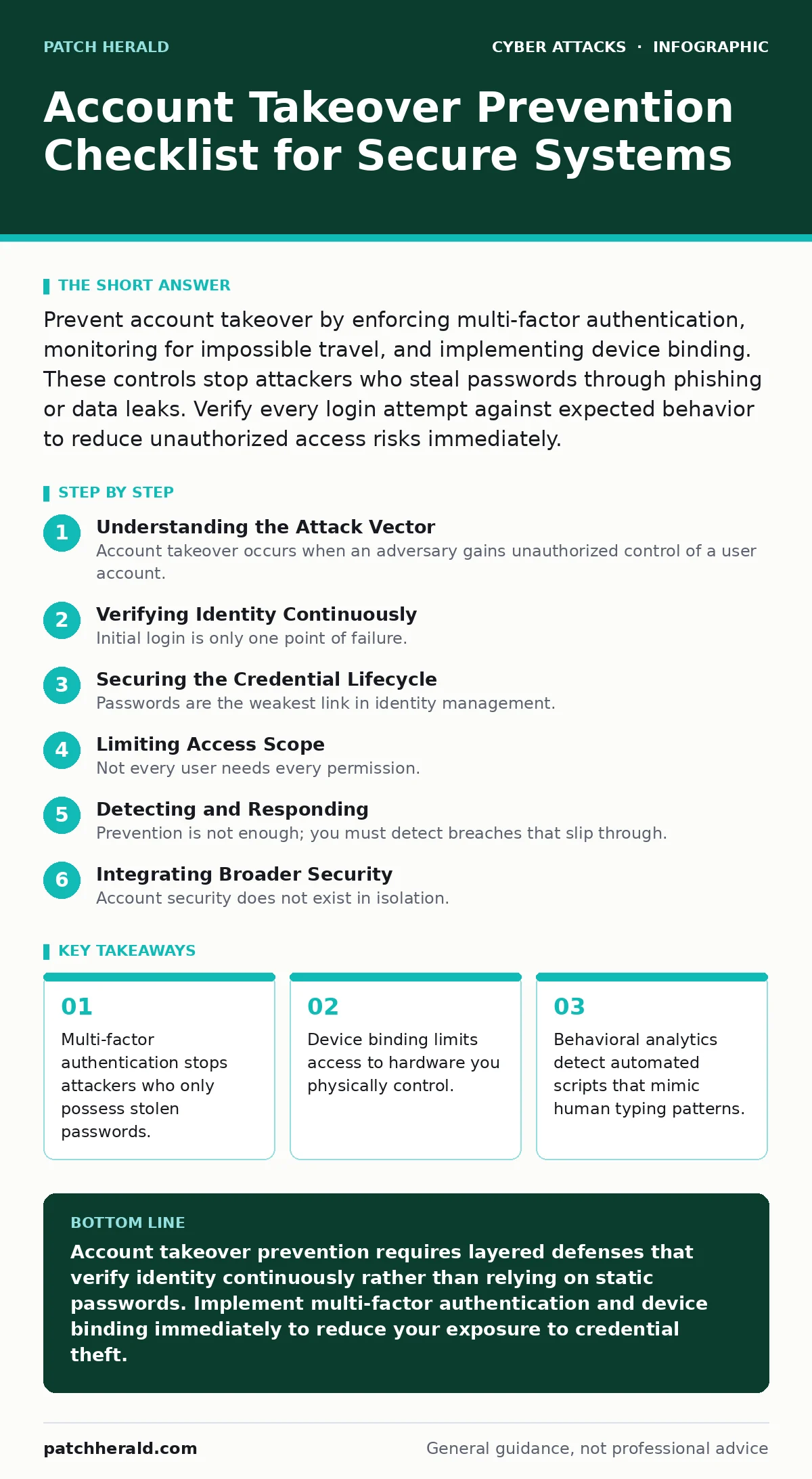
Prevent account takeover by enforcing multi-factor authentication, monitoring for impossible travel, and implementing device binding. These controls stop attackers who steal passwords through phishing or data leaks. Verify every login attempt against expected behavior to reduce unauthorized access risks immediately.
Understanding the Attack Vector
Account takeover occurs when an adversary gains unauthorized control of a user account. Attackers typically obtain credentials through phishing, data breaches, or credential stuffing. Once inside, they harvest personal data, make purchases, or pivot to other systems. You cannot rely on password complexity alone to stop these intrusions.
Passwords are static secrets that, once leaked, remain compromised forever. You need dynamic verification methods that change with every session. This checklist provides specific controls to layer defense mechanisms. Each item addresses a specific failure point in traditional authentication. Implementing these measures reduces the surface area available to attackers.
- Enforce multi-factor authentication: Adds a second verification step that passwords alone cannot bypass.
- Disable SMS-based verification: Prevents interception through SIM swapping attacks that bypass text messages.
- Require hardware security keys: Provides phishing-resistant proof of possession that software tokens lack.
Verifying Identity Continuously
Initial login is only one point of failure. Attackers often maintain access by staying quiet within the system. You must verify identity throughout the session, not just at the start. Continuous monitoring detects anomalies that indicate a handoff from legitimate user to attacker. Behavioral analytics examine typing speed, mouse movements, and navigation patterns. These metrics create a baseline for normal user activity. Deviations from this baseline trigger additional verification steps. This approach catches automated bots that cannot mimic human inconsistency. It also identifies session hijacking where an attacker steals an active cookie.
- Monitor for impossible travel: Flags logins from geographically distant locations within impossible timeframes.
- Track device fingerprints: Identifies unique browser and hardware characteristics to recognize known devices.
- Analyze behavioral biometrics: Detects changes in typing rhythm and mouse usage that suggest automation.
Securing the Credential Lifecycle
Passwords are the weakest link in identity management. You must treat every password as a potential leak. Credential stuffing attacks use lists of compromised usernames and passwords against your systems. If users reuse passwords, a breach elsewhere becomes your breach. You must enforce unique credentials for every service. Password managers help users generate and store complex, unique passwords without memorizing them. This reduces the likelihood of reuse. Regular rotation is less effective than uniqueness, but you should still change passwords if a breach is suspected.
- Mandate password managers: Ensures every account has a unique, complex password that users do not reuse.
- Check against breach databases: Identifies credentials that have already appeared in public data leaks.
- Eliminate default credentials: Removes factory-set passwords that attackers scan for in new installations.
Limiting Access Scope
Not every user needs every permission. Excessive privileges increase the damage an attacker can cause. Principle of least privilege restricts access to only what is necessary for the job. If an account is taken over, the attacker inherits only those limited rights. This containment prevents lateral movement across your network. You should review permissions regularly to ensure they still match job roles. Remove access for employees who change departments or leave the organization. Automated provisioning and deprovisioning reduce the risk of orphaned accounts.
- Apply least privilege: Limits what an attacker can do if they compromise a standard user account.
- Automate access reviews: Ensures permissions are removed promptly when job roles change or end.
- Segment administrative access: Separates high-privilege accounts from daily use to reduce exposure.
Detecting and Responding
Prevention is not enough; you must detect breaches that slip through. Real-time alerts notify you of suspicious activity immediately. Automated responses can lock accounts or require re-authentication. This reduces the window of opportunity for attackers. You should integrate these alerts with your incident response plan. Define clear steps for verifying whether an alert is a true positive. False positives can disrupt business operations, so tune your thresholds carefully. Regular testing ensures your detection mechanisms work as intended.
- Enable real-time alerts: Notifies administrators of suspicious login attempts or permission changes immediately.
- Automate account lockdown: Temporarily suspends accounts that trigger multiple failed verification attempts.
- Log all authentication events: Provides an audit trail for forensic analysis after a suspected breach.
See also: Shadow IT Myths: 6 Misconceptions Blocking Cloud Security · Federated Identity: Definition, Purpose and How It Works
Integrating Broader Security
Account security does not exist in isolation. It connects to endpoint protection and phishing defenses. An attacker who compromises an email account can reset other passwords. You must secure the entire identity ecosystem. Zero trust security assumes no user or device is trustworthy by default. This mindset strengthens account controls by requiring verification at every step. Consider how website defacement or drive-by downloads might lead to credential theft. Secure your endpoints to prevent malware from capturing keystrokes. Protect against vishing and shoulder surfing to keep credentials private.
- Align with zero trust: Verifies every request as if it originates from an untrusted network.
- Secure email accounts: Prevents attackers from using email to reset passwords on other services.
- Train users on phishing: Reduces the risk of users voluntarily handing over credentials to imposters.
Key takeaways
- Multi-factor authentication stops attackers who only possess stolen passwords.
- Device binding limits access to hardware you physically control.
- Behavioral analytics detect automated scripts that mimic human typing patterns.
Account takeover prevention requires layered defenses that verify identity continuously rather than relying on static passwords. Implement multi-factor authentication and device binding immediately to reduce your exposure to credential theft.
Frequently asked questions
Does multi-factor authentication stop all account takeovers?
No, it significantly reduces risk but does not eliminate it. Attackers may use session hijacking or exploit software vulnerabilities that bypass authentication checks entirely.
How often should I review user permissions?
Review permissions quarterly or whenever an employee’s role changes. Regular audits ensure that access rights align with current job responsibilities and remove unnecessary privileges.
Is SMS verification completely insecure?
SMS is vulnerable to SIM swapping and interception, making it weaker than app-based or hardware tokens. Use it only as a last resort when more secure methods are unavailable.
What is credential stuffing and how do I stop it?
Credential stuffing uses leaked username-password pairs to access accounts. Stop it by enforcing unique passwords, monitoring for multiple failed logins, and requiring multi-factor authentication.
How this guide was produced: written by the Patch Herald editorial team with AI assistance, checked against the public references listed below, and reviewed when the facts change. See our editorial policy or report an error.