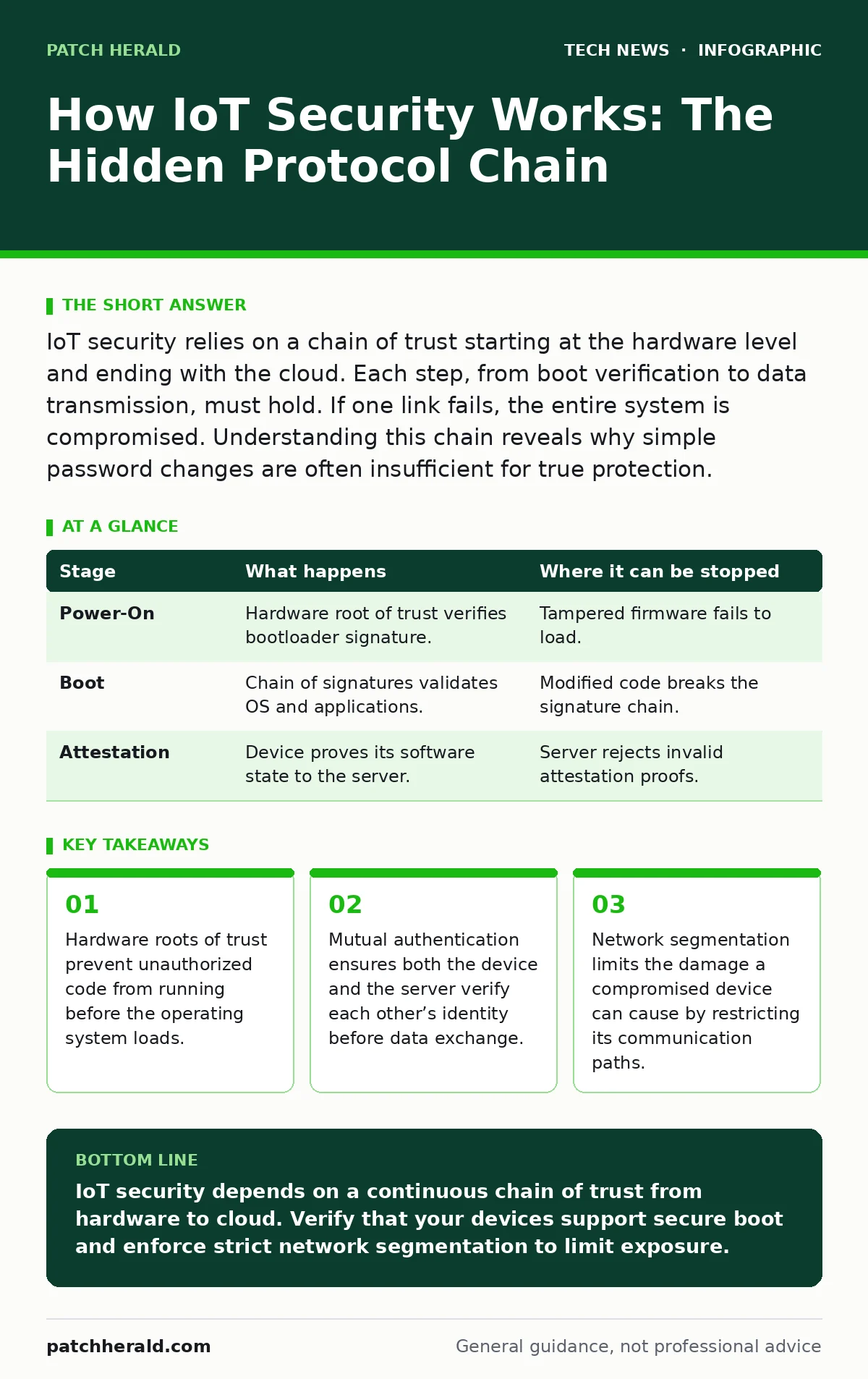
IoT security relies on a chain of trust starting at the hardware level and ending with the cloud. Each step, from boot verification to data transmission, must hold. If one link fails, the entire system is compromised. Understanding this chain reveals why simple password changes are often insufficient for true protection.
The Hardware Root of Trust
Security begins before the device connects to the internet. It starts with the silicon. Modern secure IoT devices use a hardware root of trust, a dedicated chip or secure area that stores cryptographic keys and verifies the integrity of the boot process. This mechanism ensures that only signed, authorized firmware can run. If an attacker modifies the firmware, the hardware detects the mismatch and refuses to start.
This step is invisible to you. You do not see the verification process. It happens in milliseconds during power-on. The trade-off is cost. Adding secure hardware increases the bill of materials. Many low-cost devices skip this step to save money, leaving them vulnerable to firmware tampering from the moment they plug in. Without this foundation, software-based security measures have nothing solid to stand on.
Secure Boot and Attestation
Once the hardware root of trust verifies the bootloader, the system proceeds to secure boot. Each stage of the startup process signs the next stage. The bootloader signs the kernel, and the kernel signs the operating system. This chain of signatures ensures that no unauthorized code has inserted itself into the startup sequence. The device then performs attestation, sending a cryptographic proof of its current state to the server.
Attestation tells the server that the device is running known, unmodified software. It does not prove the device is free from malware that might have been introduced after boot. It only proves the starting point was clean. If the attestation fails, the server should refuse to communicate with the device. Many implementations ignore this failure to avoid disrupting service, effectively disabling the security feature.
| Stage | What happens | Where it can be stopped |
|---|---|---|
| Power-On | Hardware root of trust verifies bootloader signature. | Tampered firmware fails to load. |
| Boot | Chain of signatures validates OS and applications. | Modified code breaks the signature chain. |
| Attestation | Device proves its software state to the server. | Server rejects invalid attestation proofs. |
Network Access and Segmentation
The device now connects to the network. This is where most breaches occur. The device uses a protocol like WPA3 to encrypt wireless traffic. WPA3 improves upon previous standards by requiring pairwise key establishment, making offline dictionary attacks significantly harder. However, encryption only protects data in transit. It does not control what the device is allowed to do once connected.
Network access control policies determine which segments of the network the device can reach. A smart thermostat should not be able to talk to your financial server. Segmentation creates boundaries. If the device is compromised, the attacker is contained within that segment. Without segmentation, a compromised camera can scan the entire network for other vulnerabilities. This is a common oversight in small setups where all devices share a single flat network.
Mutual Authentication
When the device communicates with the cloud, it must prove its identity. Simple passwords are insufficient because they can be intercepted or guessed. Instead, the device and the server perform mutual authentication. They exchange digital certificates or tokens. The device proves it is who it claims to be, and the server proves it is the legitimate service provider. This prevents man-in-the-middle attacks where an attacker impersonates the server to steal data.
This process relies on Public Key Infrastructure. The device holds a private key, and the server holds the corresponding public key. The device signs a challenge with its private key, and the server verifies it. If the key is stolen, the security fails. This is why the hardware root of trust is critical. It protects the private key from being extracted from the device memory. If the key is stored in software, an attacker with physical access can often dump it from RAM.
Encrypted Data in Transit
Once authenticated, the device sends data. This data travels over the internet, passing through multiple routers and servers. Encryption ensures that even if someone intercepts the packets, they cannot read the content. Transport Layer Security is the standard protocol for this. It establishes a secure channel before any application data is sent. The encryption keys are generated fresh for each session, adding a layer of forward secrecy.
Forward secrecy means that if an attacker records the encrypted traffic and later steals the long-term keys, they still cannot decrypt the past sessions. This is vital for long-lived IoT devices that may not be updated for years. Without forward secrecy, a single key compromise exposes years of historical data. Many lightweight IoT protocols skip forward secrecy to save processing power, creating a long-term liability.
See also: What Is WPA3 Personal: The Security Shift Your Wi-Fi Needs Now · SSH Key Management: Secure Remote Access Without Passwords
Application Layer Validation
The data reaches the server, but the work is not done. The server must validate the data format and content. IoT devices often send small, structured messages. The server checks that the message matches the expected schema. It rejects malformed data that could be an injection attack. This step prevents the server from processing malicious commands disguised as sensor readings.
This validation is often overlooked. Developers assume the network layer handles security. They do not expect malicious input from their own devices. If the device is compromised, it can send crafted payloads to trigger bugs in the server software. This is similar to how WordPress security relies on input validation to prevent SQL injection. The server must treat all data as untrusted, regardless of the source.
Lifecycle Management and Updates
Security is not a one-time setup. Devices must be updated to fix vulnerabilities. Over-the-air updates allow manufacturers to patch flaws remotely. However, the update mechanism itself must be secure. The update package is signed, and the device verifies the signature before installing. This prevents attackers from pushing malicious updates. The device must also have a rollback mechanism in case the update fails.
If the update process is not secure, an attacker can flash the device with malware. This is a total compromise. The device becomes a botnet node. Manufacturers often struggle with this because they must balance security with ease of use. Complex update processes lead to user frustration and skipped updates. Simple processes risk security if not implemented correctly. This tension defines the lifecycle of IoT security.
The Limits of IoT Security
No system is perfectly secure. IoT devices have limited processing power and memory. They cannot run heavy security software. They often lack user interfaces for security configuration. This creates a dependency on the manufacturer. If the manufacturer stops supporting the device, it becomes a permanent risk. You cannot patch it. You cannot verify its integrity.
The hidden cost of IoT security is operational complexity. You must monitor the network, manage certificates, and enforce segmentation. This requires expertise that many small organizations lack. The convenience of IoT comes with a continuous maintenance burden. Ignoring this burden leads to technical debt that accumulates silently.
Related considerations include laptop security for the devices that manage the IoT network, and network access control for isolating compromised segments. Understanding open-source software security is also relevant, as many IoT devices run on Linux-based systems.
Key takeaways
- Hardware roots of trust prevent unauthorized code from running before the operating system loads.
- Mutual authentication ensures both the device and the server verify each other’s identity before data exchange.
- Network segmentation limits the damage a compromised device can cause by restricting its communication paths.
IoT security depends on a continuous chain of trust from hardware to cloud. Verify that your devices support secure boot and enforce strict network segmentation to limit exposure.
Frequently asked questions
Can I secure an IoT device with just a strong password?
No. Passwords only protect access. They do not prevent firmware tampering, network interception, or unauthorized data exfiltration if the device is physically compromised.
Do I need a firewall for IoT devices?
Yes. A firewall enforces segmentation. It ensures that a compromised IoT device cannot communicate with sensitive internal resources, limiting the scope of any breach.
How do I know if an IoT device has a hardware root of trust?
Check the technical specifications for terms like "secure element," "TPM," or "hardware-backed key storage." If these are absent, the device likely relies on software-based security, which is weaker.
What happens if I stop updating an IoT device?
The device remains vulnerable to known exploits. Attackers can use these known flaws to gain access. Without updates, you cannot mitigate new threats, making the device a persistent liability.
How this guide was produced: written by the Patch Herald editorial team with AI assistance, checked against the public references listed below, and reviewed when the facts change. See our editorial policy or report an error.