
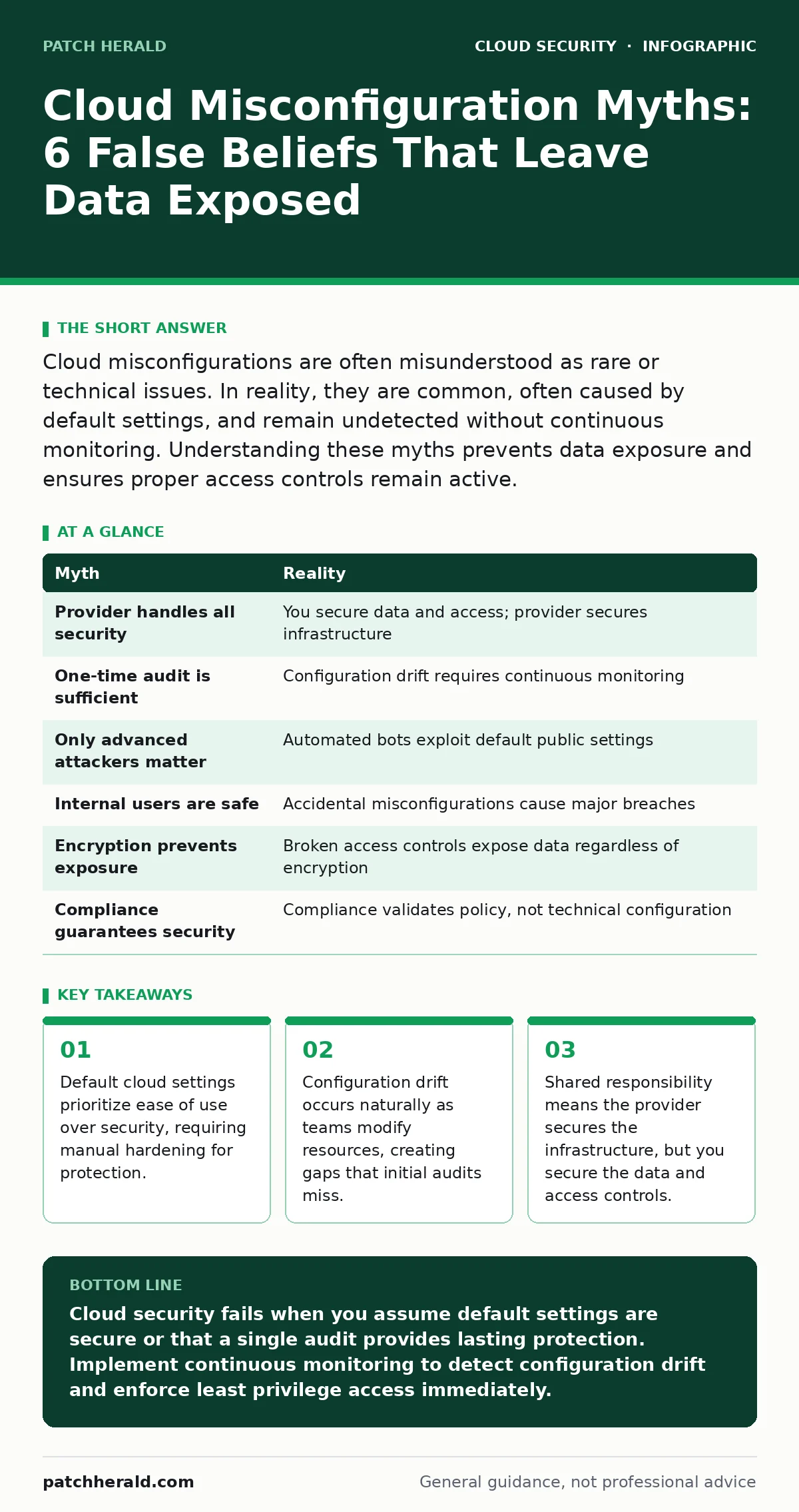
Cloud misconfigurations are often misunderstood as rare or technical issues. In reality, they are common, often caused by default settings, and remain undetected without continuous monitoring. Understanding these myths prevents data exposure and ensures proper access controls remain active.
Myth: The Cloud Provider Handles All Security
Reality: The cloud provider secures the underlying infrastructure, but you secure everything you put on it. This model is known as shared responsibility. The provider manages physical data centers, network hardware, and hypervisor integrity. You manage operating systems, application configurations, data encryption, and user access rights. Assuming the provider locks down your storage buckets or databases leads to exposed data. You must configure security groups, identity policies, and encryption keys. The provider cannot guess your business logic or data sensitivity levels. You retain full control over access permissions and must define them explicitly.
Myth: A One-Time Security Audit Is Sufficient
Reality: Cloud environments change continuously as developers deploy new services and modify existing ones. This constant change is called configuration drift. A secure setup today can become vulnerable tomorrow when a team member adjusts a firewall rule or adds a new user. Static audits capture only a single moment in time. They miss the gradual erosion of security posture that happens through small, incremental changes. Continuous monitoring tools detect drift in real time. They alert you when a resource deviates from the approved baseline. This approach ensures that security keeps pace with development velocity.
Imagine a developer needs temporary access to a database for debugging. They open a port, complete the task, and forget to close it. A one-time audit conducted before the change would show a secure state. Continuous monitoring catches the open port immediately. This prevents long-term exposure that a quarterly review would miss. You must treat configuration as a living process, not a final destination.
Myth: Only Advanced Attackers Target Misconfigurations
Reality: Most exploitation of misconfigurations comes from automated scanning bots, not targeted human adversaries. These bots crawl the internet looking for publicly exposed resources like databases, storage accounts, and administrative consoles. They do not need to exploit complex vulnerabilities. They simply look for doors left open. A misconfigured server reveals its internal structure to anyone who queries it. Attackers use this information to map your network and find entry points. You do not need to fear a specific criminal group. You need to fear the default state of your services. Hardening your environment against automated scans is a basic requirement.
Myth: Internal Users Cannot Cause External Breaches
Reality: Insider threats often stem from accidental misconfigurations by well-meaning employees. A marketing team might create a public website hosting sensitive files. An engineer might push code containing secrets to a public code repository leaks. These actions expose data to the internet without malicious intent. The damage is identical to a malicious breach. Data exfiltration occurs because the access controls were too permissive. You must assume that internal users will make mistakes. Implementing least privilege access limits the blast radius of any error. Regular training helps users understand the impact of their configuration choices.
Myth: Encryption Alone Prevents Data Exposure
Reality: Encryption protects data at rest and in transit, but it does not fix broken access controls. If a storage bucket is publicly readable, anyone can download the encrypted files. They may not be able to read the content immediately, but they possess the data. This violates privacy regulations and exposes metadata. Furthermore, if attackers steal your encryption keys, the protection vanishes. Key management is as critical as the encryption algorithm itself. You must separate key management from data storage. Using dedicated key management services ensures that keys are rotated and accessed securely. Encryption is a layer of defense, not a complete solution.
See also: Private Endpoints Explained: How to Stop Cloud Data Leaks · Stop Cloud Data Exfiltration: 4 Measures That Actually Work
Myth: Complex Security Tools Are Too Expensive for Small Teams
Reality: Basic security hygiene does not require expensive proprietary suites. Open standards and native cloud tools provide strong protection at low cost. You can use identity and access management features built into your cloud provider. These tools allow you to define who can access what and when. Federated identity allows users to log in with existing credentials, reducing password fatigue and management overhead. Shadow IT often arises when teams bypass complex security tools to get work done. Simplifying security processes encourages compliance. You can start with basic logging and monitoring. These features are often free or included in base tiers.
Myth: Compliance Certifications Guarantee Secure Configurations
Reality: Compliance frameworks validate that you have processes in place, not that your specific configurations are secure. A certificate proves you underwent an audit, not that your storage buckets are private. Compliance is a snapshot of policy adherence. It does not monitor real-time configuration changes. You can be fully compliant and still have a publicly exposed database.
CIS Benchmarks provide specific technical configurations that go beyond general compliance requirements. Applying these benchmarks hardens your systems against known misconfigurations. You must treat compliance as a baseline, not a finish line. Continuous validation ensures that your technical state matches your policy commitments.
| Myth | Reality |
|---|---|
| Provider handles all security | You secure data and access; provider secures infrastructure |
| One-time audit is sufficient | Configuration drift requires continuous monitoring |
| Only advanced attackers matter | Automated bots exploit default public settings |
| Internal users are safe | Accidental misconfigurations cause major breaches |
| Encryption prevents exposure | Broken access controls expose data regardless of encryption |
| Compliance guarantees security | Compliance validates policy, not technical configuration |
Key takeaways
- Default cloud settings prioritize ease of use over security, requiring manual hardening for protection.
- Configuration drift occurs naturally as teams modify resources, creating gaps that initial audits miss.
- Shared responsibility means the provider secures the infrastructure, but you secure the data and access controls.
Cloud security fails when you assume default settings are secure or that a single audit provides lasting protection. Implement continuous monitoring to detect configuration drift and enforce least privilege access immediately.
Frequently asked questions
How do I detect configuration drift in my cloud environment?
Use native cloud monitoring tools or third-party configuration management platforms to compare current settings against a defined baseline. Set alerts for any unauthorized changes to security groups or access policies.
What is the first step to securing a new cloud account?
Enable multi-factor authentication for all users and disable default administrative access. Review and restrict public access to all storage and database resources immediately after creation.
Does using a private endpoint eliminate all network risks?
Private endpoints reduce exposure by keeping traffic within the cloud network, but they do not protect against compromised credentials or internal misconfigurations. You still need strong identity management.
How often should I review my cloud permissions?
Review permissions quarterly or after any significant personnel change. Automated tools can help identify unused access rights and recommend removal to maintain least privilege.
How this guide was produced: written by the Patch Herald editorial team with AI assistance, checked against the public references listed below, and reviewed when the facts change. See our editorial policy or report an error.