
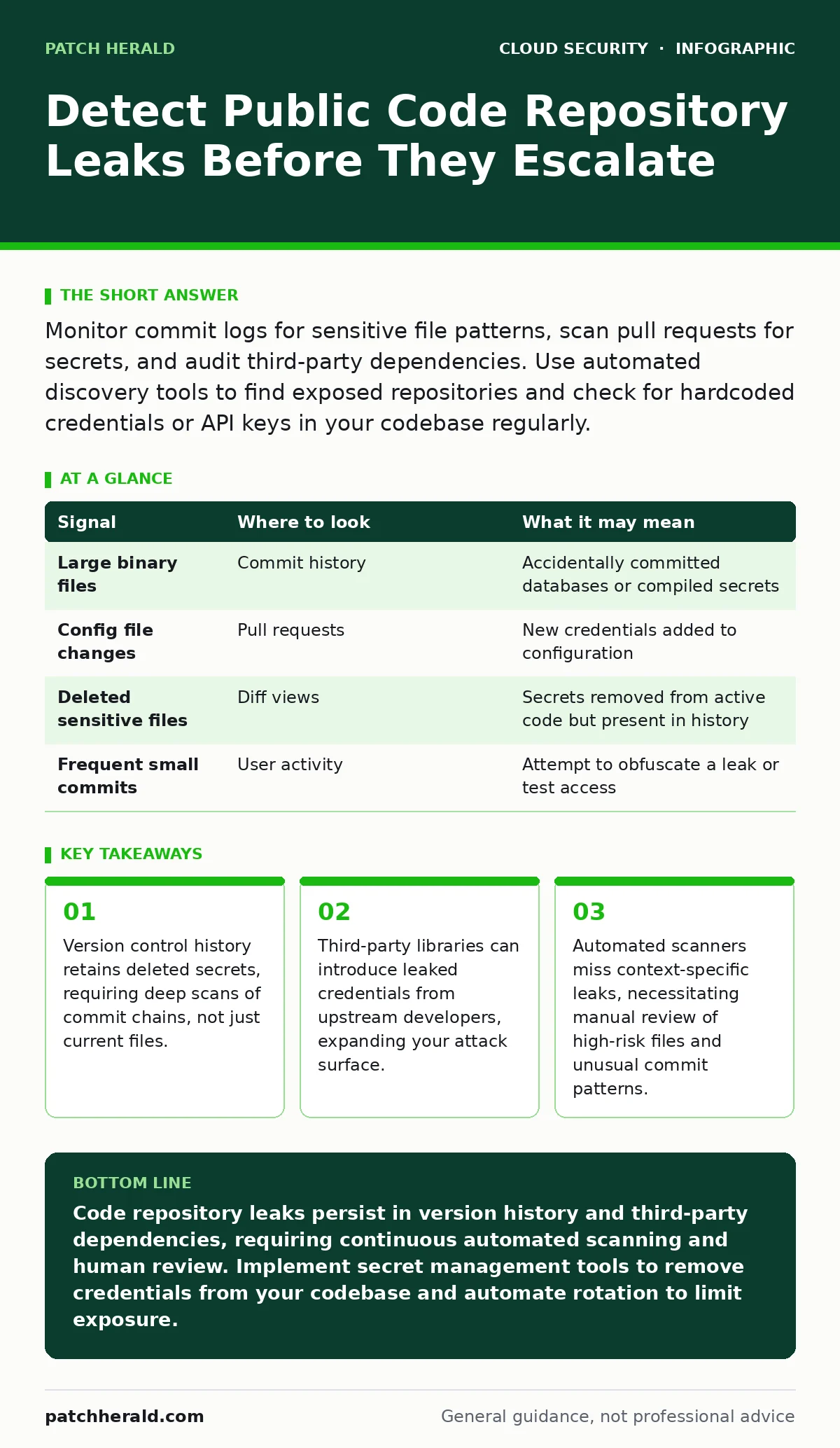
Monitor commit logs for sensitive file patterns, scan pull requests for secrets, and audit third-party dependencies. Use automated discovery tools to find exposed repositories and check for hardcoded credentials or API keys in your codebase regularly.
The Persistence of Deleted Secrets
Deleting a file from your code repository does not erase it from the history. Version control systems like Git store every change as a snapshot. If you accidentally commit an API key and then delete the file, the key remains in previous commits. Attackers use automated tools to crawl public repositories and extract secrets from this history. You must scan the entire commit chain, not just the current state of the code.
This persistence creates a hidden liability. Many teams believe that removing a credential stops the leak. In reality, the secret is still accessible to anyone with read access to the repository history. You need to treat version control history as a long-term data store. Regular audits of historical commits are necessary to identify and rotate exposed credentials.
Signals in Version Control Logs
Your version control logs contain specific indicators of potential leaks. Look for files with names that suggest sensitive data, such as configuration files, environment files, or backup databases. These files often contain hardcoded credentials or private keys. A sudden change in file size or content type can also signal a mistake.
| Signal | Where to look | What it may mean |
|---|---|---|
| Large binary files | Commit history | Accidentally committed databases or compiled secrets |
| Config file changes | Pull requests | New credentials added to configuration |
| Deleted sensitive files | Diff views | Secrets removed from active code but present in history |
| Frequent small commits | User activity | Attempt to obfuscate a leak or test access |
Reviewing pull requests is a critical control point. Automated checks can flag common secret patterns. However, attackers may split secrets across multiple files or use obfuscation techniques. Human review of changes to configuration files remains necessary. You should look for variables that hold string values resembling keys, tokens, or passwords.
Third-Party Dependency Risks
Your code often includes libraries from other developers. These dependencies are pulled from public package registries. If an upstream developer leaks a secret in their library, your application inherits that risk. This is a common blind spot in security audits. You may secure your own code perfectly while ignoring the supply chain.
Imagine a scenario where a popular utility library contains a hardcoded test key. Your team uses this library in production. The key is now part of your application’s runtime environment. Attackers scanning public repositories may find this library and extract the key. You must monitor the dependencies you use for signs of compromise.
Automated tools can help track known vulnerabilities in dependencies. However, they may not detect leaked credentials within the library source code. You need to audit the source of critical libraries. Consider building from source or using private mirrors to control what enters your environment. This reduces reliance on public registries that may host compromised packages.
Automated Discovery and Scanning Tools
Manual inspection is insufficient for large codebases. Automated tools scan repositories for known secret patterns. These tools use regex and entropy analysis to identify potential credentials. They can scan public and private repositories continuously. This provides a baseline level of detection.
Integrate these tools into your continuous integration pipeline. This catches leaks before code is merged. However, automated tools produce false positives. They may flag test data or documentation examples as real secrets. You must validate alerts manually. Tuning the scanner to your specific context reduces noise.
These tools also help discover shadow IT. Employees may create personal repositories for work projects. These repositories are often public by default. Automated discovery tools search public networks for your organization’s code. This helps you identify unauthorized exposure early.
Contextual Analysis and Human Review
Automated tools miss context. A string may look like a key but be a placeholder. Conversely, a legitimate key may be encoded or split. Human review is necessary to interpret ambiguous findings. You should review every alert for high-risk files. Look for patterns that match your organization’s naming conventions.
Contextual analysis involves understanding how the code is used. A credential in a public-facing API endpoint is higher risk than one in a local script. You must assess the impact of each potential leak. This requires knowledge of your application architecture. Security teams should collaborate with developers to interpret findings.
See also: Shadow IT Myths: 6 Misconceptions Blocking Cloud Security
Common Blind Spots in Detection
Many organizations focus on their primary code repositories. They ignore smaller, less active projects. These projects often have fewer security controls. They may contain outdated dependencies or hardcoded secrets. This is a common blind spot. Attackers target these weak points to gain initial access.
Another blind spot is the use of environment variables. Teams may believe that using environment variables is secure. However, these variables are often logged or displayed in error messages. If an attacker can trigger an error, they may see the variable values. You must ensure that logs do not output sensitive environment variables.
Finally, many teams overlook the risk of documentation. Developers often include examples in README files or wikis. These examples may contain real credentials or internal IP addresses. You must treat documentation as code. Scan it for sensitive information. This ensures that your public-facing materials do not leak internal details.
Integrating Detection into Daily Workflow
Detection must be continuous, not periodic. Integrate scanning into your daily development workflow. This ensures that leaks are caught early. Developers should be trained to recognize potential leaks. They should understand the risks of committing sensitive data.
Regular audits of public repositories are necessary. You should check for new repositories associated with your organization. This helps identify shadow IT and unauthorized exposure. Combine this with automated scanning of private repositories. This provides a complete view of your code security posture.
Refer to our guide on shadow IT for strategies to identify and manage unauthorized cloud resources. Also, consider reading about cloud incident response to prepare for scenarios where a leak is confirmed. Understanding how to respond is as important as detection.
Reducing the Attack Surface
The best way to prevent leaks is to reduce the amount of sensitive data in your code. Use secret management tools to store credentials. These tools provide access control and audit logs. They prevent credentials from being hardcoded in your repository.
Regularly rotate credentials. This limits the impact of a leak. Even if an attacker finds an old key, it will be expired. You should automate rotation where possible. This reduces the administrative burden and ensures consistency.
For more on securing your external endpoints, see our guide on cloud attack surface. Understanding your external exposure helps prioritize internal security efforts. Combining internal controls with external visibility provides a stronger defense.
Key takeaways
- Version control history retains deleted secrets, requiring deep scans of commit chains, not just current files.
- Third-party libraries can introduce leaked credentials from upstream developers, expanding your attack surface.
- Automated scanners miss context-specific leaks, necessitating manual review of high-risk files and unusual commit patterns.
Code repository leaks persist in version history and third-party dependencies, requiring continuous automated scanning and human review. Implement secret management tools to remove credentials from your codebase and automate rotation to limit exposure.
Frequently asked questions
How do I know if my code has been leaked to a public repository?
Use automated discovery tools to scan public networks for your organization’s code. Monitor version control logs for unusual activity and review pull requests for sensitive files.
What is the difference between a secret scan and a vulnerability scan?
Secret scans look for hardcoded credentials and private keys in your code. Vulnerability scans look for known security flaws in software and libraries. Both are necessary for complete security.
Can I recover a secret that has been leaked to a public repository?
No, you cannot remove a secret from public view once it is committed. You must rotate the secret immediately and assume it is compromised. Delete the repository if it is unauthorized.
How often should I scan my code for secrets?
Scan your code on every commit and pull request. Additionally, run periodic deep scans of your entire repository history. This ensures that new and historical leaks are detected quickly.
How this guide was produced: written by the Patch Herald editorial team with AI assistance, checked against the public references listed below, and reviewed when the facts change. See our editorial policy or report an error.