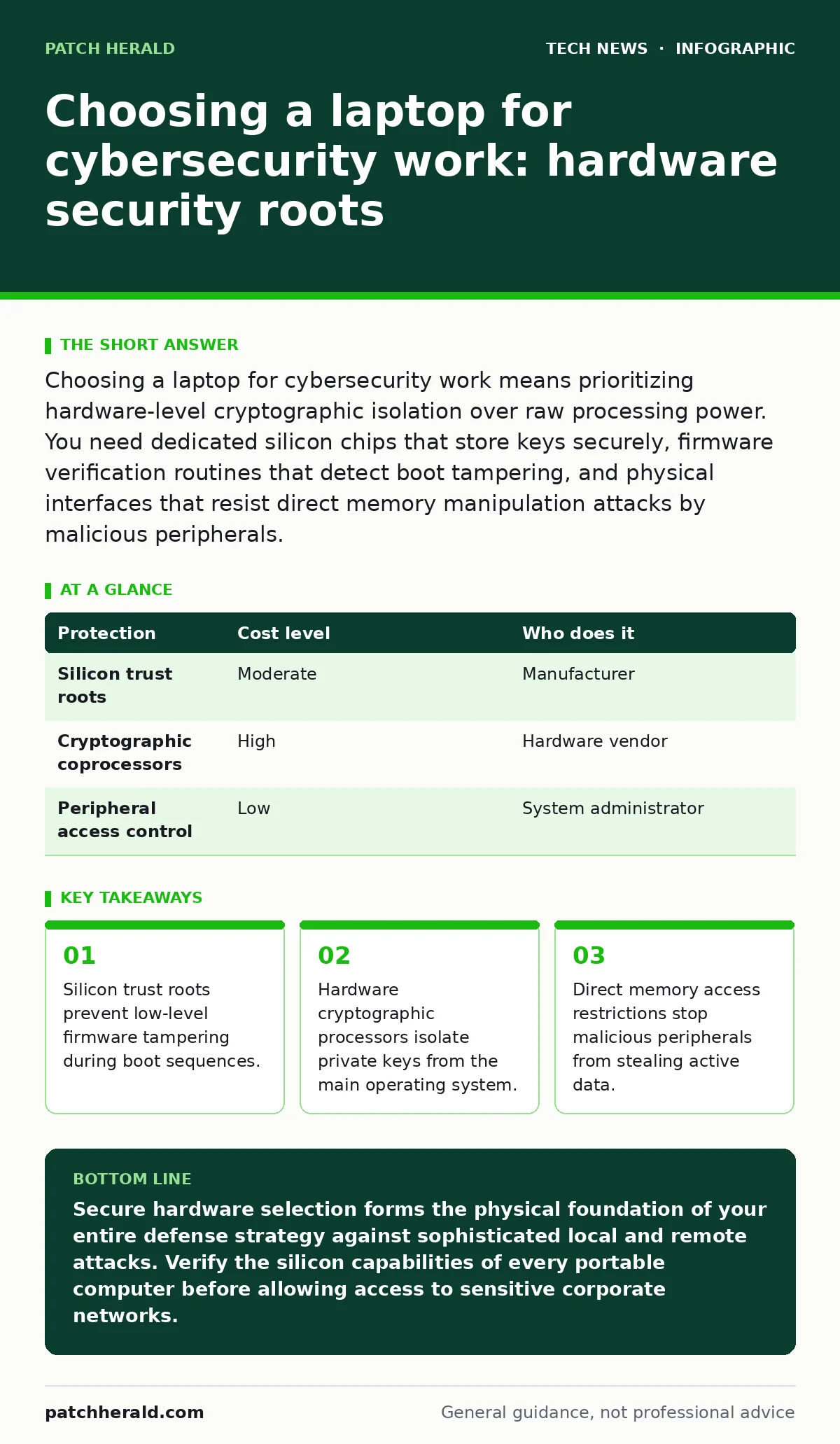
Choosing a laptop for cybersecurity work means prioritizing hardware-level cryptographic isolation over raw processing power. You need dedicated silicon chips that store keys securely, firmware verification routines that detect boot tampering, and physical interfaces that resist direct memory manipulation attacks by malicious peripherals.
Why hardware trust matters at small scale
Hardware trust matters at small scale because attackers target endpoints to bypass software defenses entirely. A compromised portable computer operated by a staff member gives an adversary a persistent foothold inside your internal network. Firmware persistence allows malicious code to survive hard drive replacements and complete operating system reinstalls. Small businesses often assume that enterprise-grade security features only apply to large corporations. Standard office machines lack the specialized silicon required to verify that the operating system kernel boots without unauthorized modifications.
How to evaluate silicon security features
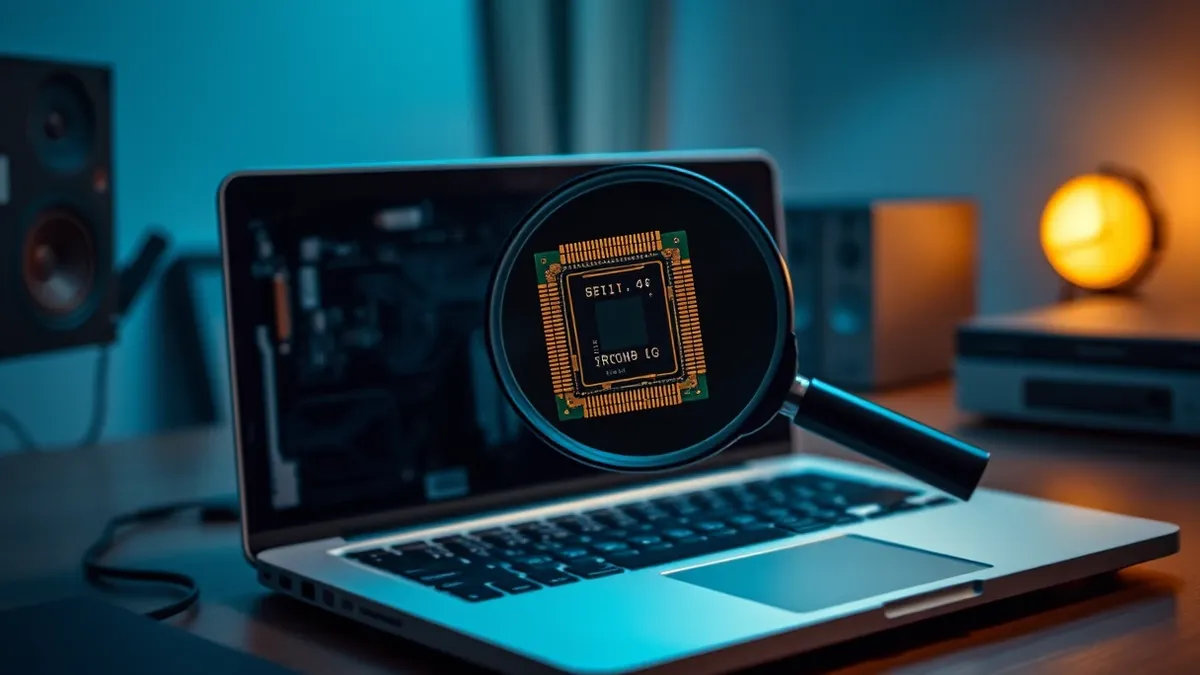
Evaluating silicon security features requires examining how the processor handles memory isolation and cryptographic functions. Modern processors include hardware virtualization security extensions that isolate running applications from one another. A dedicated cryptographic coprocessor stores sensitive keys and certificates away from the main processing cores.
These discrete chips prevent software-based extraction attacks even if the primary operating system suffers a complete compromise. You must verify that these security features are enabled in the basic input-output system, as manufacturers often ship hardware with default configurations that favor ease of use over strict security.
Managing physical access and peripheral risks
Managing physical access and peripheral risks involves controlling how external devices interact with internal system memory. Modern expansion ports allow high-speed peripherals direct access to system memory, creating a path for malicious hardware to read sensitive data instantly. Direct memory access protection blocks unauthorized devices from reading active RAM contents before the operating system initializes. Physical security also requires disabling boot options that allow external drives to load alternative operating systems. You should inspect the chassis for tamper indicators and ensure that screws are sealed against unauthorized internal modifications.
Understanding the trade-offs of locked hardware
Understanding the trade-offs of locked hardware involves balancing operational flexibility against strict threat mitigation. Highly secure portable computers often restrict custom software installations and complicate the deployment of standard productivity tools. Hardware root of trust mechanisms make unauthorized modifications impossible, which also prevents legitimate diagnostic utilities from accessing low-level sensor data.
You might experience longer device provisioning times and increased administrative overhead when troubleshooting complex system errors. Strict hardware locks demand disciplined configuration management to ensure legitimate updates do not trigger false positive security blocks.
| Protection | Cost level | Who does it |
|---|---|---|
| Silicon trust roots | Moderate | Manufacturer |
| Cryptographic coprocessors | High | Hardware vendor |
| Peripheral access control | Low | System administrator |
What to do with your secure laptop in practice
Putting a secure machine into practice starts with establishing a clean baseline before connecting the device to any network. You must verify the cryptographic signature of every software update applied to the device firmware. Regular audits of attached peripherals prevent unauthorized USB devices from establishing persistent communication channels. Maintaining strict separation between administrative tasks and daily web browsing prevents credential theft via compromised browser sessions. Proper deployment also involves configuring automatic remote wipe capabilities in case the physical device goes missing during transit.
See also: Browser Isolation FAQs: Architecture, Performance, and Security Gaps · Getting a Reddit API key and why it secures your network
What to ask an IT provider
Asking the right questions ensures your external technology partner supplies hardware capable of withstanding modern persistent threats. Technical providers must demonstrate how they provision cryptographic keys and manage hardware trust roots across your entire fleet. Supply chain security practices ensure that devices arrive from the manufacturer without unauthorized intermediate modifications. You should also discuss how the provider handles remote asset retirement and secure data destruction when hardware reaches the end of its operational lifecycle.
- Does the hardware vendor support verified boot sequences using public key cryptography?
- How are cryptographic coprocessors initialized and managed during standard deployment?
- What policies govern the restriction of high-speed peripheral expansion ports?
- How does the provider handle firmware updates for system components?
Key takeaways
- Silicon trust roots prevent low-level firmware tampering during boot sequences.
- Hardware cryptographic processors isolate private keys from the main operating system.
- Direct memory access restrictions stop malicious peripherals from stealing active data.
Secure hardware selection forms the physical foundation of your entire defense strategy against sophisticated local and remote attacks. Verify the silicon capabilities of every portable computer before allowing access to sensitive corporate networks.
Frequently asked questions
Can a standard consumer laptop be upgraded for cybersecurity work?
Consumer laptops generally lack the specialized silicon and firmware verification routines required for enterprise-grade cryptographic isolation. Upgrading software alone cannot compensate for the absence of a hardware root of trust.
Why do attackers target laptop firmware instead of the operating system?
Firmware persistence allows malicious code to execute before security software loads, granting complete invisibility to standard detection tools. This level of compromise survives routine operating system reinstallation.
How do cryptographic coprocessors protect sensitive data?
These dedicated chips isolate private keys and encryption operations inside tamper-resistant hardware boundaries. Software running on the main processor cannot access the internal storage of the coprocessor directly.
What happens if a secure boot process detects unauthorized modifications?
The system halts the initialization sequence immediately to prevent compromised code from executing. This safety measure stops corrupted firmware from loading into active memory.
How this guide was produced: written by the Patch Herald editorial team with AI assistance, checked against the public references listed below, and reviewed when the facts change. See our editorial policy or report an error.