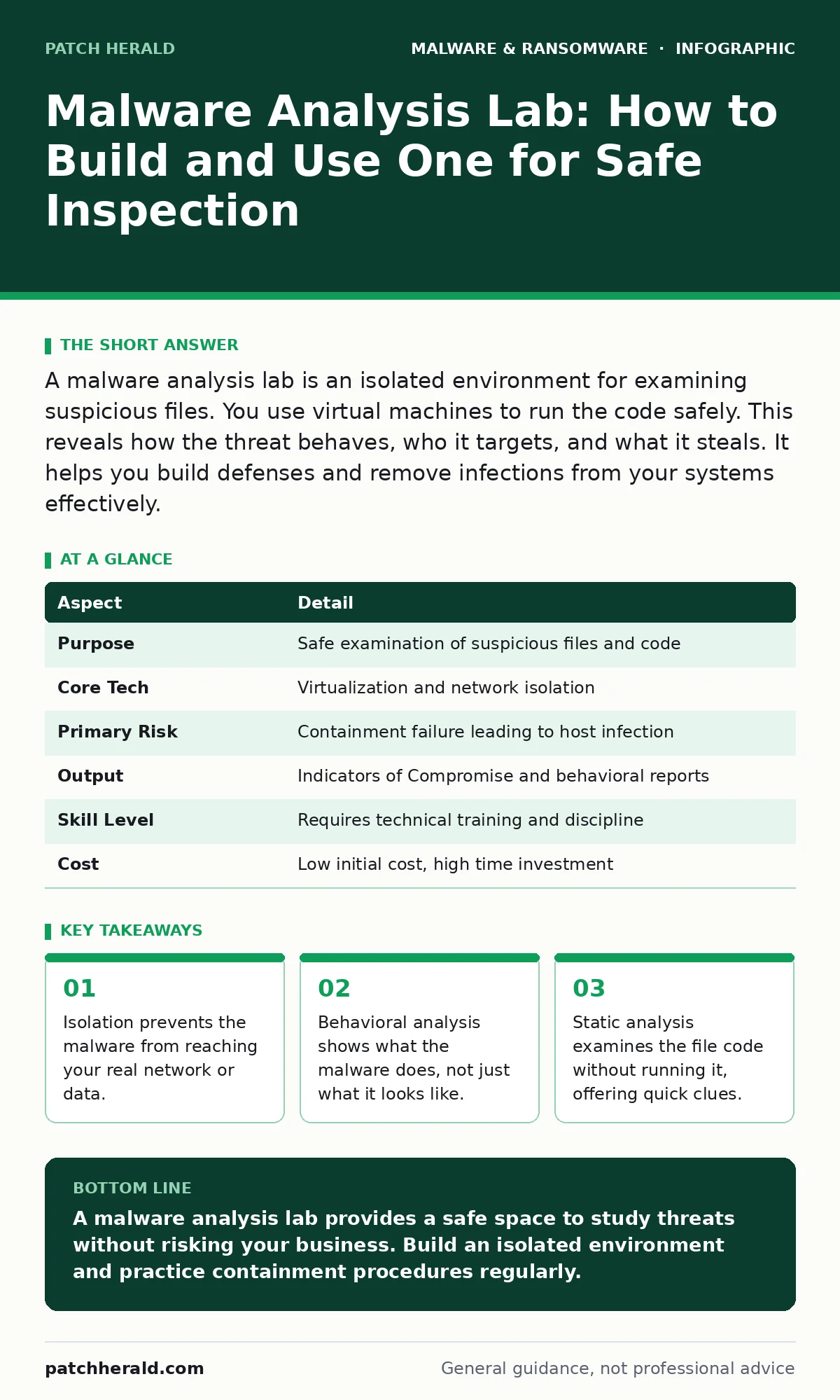
A malware analysis lab is an isolated environment for examining suspicious files. You use virtual machines to run the code safely. This reveals how the threat behaves, who it targets, and what it steals. It helps you build defenses and remove infections from your systems effectively.
Why You Need a Controlled Environment
Imagine finding a strange, sealed package on your doorstep. You do not open it in your living room. You take it to a secure room with thick walls and no windows. You observe how the package behaves when opened. This is the core logic of a malware analysis lab. It is a dedicated, isolated computing environment where you safely execute and study malicious software. The goal is to understand the threat without endangering your actual business operations.
A malware analysis lab works by separating the suspicious activity from your production systems. You use virtualization technology to create fake computers. These virtual machines mimic real hardware and operating systems. When you run the malware inside this fake computer, it thinks it is on a real machine. It executes its instructions, connects to the network, and tries to hide. You watch these actions from the outside. This process reveals the malware’s intent, its communication channels, and its damage potential.
| Aspect | Detail |
|---|---|
| Purpose | Safe examination of suspicious files and code |
| Core Tech | Virtualization and network isolation |
| Primary Risk | Containment failure leading to host infection |
| Output | Indicators of Compromise and behavioral reports |
| Skill Level | Requires technical training and discipline |
| Cost | Low initial cost, high time investment |
How a Malware Analysis Lab Works
The workflow begins with containment. You never run a suspicious file on a host machine that holds sensitive data. You transfer the file to a virtual machine. This virtual machine must be disconnected from your corporate network. It should have its own virtual network adapter that does not bridge to your physical internet connection. This prevents the malware from calling home or spreading to other devices.
Once inside the isolated virtual machine, you perform static analysis. This involves examining the file without executing it. You look at the file headers, strings, and digital signatures. This step is fast and safe. It can reveal if the file is packed, encrypted, or signed by a known entity. If static analysis is inconclusive, you proceed to dynamic analysis. You execute the file and monitor its behavior. You watch for file creation, registry changes, and network connections.
Who Is Affected by Malware
Malware affects anyone with a digital footprint. Small businesses are frequent targets because they often lack dedicated security teams. Attackers know that a single infected device can grant access to financial records or customer data. The impact extends beyond data loss. Downtime disrupts operations and damages reputation. Ransomware can encrypt files, halting production until a decision is made. Understanding who is affected helps you prioritize protection. It is not just about IT staff. It is about every employee who opens an email or clicks a link.
What to Do About Suspicious Files
When you encounter a suspicious file, do not run it. Move it to your analysis lab. If you do not have a lab, do not guess. Contact a professional service. Do not try to clean an infected system by running antivirus software on it. This can spread the malware further. Instead, disconnect the device from the network. Preserve the evidence. Then, use your lab to determine the scope of the infection. This helps you decide whether to wipe the device or restore from backup.
Common Mistakes in Analysis
Many analysts make the mistake of using a snapshot incorrectly. A snapshot is a saved state of the virtual machine. You should take a snapshot before running the malware. After the run, you revert to the snapshot. This cleans the virtual machine for the next test. If you forget to revert, residual malware can persist. It can infect other virtual machines or the host system. Another mistake is connecting the lab to the internet. Malware can detect network connectivity and change its behavior. It may lie dormant if it cannot reach its command server. This gives you false confidence.
See also: Trojans: Definition, Mechanics, and How to Spot the Deception · Removing Malware From a Mac: Benefits, Limits, and Recovery Realities
The Role of Automation and Tools
Manual analysis is slow and error-prone. Automated tools can help. These tools run the malware in a sandbox and generate a report. They highlight suspicious behaviors and network connections. However, automated tools can be fooled. Sophisticated malware can detect the sandbox environment. It may behave differently when it knows it is being watched. This is called evasion. You must combine automated tools with manual inspection. This ensures you catch both simple and complex threats.
Integrating Analysis with Defense
Analysis is not an end in itself. The goal is defense. The insights you gain from your lab help you update your security policies. You can create rules for your firewall or intrusion detection system. You can block specific file types or network patterns. This proactive approach reduces the risk of future infections. It also helps you respond faster when an incident occurs. You already know what to look for. This saves time and reduces damage.
Related Security Practices
Understanding malware analysis complements other security measures. For instance, browser isolation prevents malicious websites from reaching your devices. It runs web sessions in a remote container. This stops drive-by downloads. Similarly, software restriction policies limit which applications can run on your systems. This reduces the attack surface. If you deal with mobile devices, consider Android malware risks. Learn how to handle removing malware from an Android phone safely. Desktop users should also know about removing malware from a Mac. These practices work together to create a layered defense.
Advanced Threats and Specialized Analysis
Some malware is designed to evade detection. Trojans disguise themselves as legitimate software. They may steal credentials or install backdoors. Malicious documents use vulnerabilities in office applications to execute code. Malicious npm packages are a growing threat in development environments. They inject code into software projects. Analyzing these requires specialized knowledge. You must understand the specific platform and its vulnerabilities. This depth of analysis is critical for protecting complex IT environments.
Key takeaways
- Isolation prevents the malware from reaching your real network or data.
- Behavioral analysis shows what the malware does, not just what it looks like.
- Static analysis examines the file code without running it, offering quick clues.
A malware analysis lab provides a safe space to study threats without risking your business. Build an isolated environment and practice containment procedures regularly.
Frequently asked questions
Can I use a home computer as a malware analysis lab?
No. Home computers are often connected to personal data and networks. The risk of cross-contamination is too high. Use dedicated virtual machines on an isolated system.
How do I know if my malware analysis lab is secure?
Regularly test your isolation. Try to access the host network from the virtual machine. If you can, your isolation is broken. Fix the network configuration immediately.
Is static analysis enough to detect all malware?
No. Static analysis only examines the file code. It cannot reveal runtime behavior. Dynamic analysis is needed to see how the malware interacts with the system and network.
What should I do if my analysis lab gets infected?
Immediately disconnect the lab from all networks. Revert the virtual machines to their last clean snapshot. Investigate how the breach occurred and patch the vulnerability.
How this guide was produced: written by the Patch Herald editorial team with AI assistance, checked against the public references listed below, and reviewed when the facts change. See our editorial policy or report an error.