Mobile device management secures company data on personal and corporate phones by enforcing encryption and remote wipe capabilities. Small teams achieve this through cloud-based configuration profiles rather than installing heavy agent software on every device. This approach balances security needs with employee privacy and keeps operational costs low.
Why Centralized Control Matters at Small Scale
Small organizations often assume that mobile device management (MDM) is only necessary for large corporations with thousands of employees. This assumption leaves critical data exposed. Mobile device management is the practice of deploying, monitoring, and securing mobile devices through centralized software. It ensures that every device accessing company resources meets specific security standards.
Without this control, you rely on individual employee behavior to protect sensitive information. Human error is unpredictable. An employee might disable encryption to save battery life or connect to an unsecured public Wi-Fi network. MDM policies enforce technical controls that override these risky choices. You define the rules once, and the software applies them to every enrolled device automatically.
The risk extends beyond lost hardware. Malware can infect a device through a malicious link or app. MDM solutions can detect these threats and isolate the device from your network before it spreads. This containment capability is vital for maintaining business continuity. It prevents a single compromised phone from becoming an entry point for attackers targeting your entire organization.
Affordable Implementation Strategies for Lean Teams
Implementing mobile device management does not require hiring a full-time security team or purchasing expensive on-premise servers. Cloud-based MDM platforms provide the necessary functionality through a subscription model. These services handle updates, patches, and monitoring remotely. You pay for what you use, scaling the license count up or down as your team grows.
Configuration profiles offer a lighter alternative to traditional agent-based software. These profiles are sets of instructions that tell the operating system how to behave. They can enforce password complexity, require full disk encryption, and restrict app installations. Because they operate at the system level, they consume fewer resources and are less intrusive to the user experience.
Open standards facilitate compatibility across different device types. Your team likely uses a mix of Android and iOS devices. Modern MDM solutions support both platforms through standard protocols. This interoperability ensures that you do not need to buy separate tools for different operating systems. It simplifies administration and reduces the learning curve for your staff.
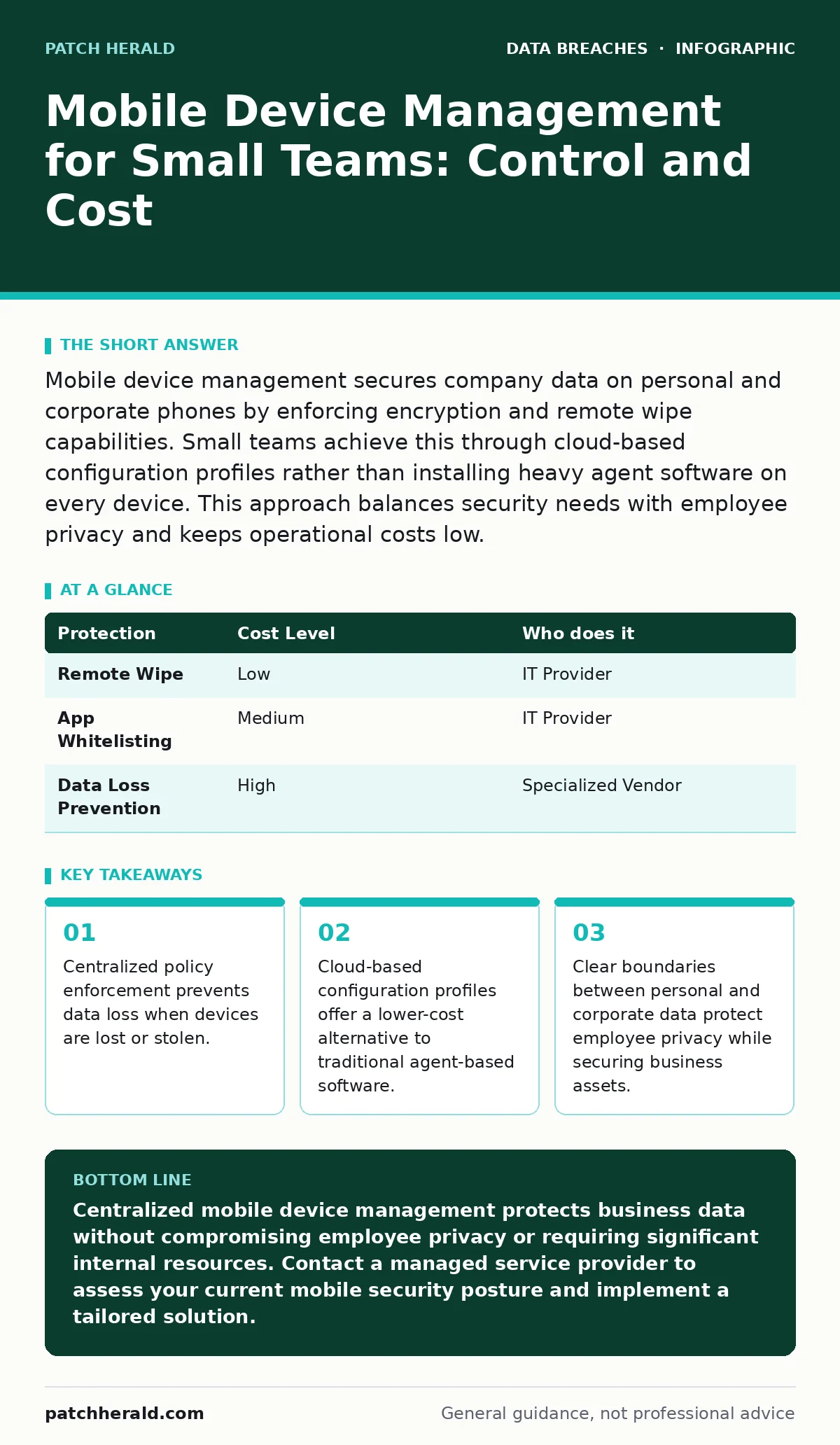
| Protection | Cost Level | Who does it |
|---|---|---|
| Remote Wipe | Low | IT Provider |
| App Whitelisting | Medium | IT Provider |
| Data Loss Prevention | High | Specialized Vendor |
Defining Boundaries Between Personal and Corporate Data
Employee privacy is a significant concern when managing personal devices used for work. Mobile device management addresses this through containerization. This technique creates a separate, secure workspace for corporate data within the device. Personal apps and data remain untouched and invisible to the management system.
When an employee leaves the company, you can remove the corporate container without affecting their personal information. This selective wipe capability maintains trust and encourages adoption. Employees are more likely to enroll their devices if they know their private photos and messages are safe. Clear communication about these boundaries reduces resistance to security policies.
You must define what data resides in the corporate container. Email, calendar, and specific business applications belong there. Personal social media and banking apps stay outside. This separation limits the scope of your monitoring and control. It ensures that you only access information necessary for protecting business assets.
What to Delegate to IT Providers
Small businesses rarely have the internal expertise to manage complex security configurations. Delegating mobile device management to a managed service provider (MSP) is a strategic choice. These providers specialize in maintaining security standards across various platforms. They handle the technical details of policy creation, deployment, and troubleshooting.
When selecting an IT provider, you need to understand their approach to mobile security. Do they use automated tools or manual processes? How do they handle emergency situations like a lost device? Asking the right questions ensures that you receive consistent and reliable service.
- Does the provider support both iOS and Android devices?
- How quickly can they perform a remote wipe if a device is lost?
- What reporting tools do they provide for compliance audits?
- Do they offer training for employees on security best practices?
- How do they handle updates to security policies and software?
An experienced provider will also help you navigate regulatory requirements. If your business handles protected health information or financial data, specific standards apply. The provider ensures that your mobile policies align with these regulations. This alignment reduces legal risk and demonstrates due diligence in protecting customer data.
Integrating with Existing Security Measures
Mobile device management does not operate in isolation. It must work alongside other security controls to provide effective protection. For example, password hygiene practices on mobile devices should match those on desktop computers. MDM policies can enforce regular password changes and complexity requirements. This consistency strengthens your overall security posture.
Consider the risk of misconfigured cloud storage leaks. Employees often use cloud apps to share files from their phones. MDM solutions can monitor these apps and enforce encryption for data in transit. This prevents sensitive information from being exposed through insecure sharing links. It adds a layer of defense against accidental data exposure.
You should also review your data breach response plans. These plans should include specific steps for handling compromised mobile devices. MDM provides the technical capability to execute these steps quickly. Integration ensures that your response is coordinated and effective. It minimizes the impact of a security incident on your operations.
See also: Data Subject Rights as a Security Control for Small Business
Managing Long-Term Maintenance and Updates
Security is an ongoing process, not a one-time setup. Mobile operating systems receive frequent updates that include security patches. MDM solutions automate the deployment of these updates. This ensures that all devices remain protected against newly discovered vulnerabilities. Manual updates are prone to delay and human error.
You must review and adjust policies regularly. Business needs change, and new threats emerge. An annual review of your mobile device management strategy helps identify gaps. This review should include an assessment of new applications and technologies adopted by your team. It ensures that your security controls remain relevant and effective.
Training employees on security awareness complements technical controls. While MDM enforces policies, employees must understand why these policies exist. Regular training reinforces good security habits. It reduces the likelihood of social engineering attacks targeting mobile users. A combination of technology and education provides the strongest defense.
Key takeaways
- Centralized policy enforcement prevents data loss when devices are lost or stolen.
- Cloud-based configuration profiles offer a lower-cost alternative to traditional agent-based software.
- Clear boundaries between personal and corporate data protect employee privacy while securing business assets.
Centralized mobile device management protects business data without compromising employee privacy or requiring significant internal resources. Contact a managed service provider to assess your current mobile security posture and implement a tailored solution.
Frequently asked questions
Can I use mobile device management on personal phones?
Yes, mobile device management supports personal devices through containerization, which separates corporate data from personal information. This approach allows you to secure business assets while respecting employee privacy.
How long does it take to implement mobile device management?
Implementation typically takes a few weeks, depending on the number of devices and the complexity of your requirements. Cloud-based solutions accelerate deployment by automating configuration and policy distribution.
What happens if an employee loses their work phone?
Your IT provider can remotely wipe the corporate data container from the device. This action removes all business-related information while leaving personal data intact. It prevents unauthorized access to sensitive company resources.
Is mobile device management compliant with privacy laws?
Mobile device management solutions are designed to comply with privacy regulations by limiting data access to corporate containers. They provide audit trails and reporting tools to demonstrate compliance with legal requirements.
How this guide was produced: written by the Patch Herald editorial team with AI assistance, checked against the public references listed below, and reviewed when the facts change. See our editorial policy or report an error.