
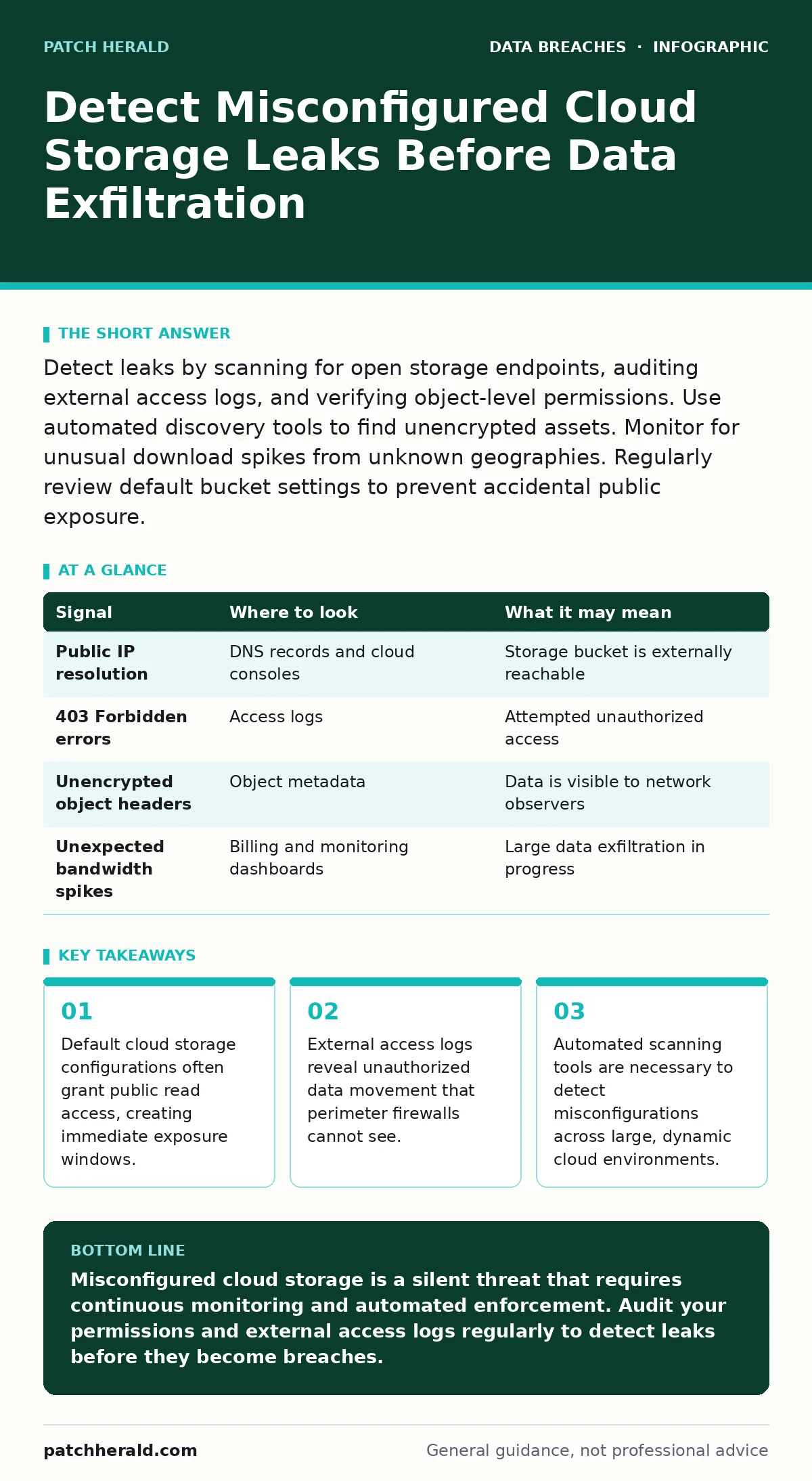
Detect leaks by scanning for open storage endpoints, auditing external access logs, and verifying object-level permissions. Use automated discovery tools to find unencrypted assets. Monitor for unusual download spikes from unknown geographies. Regularly review default bucket settings to prevent accidental public exposure.
Default Permission Pitfalls
Cloud storage services rarely lock down by default. When you create a new storage bucket, the service often assigns public read permissions to simplify sharing. This convenience creates a hidden attack surface. Attackers scan the internet for these open endpoints continuously. They do not need to hack your system; they only need to find the door left ajar.
You must audit every new storage container before it goes live. Check the access control lists carefully. Ensure that public access is explicitly denied unless there is a specific, documented business need. Relying on obscurity is a failed strategy. The internet is full of bots looking for exactly what you are hiding.
| Signal | Where to look | What it may mean |
|---|---|---|
| Public IP resolution | DNS records and cloud consoles | Storage bucket is externally reachable |
| 403 Forbidden errors | Access logs | Attempted unauthorized access |
| Unencrypted object headers | Object metadata | Data is visible to network observers |
| Unexpected bandwidth spikes | Billing and monitoring dashboards | Large data exfiltration in progress |
Log Anomalies and Access Patterns
Logs are the primary evidence trail for misconfiguration. Standard firewalls log inbound connection attempts, but they rarely see outbound data transfers from storage buckets. You need to look at the storage service’s own access logs. These logs record every request made to your data, regardless of origin.
Look for requests from IP addresses that do not belong to your infrastructure. Check for user agents that look like automated scanners rather than browsers or legitimate applications. A sudden spike in GET requests from a single, unknown IP is a strong indicator of enumeration. This is an attacker mapping your data structure before stealing it.
Automated Discovery and Scanning
Manual audits fail at scale. You cannot check every bucket, every folder, and every file by hand. You need automated tools that scan your cloud environment for misconfigurations. These tools compare your current settings against known security baselines. They flag deviations from best practices.
Use configuration management tools to enforce policies. These tools can automatically revert changes that violate your security rules. This prevents drift, where settings slowly become less secure over time. Integrate these scans into your deployment pipeline. Catching a misconfiguration before it reaches production is far cheaper than cleaning up a leak.
External Attack Surface Monitoring
Your view of your cloud environment is limited to what you manage. You do not see what the outside world sees. External attack surface management tools simulate an attacker’s view. They scan your public domains and IP ranges for exposed storage.
These tools detect shadow IT, where employees create storage buckets outside of official channels. They also find decommissioned assets that were forgotten but still exist. You must monitor your external footprint continuously. The internet changes rapidly, and your exposure can change with a single click.
Object-Level Encryption Verification
Encryption at rest protects your data if the storage is breached. However, misconfigured encryption keys can render this protection useless. Check that server-side encryption is enabled for all objects. Verify that the encryption keys are managed separately from the storage service.
If you use customer-managed keys, ensure that the key rotation policy is active. Expired or static keys increase the risk of decryption. Also, check the cipher suites used. Weak algorithms can be broken by modern computing power. Ensure your encryption meets current industry standards.
See also: Shadow IT Myths: 6 Misconceptions Blocking Cloud Security · Federated Identity: Definition, Purpose and How It Works
Hidden Costs of Over-Permissive Roles
Role-based access control is a critical layer of defense. Many organizations assign overly broad roles to simplify management. This violates the principle of least privilege. A service account with full admin rights to storage is a high-value target. If that account is compromised, the attacker owns your data.
Review roles regularly. Remove permissions that are no longer needed. Use just-in-time access for administrative tasks. This limits the window of opportunity for an attacker. See our guide on role-based access control for detailed implementation steps.
Blind Spots in Third-Party Integrations
Third-party applications often require access to your cloud storage. These integrations can introduce new misconfigurations. The third party may request broad permissions that you grant without full scrutiny. Once granted, these permissions persist even if the integration is no longer used.
Audit all third-party connections regularly. Check the scope of access granted to each integration. Revoke access for unused or inactive applications. This reduces your attack surface. Be wary of applications that require direct access to raw storage data. Prefer APIs that abstract the data layer.
Incident Response and Notification
If you detect a leak, speed matters. You must have a clear plan for containment and notification. Isolate the affected storage bucket immediately. Revoke all access tokens and keys associated with the leak. Begin forensic analysis to determine the scope of the exposure.
Notify affected parties as required by law. Transparency builds trust. See our guide on breach notification for legal requirements. Also, review your data breach response plans to ensure they cover cloud-specific scenarios. A generic plan may not address the unique challenges of cloud storage leaks.
Minimizing Data Exposure Risks
The best defense is to have less sensitive data in the cloud. Practice data minimization. Only store what is necessary for business operations. Delete outdated or redundant records. This reduces the impact of any potential leak.
See our guide on data minimization for strategies to reduce your data footprint. Also, consider accidental data disclosure risks when designing your architecture. Preparing for account takeover fraud is also wise, as attackers often use stolen credentials to access misconfigured storage. For healthcare providers, be aware of medical identity theft risks associated with exposed patient data. Finally, maintain password hygiene to prevent initial account compromise.
Key takeaways
- Default cloud storage configurations often grant public read access, creating immediate exposure windows.
- External access logs reveal unauthorized data movement that perimeter firewalls cannot see.
- Automated scanning tools are necessary to detect misconfigurations across large, dynamic cloud environments.
Misconfigured cloud storage is a silent threat that requires continuous monitoring and automated enforcement. Audit your permissions and external access logs regularly to detect leaks before they become breaches.
Frequently asked questions
How do I know if my cloud storage is public?
Check the access control settings in your cloud console. Look for "public read" or "open" permissions. Use external scanning tools to verify visibility.
Can firewalls stop cloud storage leaks?
No, firewalls protect network perimeters. Cloud storage leaks occur through application-level permissions. You need storage-specific security controls.
How often should I audit cloud permissions?
Audit continuously. Use automated tools to monitor for changes. Manual audits should occur at least quarterly to catch drift.
What is the first step after detecting a leak?
Isolate the affected storage bucket. Revoke access tokens. Begin forensic analysis to determine scope.
How this guide was produced: written by the Patch Herald editorial team with AI assistance, checked against the public references listed below, and reviewed when the facts change. See our editorial policy or report an error.