
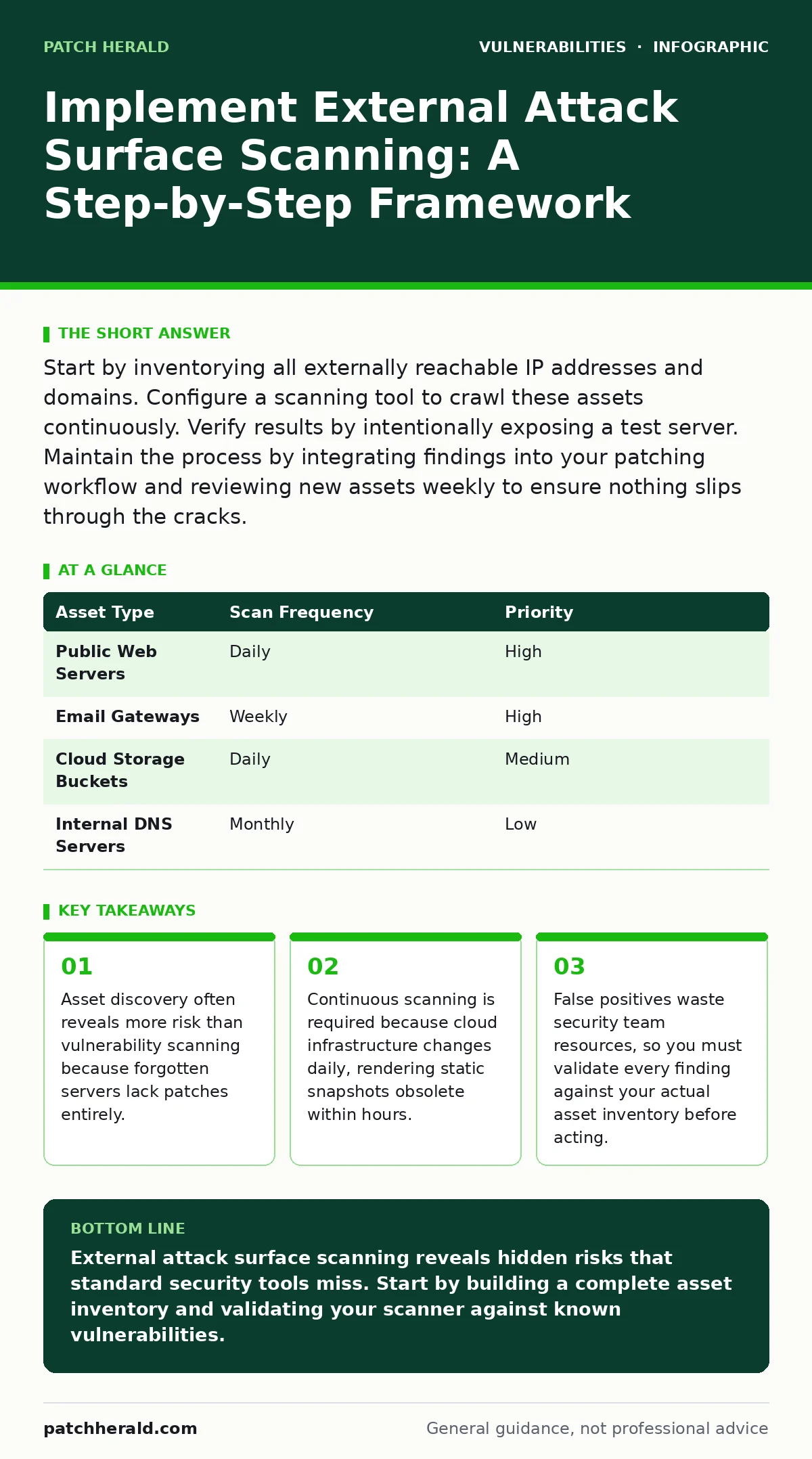
Start by inventorying all externally reachable IP addresses and domains. Configure a scanning tool to crawl these assets continuously. Verify results by intentionally exposing a test server. Maintain the process by integrating findings into your patching workflow and reviewing new assets weekly to ensure nothing slips through the cracks.
Define the Scope of External Exposure
External attack surface management focuses on any digital asset reachable from the public internet. This includes web servers, email gateways, DNS records, and cloud storage buckets. You must distinguish between authorized public services and unauthorized exposures. An authorized service is a website your customers visit. An unauthorized exposure might be a debug port left open by a developer. Scanning only known assets leaves blind spots. Attackers exploit these blind spots by targeting forgotten infrastructure. You need a complete list of owned IP ranges and domain names. Without this baseline, you cannot distinguish noise from signal.
Prepare the Asset Inventory
Before running any scan, you must compile a definitive list of owned infrastructure. This list serves as the ground truth for validation. Gather IP ranges from your cloud provider and hosting partners. Collect domain names from your registrar. Include subdomains that might have been created for testing or staging environments.
Many organizations miss subdomains because they are not hosted on the primary web server. These orphaned subdomains often point to old servers that no longer receive updates. Check for out-of-band patches that may have been applied to legacy systems but are not documented in current records. This inventory prevents scanning unauthorized networks, which could violate laws or terms of service.
Step 1: Configure Scanning Parameters
Set up your scanning tool to respect your defined scope. Configure the tool to scan only the IP ranges and domains in your inventory. Set the scan frequency to match your change velocity. For static infrastructure, weekly scans may suffice. For dynamic cloud environments, daily or continuous scanning is necessary. Define rules for what constitutes a finding. You want to detect open ports, running services, and certificate expirations. Avoid aggressive scanning techniques that could disrupt live services. Passive reconnaissance methods gather information without sending packets to the target. Active scanning sends requests to verify service status. Combine both for accuracy.
Step 2: Execute the Initial Baseline Scan
Run the first scan against your entire inventory. This baseline scan establishes the current state of your attack surface. It identifies all reachable endpoints and their configurations. Review the output carefully. Look for unexpected services running on standard ports. For example, a web server running on a non-standard port might indicate a misconfiguration or an unauthorized application. Check for PHP application vulnerabilities in any discovered web applications. These are common entry points for attackers. Document every finding. This baseline serves as a reference for future comparisons. It helps you identify new assets or changes in configuration.
Step 3: Validate Findings Against Inventory
Cross-reference scan results with your asset inventory. Any finding not in your inventory is a potential risk. It could be a forgotten server, a cloud resource created by a developer, or a hijacked subdomain. Investigate every unknown asset. Determine if it is authorized. If it is unauthorized, take it offline or secure it immediately.
If it is authorized, add it to your inventory. This step is critical for maintaining an accurate attack surface map. It prevents attackers from exploiting assets that your security team does not know exist. Validate server-side template injection risks in any discovered web applications. These vulnerabilities allow attackers to execute code on the server.
Step 4: Integrate with Patch Management
Connect your scanning tool to your patch management system. When a scan reveals a known vulnerability, trigger a ticket for remediation. Prioritize patches based on severity and exploitability. Critical vulnerabilities on public-facing systems require immediate attention. Use backported security fixes when available to patch legacy systems without upgrading the entire software stack. This approach reduces downtime and compatibility issues. Ensure that your patching process includes verification. Re-scan the asset after patching to confirm the vulnerability is closed. This closes the loop between detection and remediation.
Verify the Scanning Process Works
You must test your scanning infrastructure to ensure it detects real risks. Create a controlled test environment. Deploy a server with known vulnerabilities. For example, install a web application with a documented cross-site request forgery (CSRF) flaw. Expose this server to the internet temporarily. Run your scanner against it. If the scanner does not detect the flaw, your configuration is flawed. Adjust your scanning rules and repeat the test. This verification step ensures your tool is not missing critical issues. It also helps you tune out false positives. You want high accuracy, not just high volume.
Maintain Continuous Monitoring
External attack surfaces change constantly. New servers are provisioned. Old ones are decommissioned. Configurations drift. You must maintain continuous monitoring to stay current. Schedule regular reviews of your asset inventory. Update your scanning parameters as your infrastructure evolves. Monitor for new subdomains or IP ranges. Investigate any changes that do not match your change management records. This proactive approach prevents surprises. It ensures that your security posture matches your actual exposure. Review logs for sandbox escape vulnerabilities in any cloud functions or containers. These can lead to full system compromise.
Handle False Positives and Noise
Scanners generate noise. Not every finding is a real risk. Some are false positives caused by misconfigured tools or misunderstood protocols. You must have a process for triaging findings. Assign severity levels based on context. A vulnerability on an internal-only server is less risky than one on a public web server. Document known false positives to reduce future noise. Train your team on how to interpret scan results. This reduces alert fatigue and ensures that real risks are addressed promptly. Ignore side-channel attacks in initial scans unless you have specific indicators. These are complex and rarely the first entry point for attackers.
| Asset Type | Scan Frequency | Priority |
|---|---|---|
| Public Web Servers | Daily | High |
| Email Gateways | Weekly | High |
| Cloud Storage Buckets | Daily | Medium |
| Internal DNS Servers | Monthly | Low |
See also: Sandbox Escape Vulnerabilities: Risks and Protection Strategies
Review and Refine the Strategy
Regularly review your scanning strategy. Assess whether your current tools and processes meet your needs. Look for gaps in coverage. Are there new types of assets you are not scanning? Are there new vulnerability classes you need to detect? Update your inventory and scanning rules accordingly. Engage with other teams to understand their infrastructure plans.
This collaboration helps you anticipate changes. Keep your knowledge base updated with new threats. For instance, stay aware of Fortinet FortiGate vulnerabilities if you use such hardware. This ensures your scanning rules include checks for known exploits. Continuous improvement is key to effective attack surface management.
Key takeaways
- Asset discovery often reveals more risk than vulnerability scanning because forgotten servers lack patches entirely.
- Continuous scanning is required because cloud infrastructure changes daily, rendering static snapshots obsolete within hours.
- False positives waste security team resources, so you must validate every finding against your actual asset inventory before acting.
External attack surface scanning reveals hidden risks that standard security tools miss. Start by building a complete asset inventory and validating your scanner against known vulnerabilities.
Frequently asked questions
How often should I scan my external attack surface?
Scan daily for dynamic cloud environments and weekly for static infrastructure. Continuous scanning is ideal for high-risk assets.
What is the difference between external and internal scanning?
External scanning focuses on assets reachable from the internet. Internal scanning checks assets within your network perimeter.
Can scanning cause service disruptions?
Aggressive active scanning can disrupt services. Use passive methods where possible and throttle active scans to avoid impact.
Do I need a specialized tool for this?
You need a tool that supports asset discovery and vulnerability scanning. Open-source tools can work, but commercial platforms offer better integration.
How this guide was produced: written by the Patch Herald editorial team with AI assistance, checked against the public references listed below, and reviewed when the facts change. See our editorial policy or report an error.