
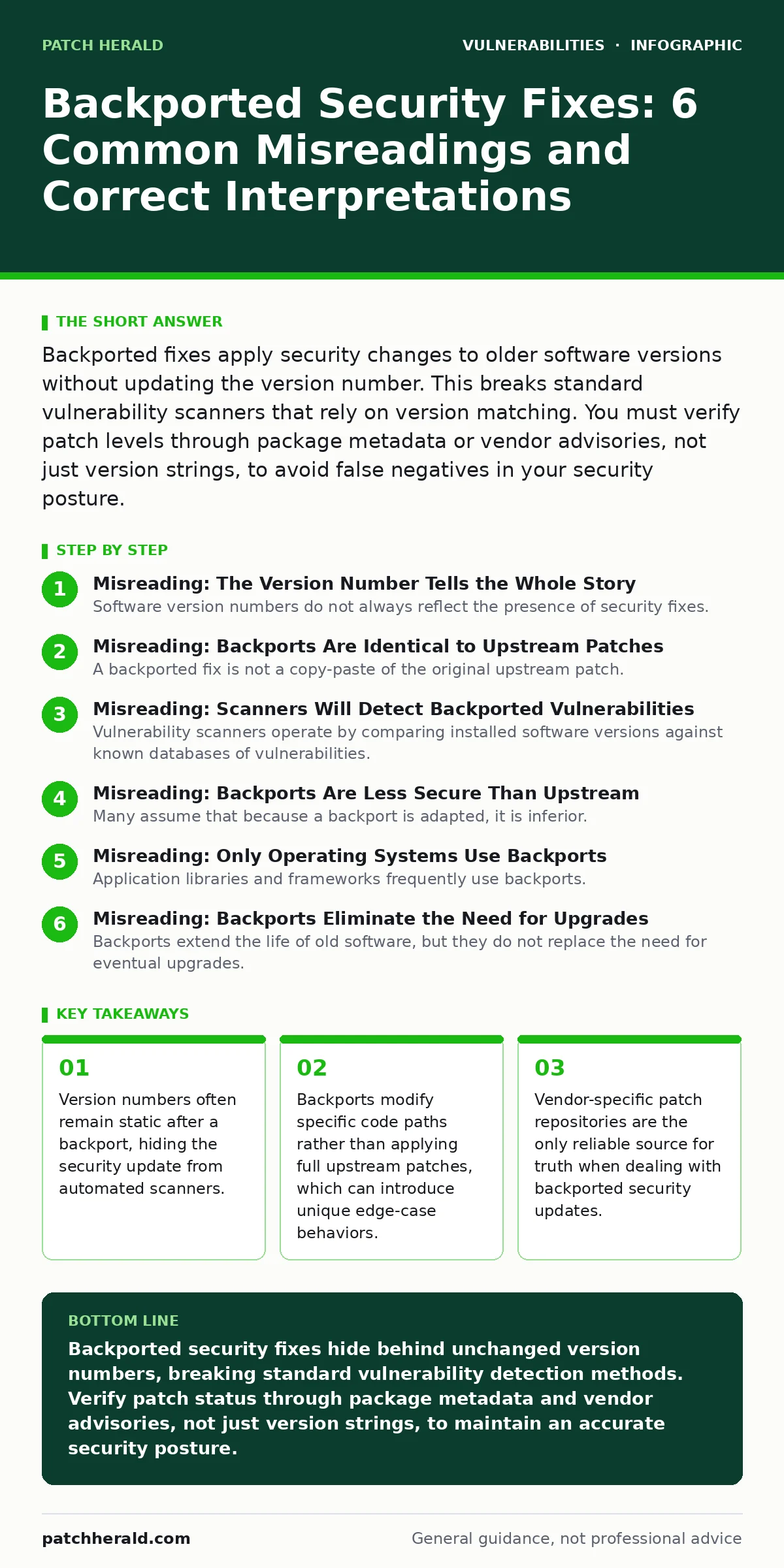
Backported fixes apply security changes to older software versions without updating the version number. This breaks standard vulnerability scanners that rely on version matching. You must verify patch levels through package metadata or vendor advisories, not just version strings, to avoid false negatives in your security posture.
Misreading: The Version Number Tells the Whole Story
Software version numbers do not always reflect the presence of security fixes. Distributors often apply backports to older stable releases without incrementing the major, minor, or patch version. This practice keeps the user interface and application programming interfaces stable for dependent systems. When you see version 1.0.4 installed, you cannot assume it lacks the fix for a vulnerability discovered in version 1.0.5. The version string is a marketing and compatibility label, not a security audit log.
Correct reading: Treat the version number as a baseline for feature set, not a definitive indicator of security posture. You must check the specific build ID, changelog, or package repository metadata to confirm whether a backport has been applied. Automated tools that rely solely on semantic versioning will miss these updates entirely. This creates a blind spot in your vulnerability management process.
Misreading: Backports Are Identical to Upstream Patches
A backported fix is not a copy-paste of the original upstream patch. Maintainers often rewrite the fix to fit the older codebase structure, which may lack newer functions or libraries. This adaptation can change the scope of the fix. Sometimes the backport addresses the root cause differently than the original vendor fix. Other times it applies a workaround because the original code path does not exist. These differences mean the behavior of your system may diverge from public documentation.
Correct reading: Expect functional differences between your patched system and the official upstream release. Read the distributor’s commit messages, not just the original vendor advisory. The distributor’s explanation reveals the specific mechanism used. If the upstream fix required a new dependency, the backport likely used a legacy alternative. Understanding this mechanism helps you predict side effects and compatibility issues.
Misreading: Scanners Will Detect Backported Vulnerabilities
Vulnerability scanners operate by comparing installed software versions against known databases of vulnerabilities. These databases list the vulnerable version range and the fixed version. If a distributor backports a fix to an older version without changing the version number, the scanner sees the old version. It reports the system as vulnerable. This is a false negative. The scanner is technically correct about the version but incorrect about the security state. Relying on these tools alone leaves you exposed to compliance failures and actual risks.
Correct reading: Supplement automated scanning with manual verification for critical assets. Use package manager commands to query the installed package’s release number or revision. Compare this against the distributor’s security advisories. For example, a package might be version 1.0.4 but release 2.1, where 2.1 indicates the backported fix. You must map these internal identifiers to the public CVE database manually. This adds labor but removes blind spots.
Misreading: Backports Are Less Secure Than Upstream
Many assume that because a backport is adapted, it is inferior. This is not necessarily true. Sometimes the upstream fix is rushed and contains its own bugs. A carefully crafted backport by experienced maintainers can be more stable and secure than the original. However, the opposite is also true. An incomplete backport might miss a related vector. The risk is not inherent to the method but to the quality of the maintainer’s work. You cannot judge security by the method alone.
Correct reading: Evaluate the maintainer’s track record and the complexity of the fix. Simple logic errors are easy to backport correctly. Complex architectural changes are prone to error. If the vulnerability involves intricate state management, the backport is higher risk. For critical infrastructure, consider upgrading to the upstream version if possible. If you must stay on the old version, monitor for reports of incomplete backports from the community.
Misreading: Only Operating Systems Use Backports
Application libraries and frameworks frequently use backports. When you install a web server or a database, you receive packages that contain backported fixes for underlying libraries. These libraries often do not expose their internal version numbers to the application. The application sees a compatible API. The security fix is hidden inside the binary. This means your application might be secure against a known library vulnerability, but your dependency checker will flag it as vulnerable because it cannot see the internal patch level.
Correct reading: Audit your entire stack, not just the top-level application. Check the versions of shared libraries and dependencies separately. Use tools that can inspect binary metadata rather than just reading configuration files. This is particularly relevant for languages with dynamic linking. If you ignore library-level backports, you may waste time remediating false positives or miss real issues in unpatched dependencies.
See also: Bug Bounty Programs: How External Researchers Secure Your Code · Out-of-Band Patches: Meaning, Risks, and Deployment Reality
Misreading: Backports Eliminate the Need for Upgrades
Backports extend the life of old software, but they do not replace the need for eventual upgrades. Old codebases accumulate technical debt. Security fixes become harder to apply as the code diverges from the original. Eventually, the cost of backporting exceeds the cost of upgrading. You also miss out on new security features that are only available in newer versions. Backports are a stopgap, not a permanent strategy. They allow you to maintain stability while you plan a migration.
Correct reading: Use backports to buy time for a structured upgrade plan. Do not rely on them indefinitely. Set a deadline for moving to a supported version. Track the frequency of backports as an indicator of how difficult the upgrade will be. If you are constantly applying emergency backports, your system is fragile. Plan the migration early to avoid being forced into a rushed, error-prone upgrade during a crisis.
Misreading: Backports Work Across All Distributions
Backports are specific to the distributor. A fix backported by one vendor may not be present in another. If you switch distributions or use a generic image, you lose the benefit of those specific backports. This is common when moving from a enterprise distribution to a community edition. The community edition may only offer upstream versions. You must verify the security status of every package in your new environment. You cannot assume parity.
Correct reading: Treat each distribution as a separate security ecosystem. When changing vendors or editions, re-assess your vulnerability posture from scratch. Do not assume that a package version is secure just because it was secure on your previous system. Check the new distributor’s security team announcements. This is especially important for critical infrastructure components where backports are frequent and complex.
Related topics such as secure software development lifecycle practices can help you manage the complexity of backports. Integrating backport verification into your secure software development lifecycle ensures that security checks are not skipped during maintenance windows. Understanding CWE weakness categories also helps you assess whether a backport adequately addresses the root cause of a vulnerability.
Key takeaways
- Version numbers often remain static after a backport, hiding the security update from automated scanners.
- Backports modify specific code paths rather than applying full upstream patches, which can introduce unique edge-case behaviors.
- Vendor-specific patch repositories are the only reliable source for truth when dealing with backported security updates.
Backported security fixes hide behind unchanged version numbers, breaking standard vulnerability detection methods. Verify patch status through package metadata and vendor advisories, not just version strings, to maintain an accurate security posture.
Frequently asked questions
How do I find out if a backport has been applied to my system?
Check the package release number or revision using your package manager. Compare this against the vendor’s security advisories to see if the specific build includes the fix.
Can backports introduce new vulnerabilities?
Yes, if the adaptation is incorrect or incomplete. Poorly crafted backports can create new bugs or fail to address all attack vectors present in the original vulnerability.
Do all vendors backport security fixes?
Most enterprise and community distributions do, but the policy varies. Some vendors only support the latest version, forcing users to upgrade to receive fixes.
Should I trust automated vulnerability scanners for backported systems?
No, not entirely. They often miss backports or flag false positives. Use them for initial screening but verify critical findings manually through package metadata.
How this guide was produced: written by the Patch Herald editorial team with AI assistance, checked against the public references listed below, and reviewed when the facts change. See our editorial policy or report an error.