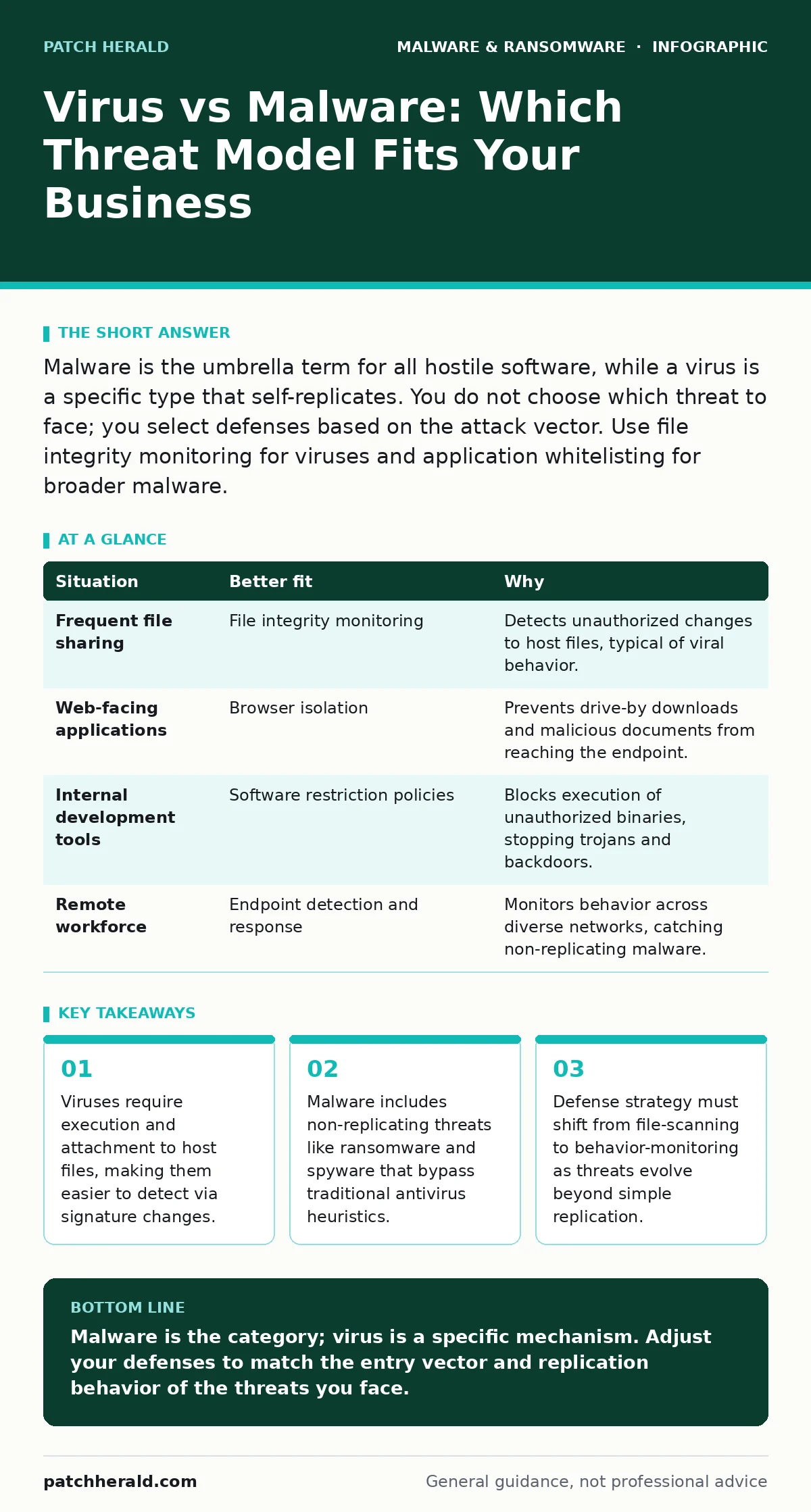
Malware is the umbrella term for all hostile software, while a virus is a specific type that self-replicates. You do not choose which threat to face; you select defenses based on the attack vector. Use file integrity monitoring for viruses and application whitelisting for broader malware.
Defining the Scope of the Threat
Understanding the difference between a virus and malware determines your defensive architecture. Malware is the broad category encompassing any software designed to cause harm. This includes worms, trojans, ransomware, and spyware. A virus is a specific subset of malware. It attaches itself to legitimate programs or files and spreads by replicating when the host runs.
This distinction matters because viruses rely on user action to propagate. Malware often does not. Many modern threats install silently without replicating to other files. They focus on data exfiltration or system lockdown rather than spreading across the network. Knowing this helps you prioritize your security controls.
Is the Threat Self-Replicating?
The first deciding question is whether the software copies itself. Viruses must infect other files to survive and spread. They modify executable files or document macros to ensure their code runs again. If your threat model focuses on file integrity, you are dealing with viral mechanics.
Non-replicating malware, such as a logic bomb or a backdoor, does not need to infect other files. It sits quietly on the system until triggered. Traditional antivirus software struggles with these because there is no spreading behavior to detect. You must monitor for abnormal process creation or network connections instead.
How Does the Attack Enter the System?
The entry method dictates which defense layer is most effective. Viruses often arrive via removable media or peer-to-peer file sharing. They hitchhike on legitimate documents or executables. If your environment allows unrestricted USB usage or file transfers, viral risks increase.
Other malware enters through supply chain compromises or browser vulnerabilities. Imagine a scenario where a developer pulls a malicious npm package into a project. The code executes without the user ever opening a file. This is not a virus. It is a supply chain attack. Defending against this requires software restriction policies and browser isolation, not just antivirus scans.
What Is the Primary Objective?
Viruses primarily aim to spread. Their secondary goal might be data destruction or annoyance. Modern malware has more specific business objectives. Ransomware encrypts files to extort payment. Spyware harvests credentials for lateral movement. Trojans disguise themselves as useful tools to gain persistence.
If your concern is data loss, you are looking at ransomware, not viruses. If you fear credential theft, you are facing spyware or keyloggers. These threats do not need to replicate to achieve their goal. They only need one successful execution. Your defense must focus on least privilege and application control.
Situation-Based Defense Strategy
Different environments require different primary defenses. A shared workstation with frequent file transfers needs strong file integrity monitoring. A server handling web traffic needs web application firewalls and browser isolation. There is no single tool that stops every threat type equally well.
| Situation | Better fit | Why |
|---|---|---|
| Frequent file sharing | File integrity monitoring | Detects unauthorized changes to host files, typical of viral behavior. |
| Web-facing applications | Browser isolation | Prevents drive-by downloads and malicious documents from reaching the endpoint. |
| Internal development tools | Software restriction policies | Blocks execution of unauthorized binaries, stopping trojans and backdoors. |
| Remote workforce | Endpoint detection and response | Monitors behavior across diverse networks, catching non-replicating malware. |
See also: Software Restriction Policies: 8 Practices to Stop Execution · Screen Locker Ransomware: How It Traps Users and What To Do
Combining Layers for Depth
You should not choose between virus protection and malware protection. You need both. Traditional antivirus handles known viral signatures efficiently. It provides a baseline of hygiene. However, it fails against zero-day malware and fileless attacks.
Layer behavioral monitoring on top of signature scanning. This approach catches anomalies that signatures miss. For example, if a legitimate office document starts spawning command prompts, behavior analysis flags it. Signature scanning might not, if the virus is new. This dual approach reduces the window of exposure.
The Hidden Cost of Misclassification
Misclassifying a threat leads to wasted resources. If you treat all malware as viruses, you over-invest in file scanning. You miss network-based attacks that never touch the file system. Conversely, if you ignore viral mechanics, you leave endpoints vulnerable to lateral movement.
Imagine a business that installs only network firewalls. They believe this stops malware. However, a virus on a USB drive bypasses the firewall entirely. It spreads internally. The business suffers because they addressed the wrong vector. Accurate classification ensures you buy the right controls.
Key takeaways
- Viruses require execution and attachment to host files, making them easier to detect via signature changes.
- Malware includes non-replicating threats like ransomware and spyware that bypass traditional antivirus heuristics.
- Defense strategy must shift from file-scanning to behavior-monitoring as threats evolve beyond simple replication.
Malware is the category; virus is a specific mechanism. Adjust your defenses to match the entry vector and replication behavior of the threats you face.
Frequently asked questions
Does Microsoft Defender Antivirus protect against all malware?
It provides broad protection but may miss sophisticated fileless attacks or supply chain compromises that behave like legitimate software.
How do I remove a virus from my system?
Isolate the machine, run a full system scan with updated signatures, and restore files from clean backups if integrity is compromised.
Are trojans considered viruses?
No, trojans do not self-replicate. They disguise as legitimate software to trick users into installing them, unlike viruses that infect other files.
Can a virus spread without an internet connection?
Yes, viruses can spread via removable media like USB drives, making air-gapped systems vulnerable if physical media is used.
How this guide was produced: written by the Patch Herald editorial team with AI assistance, checked against the public references listed below, and reviewed when the facts change. See our editorial policy or report an error.