
Detect Android malware by monitoring for unauthorized background services, unexpected data exfiltration, and permission escalation. Use mobile device management logs and sandbox analysis to find threats that evade signature-based checks. Focus on behavioral anomalies rather than just file hashes.
Evidence in System Logs
System logs provide the first layer of visibility into Android device behavior. You must look beyond simple event counts. Focus on process creation events and permission requests. A legitimate application rarely requests sensitive permissions at odd intervals. Malware often attempts to elevate its privileges shortly after installation. This behavior leaves a trace in the system log buffer.
Check for repeated denied permission requests. An application that keeps asking for location or microphone access after being denied is acting suspiciously. These repeated attempts indicate automated behavior rather than user interaction. Log analysis tools can filter these events to highlight anomalies. You should also monitor for new superuser grants. Root access is rarely needed for standard business applications.
Behavioral Indicators in Network Traffic
Network behavior often reveals malware before it executes its primary payload. Android applications communicate with command and control servers to receive instructions. This traffic can look like normal web browsing if the malware uses domain generation algorithms. You must inspect the volume and timing of outbound connections.
Look for connections to newly registered domains. Legitimate services usually have established domain histories. Malware often registers domains shortly before use to avoid detection. Monitor for unusual data sizes. A calculator app sending large packets of data is a clear anomaly. Encrypted traffic hides the payload content, but the metadata remains visible. Analyze connection frequency and destination IP reputation.
Signs in Application Behavior
Application behavior changes when malware activates. You will notice increased battery drain and data usage. These symptoms are generic, but they become significant when correlated with specific apps. Check the list of active background services. Android allows applications to run services that wake the device processor.
Malware uses these services to maintain persistence. Even if you uninstall the main application, the service may remain active. This happens if the malware registers itself as a system component. Look for applications that lack a visible icon. Hidden apps are difficult to manage and often indicate malicious intent. Check for overlay attacks where a fake login screen appears over legitimate apps.
Tools for Deep Inspection
Standard antivirus solutions are insufficient for modern Android threats. You need tools that analyze behavior rather than just file signatures. Mobile device management platforms provide centralized logging and policy enforcement. These tools allow you to push security configurations to all managed devices. They can also wipe data remotely if a device is lost.
Static analysis tools examine the application code before installation. You can use open-source frameworks to decompile applications and inspect their manifest files. This reveals requested permissions and embedded resources. Dynamic analysis involves running the application in a sandboxed environment. This allows you to observe runtime behavior without risking the production device. Combining static and dynamic analysis provides a complete picture.
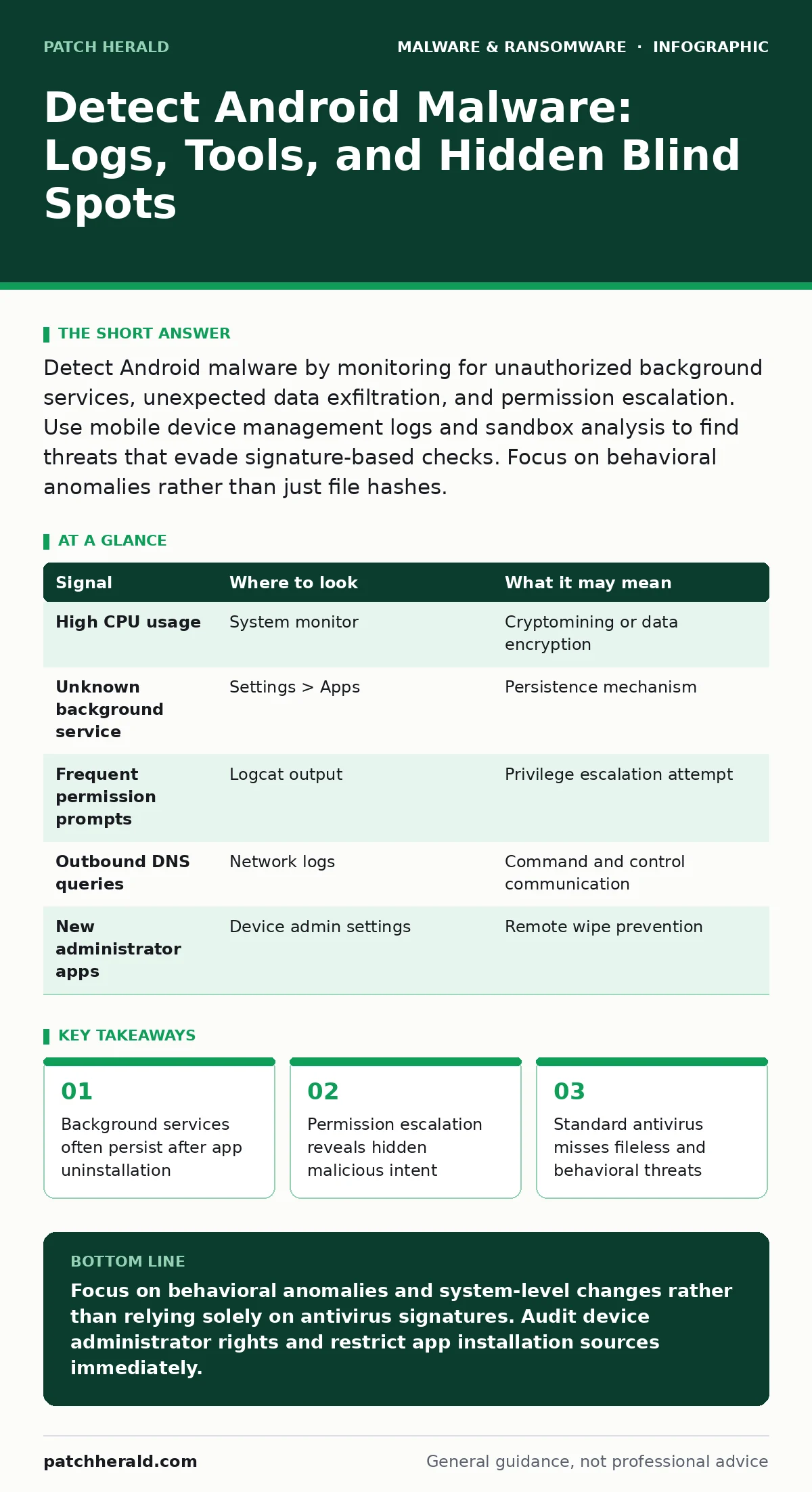
| Signal | Where to look | What it may mean |
|---|---|---|
| High CPU usage | System monitor | Cryptomining or data encryption |
| Unknown background service | Settings > Apps | Persistence mechanism |
| Frequent permission prompts | Logcat output | Privilege escalation attempt |
| Outbound DNS queries | Network logs | Command and control communication |
| New administrator apps | Device admin settings | Remote wipe prevention |
Common Blind Spots in Detection
Many security teams focus exclusively on the application layer. This approach misses threats that operate at the system level. Bootloaders and recovery partitions can be modified to load malware before the operating system starts. Standard scans run within the operating system and cannot see these modifications. You must verify the integrity of the boot chain.
Another blind spot is the reliance on Google Play Protect. While effective, it is not real-time for all threats. Some malware evades detection by using obfuscation techniques. These techniques hide the malicious code until runtime. Static analysis fails to detect these threats. You need behavioral monitoring to catch them.
Third-party app stores and sideloading introduce significant risk. Applications installed outside the official store bypass many security checks. These apps may not have undergone the same review process. They can request dangerous permissions that standard apps cannot. You must restrict installation sources to approved repositories.
See also: Fake Antivirus Mistakes That Leave Your Systems Vulnerable · Malware Analysis Lab: How to Build and Use One for Safe Inspection
The Role of Device Administration
Device administration rights grant applications control over security policies. Malware seeks these rights to prevent removal. Once an app becomes a device administrator, it can disable security software and block uninstallation. You must audit the list of active device administrators regularly.
Look for applications that do not justify these rights. A utility app rarely needs to enforce password policies or wipe data. If an app requests these permissions, investigate its source and reputation. Revoke these rights immediately if the app is untrusted. This prevents the malware from locking you out of the device.
Mitigation Through Policy
Policy enforcement is the most effective defense against Android malware. You can restrict installation from unknown sources through mobile device management. This prevents users from sideloading malicious applications. You can also enforce application whitelisting. This allows only approved applications to run on the device.
Regular updates are necessary to patch known vulnerabilities. Android security patches address flaws that malware exploits. Delaying updates leaves the device exposed. You should automate update deployment where possible. This ensures consistent protection across all devices.
Integrating with Broader Security
Android security does not exist in isolation. It must integrate with your broader security strategy. Consider the risks of cross-platform attacks. Malware on Android can compromise credentials used on other systems. You should monitor for suspicious login attempts from Android devices.
The principles of detecting threats on mobile devices apply to other platforms as well. For example, understanding how trojans operate helps you identify similar behaviors on desktop systems. Similarly, insights from malware analysis can improve your mobile detection rules. You should also consider browser isolation for mobile web access to prevent drive-by downloads.
Key takeaways
- Background services often persist after app uninstallation
- Permission escalation reveals hidden malicious intent
- Standard antivirus misses fileless and behavioral threats
Focus on behavioral anomalies and system-level changes rather than relying solely on antivirus signatures. Audit device administrator rights and restrict app installation sources immediately.
Frequently asked questions
How do I know if my Android device is rooted?
Check for root management apps in your application list. You can also use detection libraries in your security tools that check for modified system binaries and su binaries.
Can Android malware steal data from other apps?
Yes, if it gains accessibility permissions or exploits a vulnerability in the operating system. It can read screen content and intercept inputs from other applications.
Is sideloading apps always dangerous?
Sideloading bypasses official security checks, increasing risk. While not always dangerous, it introduces malware from unverified sources that standard store apps do not.
How often should I update Android security patches?
Apply updates as soon as they are available. Delaying patches leaves known vulnerabilities open for exploitation by active malware campaigns.
How this guide was produced: written by the Patch Herald editorial team with AI assistance, checked against the public references listed below, and reviewed when the facts change. See our editorial policy or report an error.