
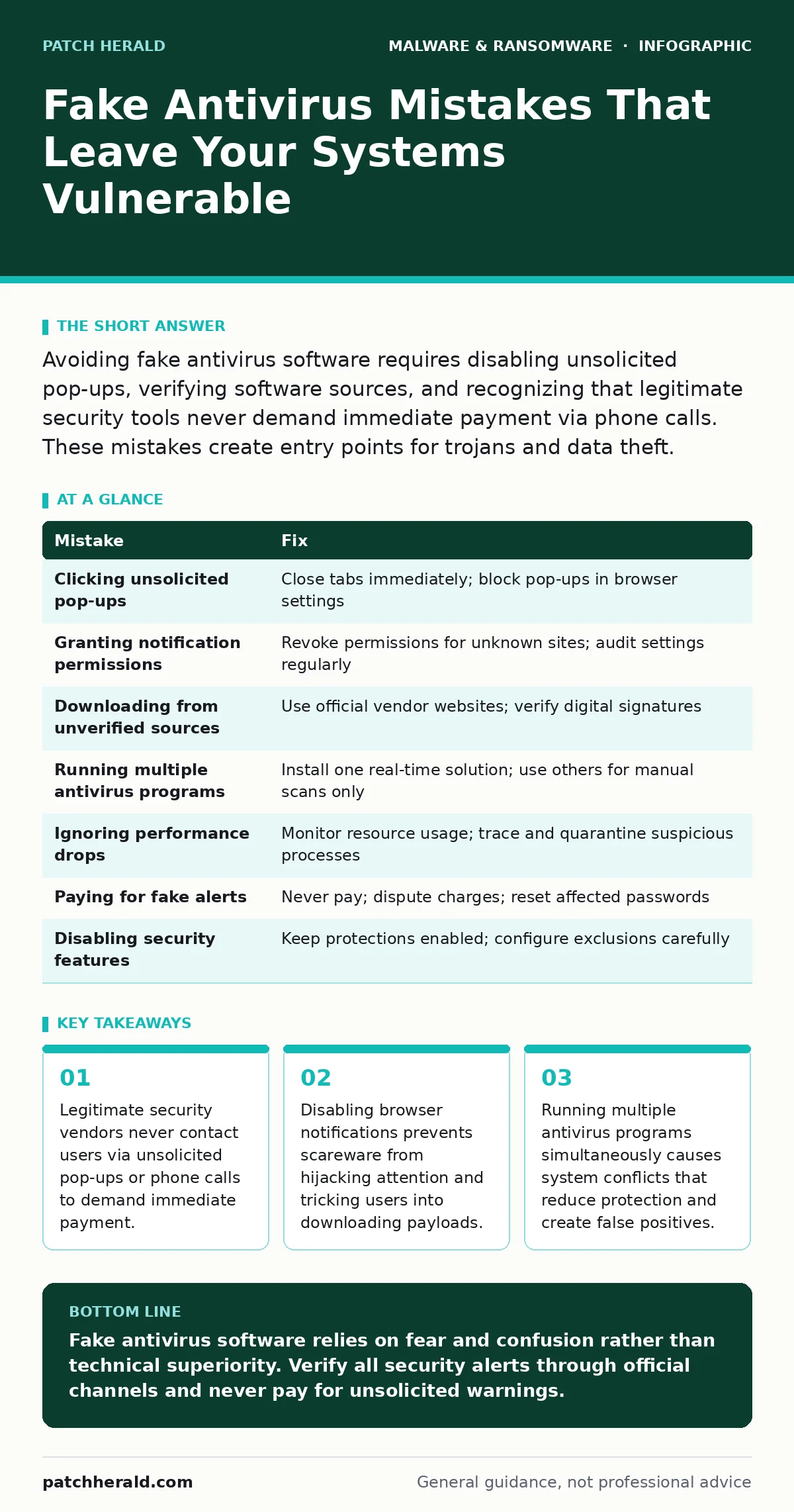
Avoiding fake antivirus software requires disabling unsolicited pop-ups, verifying software sources, and recognizing that legitimate security tools never demand immediate payment via phone calls. These mistakes create entry points for trojans and data theft.
Mistake 1: Clicking Unsolicited Security Pop-Ups
Why it hurts:
Legitimate operating systems and security tools do not use browser pop-ups to alert you of infections. These alerts are designed to trigger panic. Clicking them often leads to a phishing page or directly downloads a trojan. The scareware creates a sense of urgency that bypasses your critical thinking. This psychological manipulation is the primary entry point for fake antivirus software.
The fix:
Close the tab immediately without clicking any buttons inside the alert. Use your task manager or activity monitor to terminate the browser process if the window refuses to close. Configure your browser settings to block all pop-ups by default. Review your browser notification permissions and revoke access for any site you do not explicitly trust.
Mistake 2: Trusting Browser Notification Permissions
Why it hurts:
Many users grant notification permissions to websites without reading the request text. Once granted, these sites can push alerts that look like system warnings. Fake antivirus campaigns use these permissions to display fake scan results repeatedly. This creates a constant stream of fear-based alerts that distract you and encourage accidental clicks. The damage compounds as you interact with these false alerts over time.
The fix:
Audit your browser notification settings regularly. Remove permissions for any site that is not a known news source or productivity tool. Most browsers allow you to revoke these permissions with a single click. If you see an alert from a site you do not recognize, treat it as malicious. Disable the permission and clear your browser cache to remove associated scripts.
Mistake 3: Downloading Software from Unverified Sources
Why it hurts:
Downloading security tools from third-party download sites increases the risk of bundleware. These sites often modify the original installer to include additional unwanted software or trojans. The fake antivirus software may appear legitimate but runs hidden processes that steal credentials. You lose control of your system because the malicious code operates with the same privileges as the legitimate tool. This mistake undermines the entire security stack.
The fix:
Only download software directly from the official vendor website. Verify the URL matches the official domain exactly. Check digital signatures on the installer file before running it. If a site offers a "cracked" or "free" version of paid security software, avoid it entirely. These versions are almost always bundled with malicious payloads designed to steal data or install ransomware.
Mistake 4: Running Multiple Antivirus Programs Simultaneously
Why it hurts:
Installing more than one real-time antivirus solution causes severe system conflicts. These programs compete for file access, leading to false positives and system instability. The conflict creates gaps in protection because each tool may disable the other’s scanning engine. Fake antivirus software can exploit these gaps to install itself undetected. You reduce your overall security posture by creating confusion in your system’s defense layers.
The fix:
Install only one primary antivirus solution that provides real-time protection. Use secondary scanning tools only for manual, on-demand checks. Ensure these secondary tools do not have real-time scanning enabled. Regularly review your installed programs and remove any unused security software. This clarity ensures that your primary tool can function without interference from conflicting processes.
Mistake 5: Ignoring System Performance Drops
Why it hurts:
Fake antivirus software often consumes significant system resources to maintain persistence. You may notice slower boot times, laggy applications, or high CPU usage. Ignoring these signs allows the malware to establish deeper roots in your system. The software may begin logging keystrokes or capturing screen data. Delaying action increases the amount of data stolen and the difficulty of removal. Early detection is the most effective defense against advanced persistence mechanisms.
The fix:
Monitor your system’s resource usage regularly. Identify processes that consume high CPU or memory without a clear purpose. Use built-in system tools to trace the file location of suspicious processes. If you find a process linked to an unknown executable, quarantine it immediately. Refer to guides on removing malware from a Mac or removing malware from an Android phone for platform-specific removal steps.
See also: Removing Malware From a Mac: Benefits, Limits, and Recovery Realities · Software Restriction Policies: 8 Practices to Stop Execution
Mistake 6: Paying for Fake Security Alerts
Why it hurts:
Paying for a fake antivirus alert legitimizes the scammer’s operation. It confirms that your system is a valuable target for future attacks. The payment often does not remove the malware but instead provides a useless license key. The scammer may use your payment information for further fraud. This mistake reinforces the attacker’s behavior and leaves your system vulnerable to additional threats. You lose both money and security integrity.
The fix:
Never pay for software triggered by an unsolicited alert. Contact your financial institution immediately if you have already paid. Dispute the charge and request a new card number. Perform a full system scan using a trusted, pre-installed security tool. Reset all passwords that were stored on the affected device. This prevents the attacker from using any credentials they may have captured during the infection.
Mistake 7: Disabling Security Features for Convenience
Why it hurts:
Disabling firewall rules or disabling real-time scanning to improve performance creates open doors for attackers. Fake antivirus software often exploits these disabled features to install itself silently. You trade short-term convenience for long-term vulnerability. The malware can then operate without triggering alerts because the protective mechanisms are turned off. This mistake is common among users who prioritize speed over security, leading to severe data exposure.
The fix:
Keep all security features enabled at all times. Configure exclusions only for specific, trusted applications that require high performance. Regularly review firewall logs to identify unusual traffic patterns. Ensure that automatic updates are enabled for your operating system and security tools. This maintains a consistent defense layer that adapts to new threats without requiring manual intervention.
| Mistake | Fix |
|---|---|
| Clicking unsolicited pop-ups | Close tabs immediately; block pop-ups in browser settings |
| Granting notification permissions | Revoke permissions for unknown sites; audit settings regularly |
| Downloading from unverified sources | Use official vendor websites; verify digital signatures |
| Running multiple antivirus programs | Install one real-time solution; use others for manual scans only |
| Ignoring performance drops | Monitor resource usage; trace and quarantine suspicious processes |
| Paying for fake alerts | Never pay; dispute charges; reset affected passwords |
| Disabling security features | Keep protections enabled; configure exclusions carefully |
Key takeaways
- Legitimate security vendors never contact users via unsolicited pop-ups or phone calls to demand immediate payment.
- Disabling browser notifications prevents scareware from hijacking attention and tricking users into downloading payloads.
- Running multiple antivirus programs simultaneously causes system conflicts that reduce protection and create false positives.
Fake antivirus software relies on fear and confusion rather than technical superiority. Verify all security alerts through official channels and never pay for unsolicited warnings.
Frequently asked questions
How do I know if my antivirus is real?
Check the software name against the official vendor website. Real tools do not demand immediate payment via pop-ups or phone calls. Verify the digital signature of the executable file.
Can fake antivirus software steal my passwords?
Yes, many fake antivirus programs include keylogging capabilities. They record every keystroke to capture login credentials and financial information. This data is then sent to the attacker’s server.
Should I use browser isolation for protection?
Browser isolation prevents malware from reaching your local device by running web content in a remote container. This is effective against drive
How this guide was produced: written by the Patch Herald editorial team with AI assistance, checked against the public references listed below, and reviewed when the facts change. See our editorial policy or report an error.