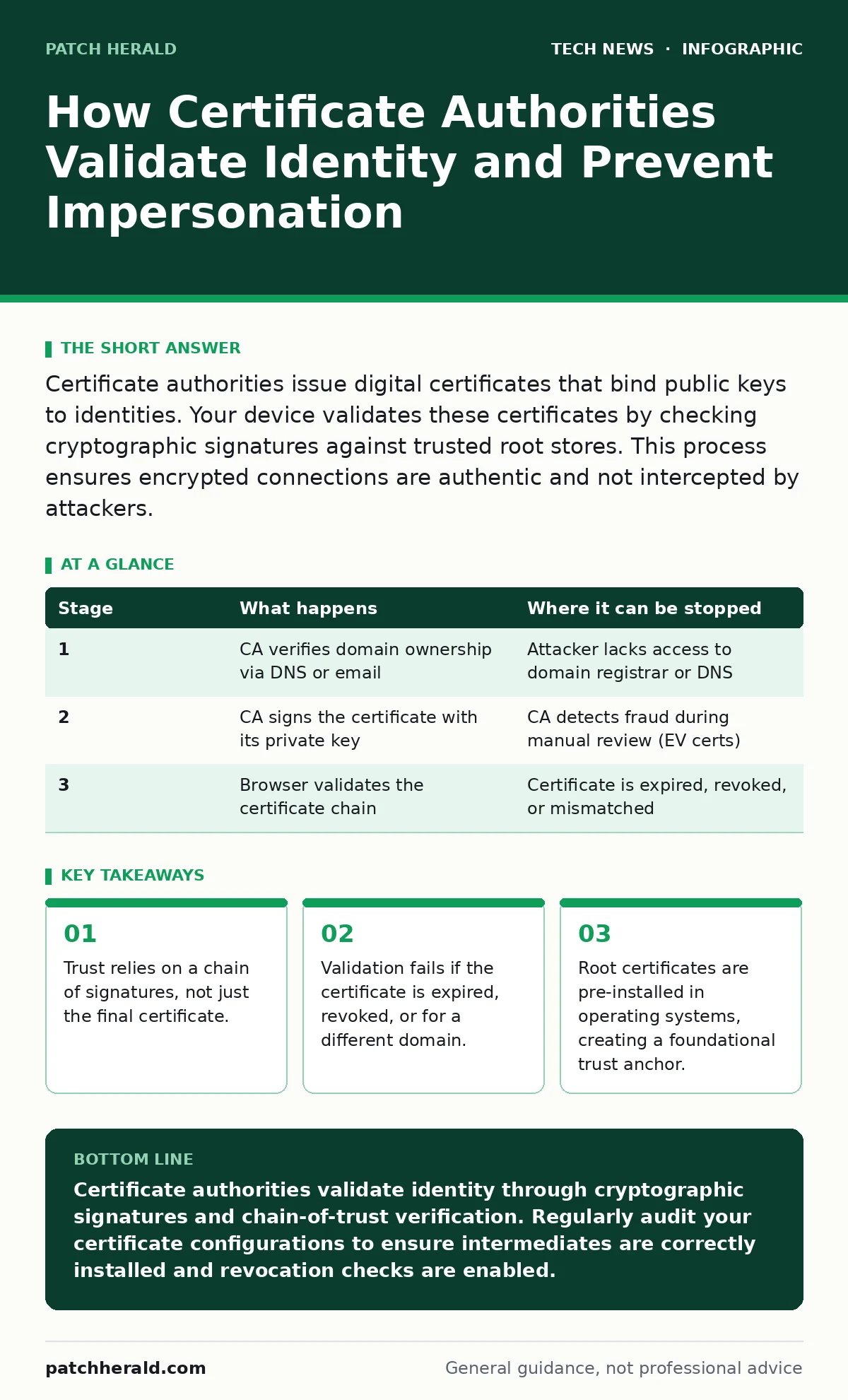
Certificate authorities issue digital certificates that bind public keys to identities. Your device validates these certificates by checking cryptographic signatures against trusted root stores. This process ensures encrypted connections are authentic and not intercepted by attackers.
The Trust Anchor Mechanism
Digital certificates serve as electronic passports for servers. They prove that a specific public encryption key belongs to a specific domain name. Without this proof, an attacker could intercept your traffic by pretending to be the server you intend to contact.
Certificate authorities (CAs) are the entities that issue these passports. They do not create the encryption itself. Instead, they verify identity and sign the certificate with their own private key. Your device trusts this signature because it already contains the CA’s public key in its trusted root store.
This store is a pre-approved list of root certificates installed by the operating system hardening team during manufacturing. You generally do not manage this list manually. It forms the foundation of the entire web’s trust model.
The Application Protocol Layer
Before a certificate is issued, the server administrator must generate a key pair. This consists of a private key, which stays on the server, and a public key, which is shared. The private key decrypts data sent to the server. The public key encrypts data sent to the server.
The administrator then creates a Certificate Signing Request (CSR). This file contains the public key and identification details, such as the domain name. The CSR is sent to the CA. The administrator never sends the private key to the CA. This separation is critical for security.
If an attacker obtains the CSR but not the private key, they cannot decrypt traffic. The CSR is essentially a blank form waiting for the CA’s stamp of approval.
Stage 1: Domain Control Validation
The CA must verify that the applicant controls the domain they claim to own. This is the baseline requirement for standard SSL/TLS certificates. The CA does this by checking the Domain Name System records.
The CA may ask the administrator to place a specific text file on the website. Alternatively, the CA may send an email to an administrative contact listed in the domain registry. Some CAs use DNS validation, requiring a specific record type to be added to the domain’s configuration.
This step prevents someone from registering a certificate for a domain they do not own. It is a simple but effective gatekeeper. It stops impersonation at the source.
| Stage | What happens | Where it can be stopped |
|---|---|---|
| 1 | CA verifies domain ownership via DNS or email | Attacker lacks access to domain registrar or DNS |
| 2 | CA signs the certificate with its private key | CA detects fraud during manual review (EV certs) |
| 3 | Browser validates the certificate chain | Certificate is expired, revoked, or mismatched |
Stage 2: Signing and Issuance
Once validation is complete, the CA creates the certificate. It bundles the public key, the domain name, the validity period, and the issuer’s information. The CA then signs this bundle with its private key.
This signature is a mathematical proof. It guarantees that the certificate has not been altered since the CA issued it. The CA sends the signed certificate back to the administrator.
The administrator installs this certificate on the web server. The server is now ready to present its identity to visitors. The private key remains on the server, never leaving the premises.
Stage 3: Handshake and Validation
When you visit a website, your browser initiates a handshake. The server sends its certificate to your browser. Your browser then performs several checks.
First, it checks the signature. It uses the CA’s public key from your trusted root store to verify that the CA actually signed the certificate. If the signature is invalid, the browser blocks the connection.
Second, it checks the dates. Certificates have expiration dates. If the certificate is expired or not yet valid, the browser warns you. This prevents the use of compromised or outdated keys.
Stage 4: Revocation Checks
Signing is not enough. If a private key is stolen, the certificate must be invalidated immediately. The CA adds the certificate to a revocation list.
Your browser must check this list. There are two main methods: Certificate Revocation Lists (CRLs) and Online Certificate Status Protocol (OCSP). CRLs are large files downloaded periodically. OCSP is a real-time query to the CA’s server.
Most browsers use OCSP Stapling. The server sends a signed response from the CA during the handshake. This speeds up the process and preserves privacy. If the certificate is revoked, the browser blocks the connection.
Reading the Certificate Details
You can view certificate details in your browser. Click the lock icon in the address bar. Look for the "Connection is secure" message. Click "Certificate is valid" to see more.
The "Details" tab shows the subject (who the certificate is for), the issuer (who signed it), and the validity period. The "Certification Path" tab shows the chain of trust.
If you see a self-signed certificate, it is not issued by a trusted CA. It is signed by the server itself. Your browser will not trust it by default. Self-signed certificates are useful for internal testing but dangerous for public websites.
The Hidden Cost of Trust
Certificate transparency is a public log of all issued certificates. It allows anyone to monitor which certificates have been issued for a domain. This helps detect unauthorized or misissued certificates.
If a CA accidentally issues a certificate for your domain, you can spot it in the logs. You can then contact the CA to revoke it. This system adds an extra layer of accountability.
However, transparency logs can be manipulated if not properly secured. The logs themselves must be cryptographically signed. This adds complexity to the infrastructure. It is a trade-off between privacy and accountability.
Managing Intermediate Certificates
CAs rarely sign certificates directly with their root keys. They use intermediate certificates. This creates a chain: Root -> Intermediate -> Server Certificate.
If the root key is compromised, only the root certificate needs to be revoked. The intermediate certificates can be re-issued. This limits the damage.
Administrators often forget to install intermediate certificates. This breaks the chain. The browser cannot verify the signature because it cannot connect the server certificate to the root. Ensure your server sends the full chain.
See also: Malicious Bot Traffic: What It Is and How to Stop It
Beyond Basic Validation
Extended Validation (EV) certificates require stricter checks. The CA verifies the legal existence of the organization. This process takes longer and costs more.
Unified Communications (UC) certificates cover multiple domain names. They are useful for email and collaboration tools. Wildcard certificates cover a domain and all its subdomains.
Each type has trade-offs. Wildcards are convenient but risky. If one subdomain is compromised, the key for all subdomains is at risk. Consider the scope of your deployment carefully.
Review your API key security practices alongside certificate management. Both protect different aspects of your infrastructure. Certificates protect transport; API keys protect access. They should be managed with equal rigor.
Key takeaways
- Trust relies on a chain of signatures, not just the final certificate.
- Validation fails if the certificate is expired, revoked, or for a different domain.
- Root certificates are pre-installed in operating systems, creating a foundational trust anchor.
Certificate authorities validate identity through cryptographic signatures and chain-of-trust verification. Regularly audit your certificate configurations to ensure intermediates are correctly installed and revocation checks are enabled.
Frequently asked questions
What happens if my certificate expires?
Your browser will block the connection and display a warning. Users will not be able to access the site securely. You must renew the certificate before expiration.
Can I trust a self-signed certificate?
Not automatically. Self-signed certificates are not verified by a trusted third party. You must manually add them to your trust store, which is risky for public sites.
Why do I need intermediate certificates?
They create a chain of trust between the server certificate and the root certificate. Without them, browsers cannot verify the signature, leading to errors.
How often should I renew certificates?
Most CAs issue certificates valid for up to 13 months. Renew them before expiration to avoid downtime. Automated tools can handle renewal seamlessly.
How this guide was produced: written by the Patch Herald editorial team with AI assistance, checked against the public references listed below, and reviewed when the facts change. See our editorial policy or report an error.