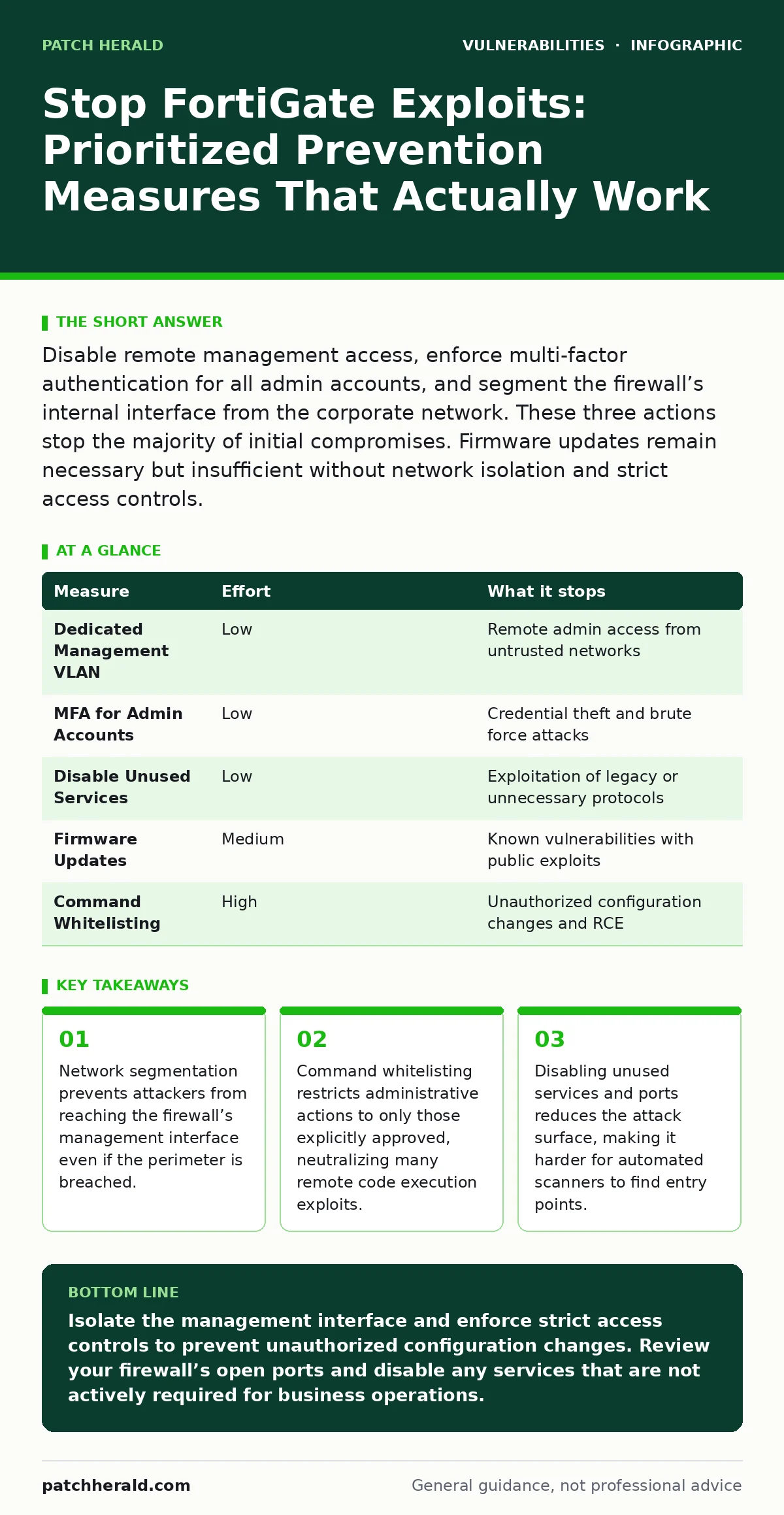
Disable remote management access, enforce multi-factor authentication for all admin accounts, and segment the firewall’s internal interface from the corporate network. These three actions stop the majority of initial compromises. Firmware updates remain necessary but insufficient without network isolation and strict access controls.
Isolate the Management Interface Immediately
Isolating the management interface removes the most immediate risk of remote compromise. Attackers often target the administrative port of network devices because it provides full control over the firewall’s configuration. If an attacker gains access to this interface, they can disable security rules, exfiltrate logs, or install backdoors. You must place the management interface on a dedicated, physically or logically separated network segment. This segment should have no direct route to the internet or the general corporate LAN. Only authorized administrators with multi-factor authentication should be able to reach this segment.
This approach forces attackers to breach your internal network first before they can touch the firewall’s controls. It adds a layer of defense that software patches cannot provide. Even if a zero-day vulnerability exists in the web management interface, the attacker cannot reach it from the outside. This is a fundamental principle of defense in depth. It shifts the burden from detecting exploitation to preventing initial access.
| Measure | Effort | What it stops |
|---|---|---|
| Dedicated Management VLAN | Low | Remote admin access from untrusted networks |
| MFA for Admin Accounts | Low | Credential theft and brute force attacks |
| Disable Unused Services | Low | Exploitation of legacy or unnecessary protocols |
| Firmware Updates | Medium | Known vulnerabilities with public exploits |
| Command Whitelisting | High | Unauthorized configuration changes and RCE |
Enforce Strict Administrative Access Controls
Administrative access controls determine who can change the firewall’s behavior. Weak access controls allow attackers to escalate privileges once they gain initial entry. You must enforce multi-factor authentication for every administrative account. Single-factor authentication is insufficient because passwords can be stolen, guessed, or phished. Multi-factor authentication requires a second form of verification, such as a hardware token or a mobile authenticator app. This stops attackers who have obtained valid credentials from logging in.
You should also implement role-based access control. This means each administrator has only the permissions necessary for their specific job. A network engineer should not have the same access rights as a security auditor. Limiting permissions ensures that if one account is compromised, the attacker cannot perform all possible actions. For example, an account used for monitoring should not be able to modify firewall rules. This principle of least privilege reduces the impact of any single credential compromise.
Disable Unused Services and Ports
Every open port and enabled service is a potential entry point for an attacker. Many firewall appliances ship with default services enabled for convenience, such as HTTP, Telnet, or SSH on standard ports. You must disable any service that you do not actively use. If you manage the device via HTTPS, disable HTTP. If you do not use Telnet, turn it off. Each disabled service reduces the attack surface.
Automated scanners probe networks for common services and known vulnerabilities. By closing unnecessary ports, you make your device invisible to these automated tools. This is a form of security through obscurity, but it is effective when combined with other measures. It forces attackers to spend more time and resources to identify what is running on your firewall. This delay can be the difference between a successful breach and a detected intrusion.
Implement Command Whitelisting and Auditing
Command whitelisting restricts the actions an administrator can perform. Instead of allowing any command, you define a specific list of allowed commands. Any attempt to execute a command not on this list is blocked and logged. This is particularly effective against remote code execution vulnerabilities, where an attacker tries to run arbitrary system commands. Even if the attacker exploits a vulnerability in the web interface, they cannot execute commands outside the whitelist.
You must also enable detailed logging for all administrative actions. Logs should record who performed the action, when it happened, and what command was executed. Regularly review these logs for anomalies. Look for commands executed at unusual times or by users who do not typically perform maintenance. This audit trail helps you detect insider threats and compromised accounts. It also provides evidence for forensic analysis after a security incident.
Segment Internal Network Traffic
Network segmentation divides your internal network into smaller, isolated zones. This prevents lateral movement by attackers who have breached the perimeter. If an attacker compromises a workstation, they should not be able to reach the firewall’s management interface or sensitive servers. You create separate VLANs for different departments or functions. Traffic between these zones is controlled by strict firewall rules.
This measure protects the firewall itself. If the firewall’s internal interface is on the same network as user workstations, a compromised workstation can attack the firewall. By placing the firewall’s internal interface on a separate management VLAN, you isolate it from general user traffic. This segmentation ensures that even if the corporate network is infected with malware, the firewall’s controls remain secure. It is a critical step in protecting the security infrastructure.
See also: Network Access Control: Real Benefits vs Hidden Limitations · Cloud IAM Policy Misreadings: Six Errors That Leave Systems Exposed
Update Firmware with Care
Firmware updates patch known vulnerabilities. You must keep your firewall’s firmware up to date. However, you should not install updates immediately upon release. Test updates in a non-production environment first. Updates can introduce new bugs or break existing configurations. A broken firewall is worse than a vulnerable one. Verify that the update does not disrupt your business operations before applying it to production devices.
Check the release notes for each update. Identify which vulnerabilities are patched and whether they are relevant to your deployment. If a vulnerability affects a feature you do not use, the urgency to patch may be lower. This allows you to prioritize updates that address the most critical risks. Balance the need for security with the need for stability. Rushing updates without testing can lead to downtime and configuration errors.
Monitor for Anomalous Behavior
Monitoring helps you detect attacks that bypass other defenses. You should monitor traffic patterns, login attempts, and configuration changes. Look for spikes in traffic, failed login attempts, or changes made outside of normal maintenance windows. Anomalous behavior often indicates an ongoing attack. Automated monitoring tools can alert you to these events in real time.
You must also monitor the health of the firewall itself. High CPU usage or memory consumption can indicate an active exploit. Some attacks consume significant resources while executing malicious code. By monitoring system resources, you can detect these attacks before they cause damage. Combine monitoring with regular security assessments to ensure your defenses remain effective.
Closing Checklist for Immediate Action
Complete these three tasks today to significantly reduce your risk:
- Verify that the management interface is on a separate VLAN with no internet access.
- Enable multi-factor authentication for all administrative accounts.
- Disable all unused services and ports on the firewall.
These actions address the most common entry points for attackers. They require minimal effort but provide substantial protection. Implementing them immediately improves your security posture while you plan more complex measures like command whitelisting.
Key takeaways
- Network segmentation prevents attackers from reaching the firewall’s management interface even if the perimeter is breached.
- Command whitelisting restricts administrative actions to only those explicitly approved, neutralizing many remote code execution exploits.
- Disabling unused services and ports reduces the attack surface, making it harder for automated scanners to find entry points.
Isolate the management interface and enforce strict access controls to prevent unauthorized configuration changes. Review your firewall’s open ports and disable any services that are not actively required for business operations.
Frequently asked questions
How often should I update my FortiGate firmware?
Update firmware regularly, but only after testing in a non-production environment. Prioritize updates that patch critical vulnerabilities relevant to your deployment.
Can network segmentation stop all attacks?
No, network segmentation limits lateral movement but does not stop initial perimeter breaches. It must be combined with strong access controls and monitoring.
What is the difference between a firewall and an intrusion prevention system?
A firewall controls traffic based on rules, while an intrusion prevention system inspects traffic for known attack signatures. Both provide different layers of defense.
Should I use a cloud-based firewall instead?
Cloud firewalls offer centralized management but may have different latency and data privacy considerations. Evaluate your specific needs before switching.
How this guide was produced: written by the Patch Herald editorial team with AI assistance, checked against the public references listed below, and reviewed when the facts change. See our editorial policy or report an error.