
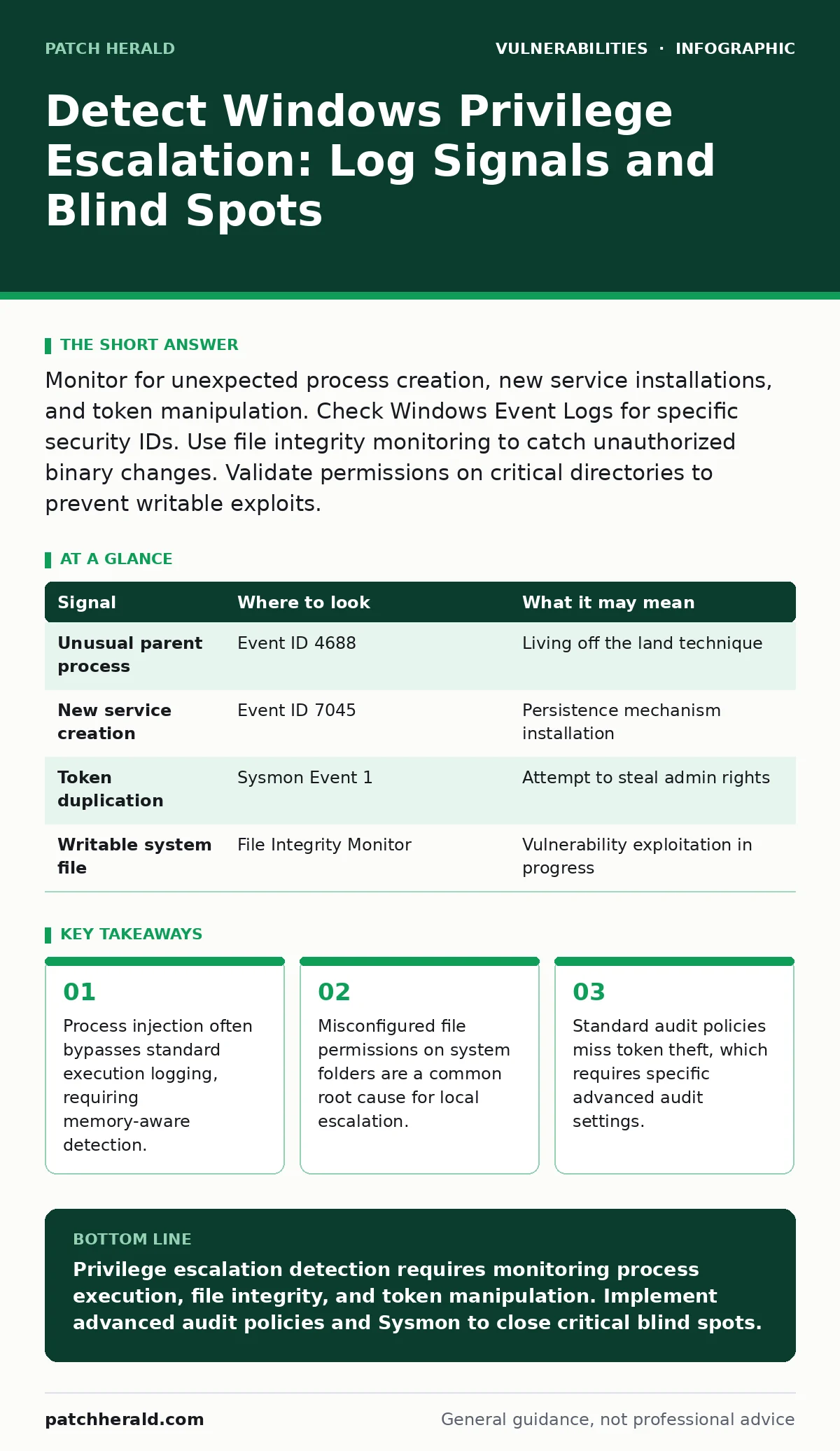
Monitor for unexpected process creation, new service installations, and token manipulation. Check Windows Event Logs for specific security IDs. Use file integrity monitoring to catch unauthorized binary changes. Validate permissions on critical directories to prevent writable exploits.
Process Execution Anomalies
Process execution is the primary vector for privilege escalation on Windows systems. Attackers often spawn legitimate system binaries to execute malicious code, a technique known as living off the land. You must monitor for unusual parent-child process relationships. A web server process spawning a command shell is highly suspicious. Standard logging often misses the content of the command line arguments. You need to enable detailed process creation logging to capture the full command string. This reveals whether a legitimate tool is being used with malicious switches.
| Signal | Where to look | What it may mean |
|---|---|---|
| Unusual parent process | Event ID 4688 | Living off the land technique |
| New service creation | Event ID 7045 | Persistence mechanism installation |
| Token duplication | Sysmon Event 1 | Attempt to steal admin rights |
| Writable system file | File Integrity Monitor | Vulnerability exploitation in progress |
File Integrity Changes
File integrity monitoring reveals when an attacker replaces a legitimate system binary with a malicious one. This technique, known as binary planting, allows an attacker to hijack the execution path of a privileged service. You should monitor critical directories such as System32 and Windows for unexpected modifications. Even small changes to configuration files can indicate an attempt to escalate privileges. The absence of file signing validation in older services makes them prime targets. Ensure your monitoring solution alerts on any change to executable files in protected directories. This detection method works independently of process execution logs.
Service Configuration Weaknesses
Windows services run with specific privilege levels, often higher than the user who installed them. Attackers exploit services that allow standard users to modify their configuration. This includes changing the binary path or the arguments passed to the service. When the service restarts, the malicious code executes with elevated privileges. You must audit all services for misconfigured permissions. Tools like AccessChk can help identify which services are vulnerable to this type of manipulation. Regularly scanning for these weaknesses prevents attackers from gaining a foothold. This vector is common in environments where service accounts have excessive rights.
Token Manipulation and Theft
Privilege escalation often involves stealing or duplicating security tokens. A token contains the identity and privileges of a user session. Attackers use tools like PsExec or custom scripts to duplicate an administrator token. This allows them to run commands as an administrator without knowing the password. Standard logs may show a new process starting but not the mechanism used to obtain privileges. You must enable advanced audit policies to track token manipulation events. Look for Event ID 4672, which indicates special privileges were assigned to a new logon. This signal is rare in normal operations and highly indicative of compromise.
Imagine a scenario where an attacker gains low-level access through a phishing email. They cannot install software directly. Instead, they duplicate the token of a logged-on administrator. They now have full control without triggering password-based alerts. This bypasses multi-factor authentication entirely. Detection relies on identifying the token duplication event itself.
Registry and Startup Modifications
Attackers often modify the Windows Registry to ensure their malicious code runs every time the system starts. This provides persistence and often executes with elevated privileges. Key areas of interest include Run keys and service entries. You should monitor for new entries in these locations. Changes to the Registry often occur silently, bypassing standard file system monitoring. Combining Registry monitoring with file integrity checks provides a complete picture. This approach catches both the binary and the mechanism that launches it. Regular baseline comparisons help identify new, unauthorized entries quickly.
Common Detection Blind Spots
Several blind spots prevent effective detection of privilege escalation. First, many organizations do not enable Sysmon, a system monitoring tool that provides detailed event data. Without Sysmon, you miss critical details about process injection and network connections. Second, standard Windows Event Logs often lack the detail needed to distinguish between legitimate administrative tasks and malicious activity. Third, memory-resident attacks leave no files on disk. These attacks execute entirely in RAM, bypassing file integrity monitoring. You need memory-aware security tools to detect these techniques. Ignoring these blind spots leaves your environment exposed to advanced threats.
Tooling for Effective Detection
Effective detection requires the right combination of tools. Windows Event Forwarding centralizes logs from multiple machines, allowing for correlation across the network. Sysmon provides the detailed telemetry needed to spot subtle anomalies. File integrity monitoring solutions track changes to critical system files. Endpoint detection and response platforms offer behavioral analysis to catch novel attacks. You should integrate these tools into a single security information and event management system. This allows for automated alerting and faster incident response. Regular tuning of these tools reduces false positives and improves signal clarity.
The Hidden Cost of Misconfiguration
Misconfiguration is the leading cause of successful privilege escalation. This includes overly permissive file permissions, weak service accounts, and disabled audit policies. Fixing these issues requires time and expertise. Many organizations focus on perimeter defense while ignoring internal hardening. This creates a false sense of security. Once an attacker is inside, they can move laterally and escalate privileges with ease. You must treat internal misconfiguration as a critical vulnerability. Regular audits and automated compliance checks help maintain a secure posture. This proactive approach reduces the window of opportunity for attackers.
Understanding the mechanics of privilege escalation is similar to understanding how sandbox escape vulnerabilities allow code to break out of restricted environments. In both cases, the attacker exploits a boundary that was supposed to be impermeable. The defense requires rigorous testing of that boundary.
Key takeaways
- Process injection often bypasses standard execution logging, requiring memory-aware detection.
- Misconfigured file permissions on system folders are a common root cause for local escalation.
- Standard audit policies miss token theft, which requires specific advanced audit settings.
Privilege escalation detection requires monitoring process execution, file integrity, and token manipulation. Implement advanced audit policies and Sysmon to close critical blind spots.
Frequently asked questions
How do I know if an attacker has escalated privileges?
Look for unexpected process executions, new service installations, and changes to system files or Registry keys that occur without corresponding administrative logons.
What is the most common privilege escalation vector?
Misconfigured file permissions and services that allow standard users to modify their execution path or arguments are the most common vectors.
Does antivirus software detect privilege escalation?
Standard antivirus often misses privilege escalation because it relies on known malware signatures. Behavioral monitoring and log analysis are more effective.
How often should I audit service permissions?
You should audit service permissions regularly, especially after any changes to the system or installation of new software, to prevent misconfiguration.
How this guide was produced: written by the Patch Herald editorial team with AI assistance, checked against the public references listed below, and reviewed when the facts change. See our editorial policy or report an error.