Stop relying on manual checks that ignore context. Verify payment origins through independent channels, enforce device binding, and validate transaction amounts against historical behavior to catch sophisticated fraud before it clears.
Mistake 1: Verifying Identity Through the Same Channel
You receive a payment confirmation via email and reply to the same address to confirm details. This practice assumes the sender is who they claim to be. Attackers often spoof email headers or intercept communications to insert themselves into the conversation.
Why it hurts:
This creates a false sense of security. If an attacker controls the communication channel, your verification step validates their fraud rather than rejecting it. You essentially hand over control of the transaction to the person trying to steal from you.
The fix:
Use an out-of-band verification method. If the payment arrives via email, call the customer using a phone number from your existing records, not the one in the email. This breaks the chain of attack by introducing a separate communication path that the attacker is unlikely to control.
Mistake 2: Ignoring Transaction Velocity and Amount
You approve a large payment because the credentials are correct, without checking if the amount or timing matches the customer’s history. A sudden spike in transaction volume or value is a primary indicator of compromise.
Why it hurts:
Fraudsters often test accounts with small amounts before draining them. If you focus only on credential validity, you miss the behavioral anomaly. This allows attackers to move quickly before you notice the pattern.
The fix:
Implement velocity checks. Set thresholds for how many transactions or what total value a user can process within a short window. Any deviation from the user’s baseline behavior should trigger a manual review or a secondary authentication step. This aligns with principles of zero trust security, where no action is trusted by default regardless of origin.
Mistake 3: Accepting Expired or Reused Verification Codes
You allow a one-time password (OTP) or verification code to be used multiple times or after a long expiry period. These codes are meant to be single-use tokens that prove current access to a specific device.
Why it hurts:
If codes are reusable, an attacker who intercepts one code can use it later. This turns a temporary security measure into a permanent backdoor. It also enables replay attacks, where recorded data is sent again to achieve unauthorized access.
The fix:
Enforce strict validity windows and single-use policies. Codes should expire within minutes and become invalid after one successful use. This reduces the window of opportunity for attackers who rely on phishing techniques to steal credentials in real-time.
Mistake 4: Neglecting Device Fingerprinting
You verify payments based solely on username and password, ignoring the device used to initiate the transaction. A login from a new browser, operating system, or geographic location is a significant risk signal.
Why it hurts:
Stolen credentials are often used on unfamiliar devices. Without checking the device context, you cannot distinguish between a legitimate user traveling and a fraudster using a proxy server. This leaves you vulnerable to credential stuffing attacks.
The fix:
Require additional verification for new devices. This can include sending a code to a registered phone number or asking for biometric confirmation. This step ensures that even if credentials are stolen, the attacker cannot complete the transaction without physical access to the user’s trusted device.
Mistake 5: Manual Entry of Payment Details
You manually type credit card numbers or bank details into verification systems to double-check them. This practice introduces human error and increases the time sensitive data remains in memory or on screen.
Why it hurts:
Manual entry is prone to typos, which lead to failed transactions and customer frustration. More dangerously, it increases exposure to shoulder surfing and keylogging malware. Attackers can watch you type or record keystrokes to capture the data.
The fix:
Use automated parsing and tokenization. Let systems extract payment details from secure forms or APIs. Never display full card numbers on screens meant for verification. Instead, show only the last four digits. This reduces the risk of data leakage and speeds up the verification process.
See also: Malicious Bot Traffic: What It Is and How to Stop It
Mistake 6: Failing to Validate IP Geolocation
You process a payment without checking if the IP address matches the billing address or the user’s historical location. A transaction originating from a country where the customer has never been is a red flag.
Why it hurts:
Geolocation mismatches are a common sign of account takeover. Attackers often use virtual private networks (VPNs) or proxy servers to mask their real location, but these services sometimes leave traces or fail to align with other data points.
The fix:
Cross-reference IP location with billing information. If there is a mismatch, require additional verification. This does not block legitimate travel but adds a friction point for attackers who must now justify their location. Combine this with endpoint protection to detect malicious software on the user’s device.
Mistake 7: Overlooking Secondary Authentication for High-Risk Actions
You treat all payment actions equally, whether it is a small purchase or a large fund transfer. High-value transactions deserve higher scrutiny than routine ones.
Why it hurts:
Treating all actions the same dilutes your security focus. Attackers know that standard logins are often sufficient for low-value items. By not escalating verification for high-risk actions, you give them a path to move large sums with minimal resistance.
The fix:
Implement step-up authentication. Require a second form of verification, such as a hardware key or a biometric scan, for transactions above a certain threshold. This ensures that the most valuable actions have the strongest protection. This approach complements cyber hygiene by reinforcing good practices at critical moments.
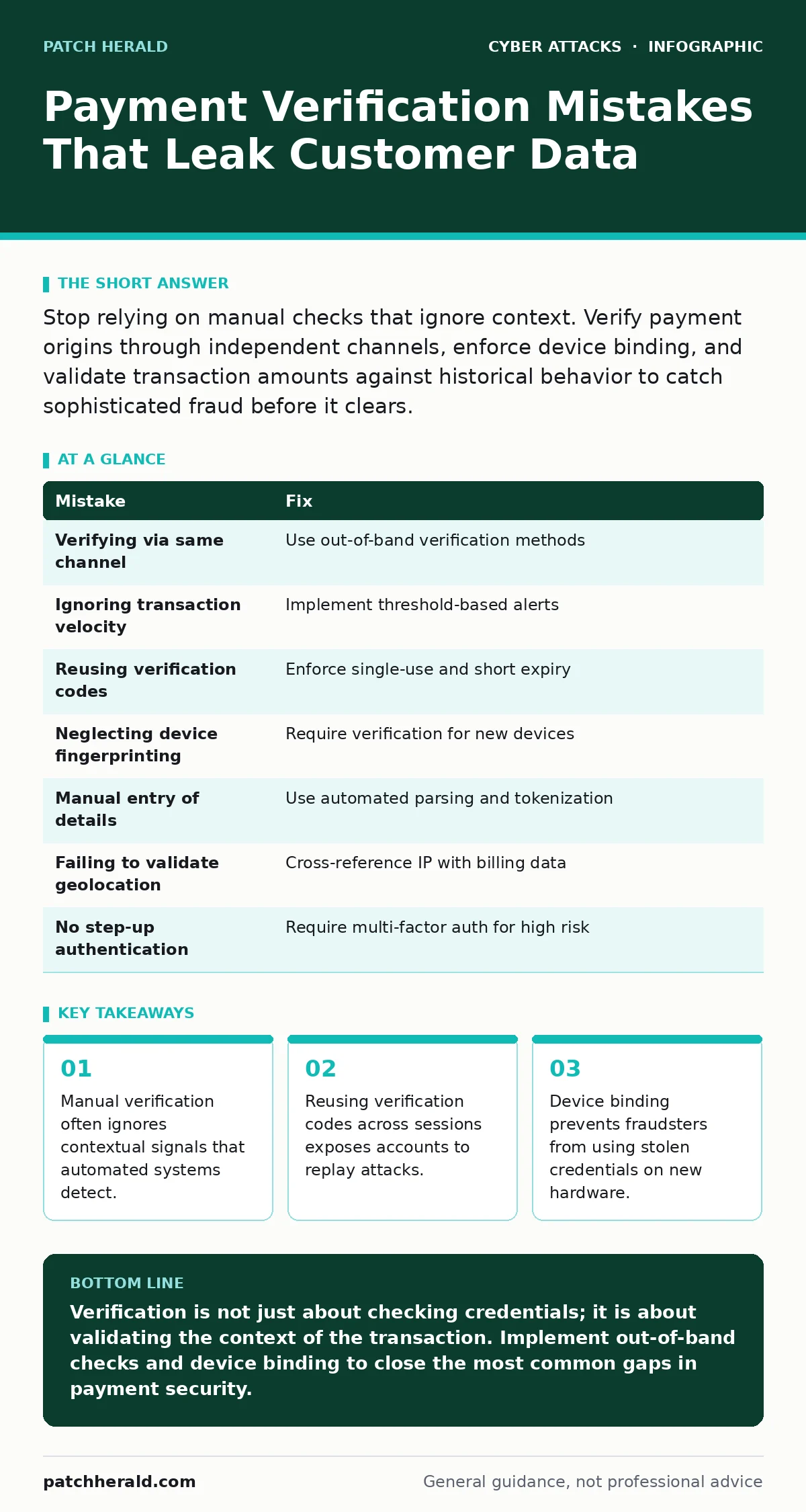
| Mistake | Fix |
|---|---|
| Verifying via same channel | Use out-of-band verification methods |
| Ignoring transaction velocity | Implement threshold-based alerts |
| Reusing verification codes | Enforce single-use and short expiry |
| Neglecting device fingerprinting | Require verification for new devices |
| Manual entry of details | Use automated parsing and tokenization |
| Failing to validate geolocation | Cross-reference IP with billing data |
| No step-up authentication | Require multi-factor auth for high risk |
Key takeaways
- Manual verification often ignores contextual signals that automated systems detect.
- Reusing verification codes across sessions exposes accounts to replay attacks.
- Device binding prevents fraudsters from using stolen credentials on new hardware.
Verification is not just about checking credentials; it is about validating the context of the transaction. Implement out-of-band checks and device binding to close the most common gaps in payment security.
Frequently asked questions
Does two-factor authentication stop all payment fraud?
No. While it adds a layer of security, it can be bypassed by social engineering or man-in-the-middle attacks if the user is tricked into sharing the code.
How do I verify a payment without annoying customers?
Use risk-based authentication. Only trigger extra checks when unusual behavior is detected, keeping the experience smooth for normal transactions.
Is verifying payments manually ever safe?
Manual verification is risky due to human error and social engineering. It should be a last resort, supported by automated tools that flag anomalies.
What is out-of-band verification?
It is confirming a transaction through a different communication channel than the one used for the initial request, such as calling a customer after receiving an email.
How this guide was produced: written by the Patch Herald editorial team with AI assistance, checked against the public references listed below, and reviewed when the facts change. See our editorial policy or report an error.